

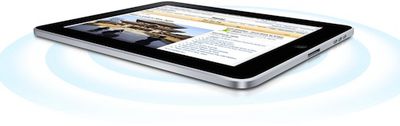
With the iPad's U.S. release to the masses on Saturday, several complaints have arisen from users experiencing difficulties with their new devices. Two of the highest-profile complaints in the early days have been weak Wi-Fi signals and confusion over USB charging of the device.
Apple's discussion forums have received a significant amount of activity regarding the Wi-Fi issue, which typically results in users receiving a significantly lower signal than computers or iPhones held in the same location relative to the access point. The reduced signal is resulting in slower performance and smaller range for many of these users. Users have also reported seeing significant fluctuations in signal.
Speculation has centered around the iPad's external shell and power-saving measures as possible reasons for the Wi-Fi performance issues. While Apple has strategically placed the iPad's Wi-Fi antennas to provide optimal reception, the device's aluminum rear enclosure almost certainly shields reception to some degree. Additionally, some users have wondered whether Apple is supplying reduced power to the Wi-Fi hardware as part of its power-saving techniques that have enabled the iPad to meet or exceed its stated 10-hour battery life in many cases. Regardless of the cause, Apple has yet to comment on the Wi-Fi situation, although it has in the past quietly addressed similar issues through software updates when possible.
A second issue experienced by users has been difficulty with charging the iPad via USB. A number of users have discovered that their iPads refuse to charge when connected to USB ports on some computers, an issue that Apple has stated is due to the required power draw for the device. In a support document posted on the issue, Apple recommends that users charge their iPads by using either the included power outlet adapter or high-power USB 2.0 ports.
When attached to a computer via a standard USB port (most PCs or older Mac computers) iPad will charge, but only when it's in sleep mode. Make sure your computer is on while charging iPad via USB. If iPad is connected to a computer thats turned off or is in sleep or standby mode, the iPad battery will continue to drain.
The iPad's charging demand stems from its large battery that drives a significantly hungrier device than most mobile handhelds users are accustomed to charging via USB. Consequently, lower-power USB ports have difficulty keeping up with the iPad's draw, especially when the device is not in sleep mode.
























![Apple Pulls Keynote, Pages and Numbers From App Store [Update: Back]](https://images.macrumors.com/t/Okb7kitB_gNr6qe5Pex9nQIysD8=/112x112/article-new/2026/01/Apple-Creator-Studio-iWork-suite.jpg)





















