

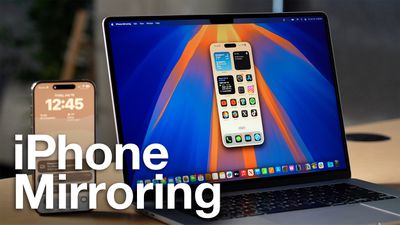
iPhone Mirroring offers a seamless way to control your iPhone from your Mac, allowing you to respond to notifications, send messages, and navigate iOS apps without touching your phone. The feature is particularly useful for tasks that require extensive typing, such as composing long emails or editing documents on your iPhone. If you're experiencing issues with iPhone Mirroring, follow these steps to get it working again.
Check System Requirements
First, ensure your devices meet the minimum requirements for iPhone Mirroring:
- Your Mac has an Apple silicon chip or T2 security chip
- Your Mac is running macOS Sequoia or later
- Your iPhone is running iOS 18 or later
Check Your Apple Account
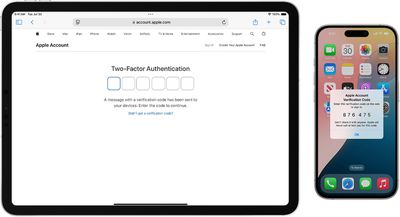
For iPhone Mirroring to work, both your Mac and iPhone must be signed in to the same Apple Account, and two-factor authentication needs to be enabled for the account.
Check Proximity and Connectivity
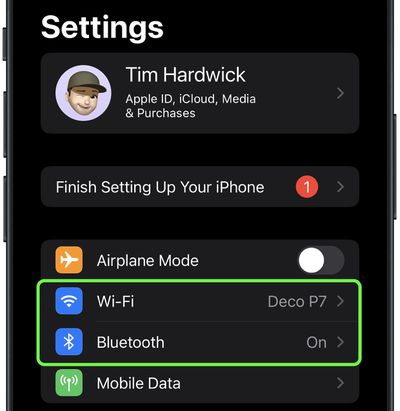
Keep your iPhone close to your Mac, as iPhone Mirroring relies on Bluetooth. Make sure both Bluetooth and Wi-Fi are turned on for both devices. If either is off, enable them in System Settings on your Mac and in Settings on your iPhone.
Additionally, make sure Personal Hotspot is not in use on your iPhone, and that your Mac is not sharing its internet connection or using AirPlay or Sidecar.
Restart Both Devices
A simple restart can often resolve connectivity issues. Power off both your Mac and iPhone, then turn them back on after a minute.
Check for Software Updates
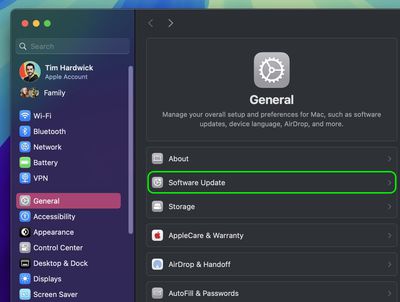
Ensure both your Mac and iPhone are running the latest software versions. On your Mac, go to System Settings ➝ General ➝ Software Update. On your iPhone, go to Settings ➝ General ➝ Software Update.
Disable VPN and Security Software
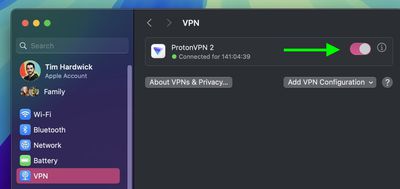
Temporarily turn off any VPN services or third-party security software on both devices, as these can interfere with the connection.
Reset iPhone Mirroring
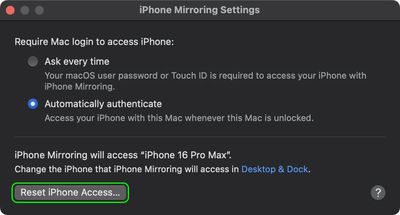
If issues persist, reset iPhone Mirroring settings. In the iPhone Mirroring app, go to iPhone Mirroring ➝ Settings, and click Reset iPhone Access. This will clear existing settings and allow you to set up the feature again from scratch.
Drag and Drop Won't Work?
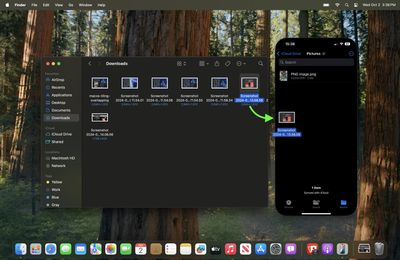
As of writing, Apple has not enabled file transfers for iPhone Mirroring, so you cannot currently transfer files, photos, and videos from your Mac to your iPhone and vice versa using drag and drop gestures. This capability will be enabled in Apple's forthcoming macOS Sequoia 15.1 update, which is expected to drop in late October 2024.
How Are Your Settings?
Depending on your issue, adjusting these iPhone Mirroring settings might help:
- Open the iPhone Mirroring app on your Mac.
- Go to iPhone Mirroring ➝ Settings in the menu bar.
- Choose between Ask Every Time or Authenticate Automatically for Mac login authentication.
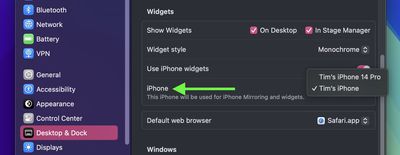
It's also worth noting that in System Settings ➝ Desktop & Dock, under the "Widgets" section, you'll find an option to select which iPhone to use if you have multiple devices.
No Luck?
If you've tried all these troubleshooting tips and iPhone Mirroring still isn't working, you may need to contact Apple Support for further assistance.
























![Apple Pulls Keynote, Pages and Numbers From App Store [Update: Back]](https://images.macrumors.com/t/Okb7kitB_gNr6qe5Pex9nQIysD8=/112x112/article-new/2026/01/Apple-Creator-Studio-iWork-suite.jpg)





















