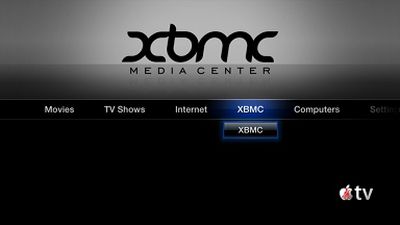
XBMC Media Center has released a version of their software that will run on the iPad, iPhone 4 and new Apple TV. XMBC is a free media player that began life on the Xbox but has since grown to be a multi-platform solution.
XBMC Media Center (formerly Xbox Media Center) is a free and open source cross-platform media player and home entertainment system software with a 10-foot user interface designed for the living-room TV. Its graphical user interface allows the user to easily manage video, photos, podcasts, and music from a computer, optical disc, local network, and the internet using a remote control.
The software is not available through the App Store, and requires a jailbroken Apple TV or iOS device.
While jailbreaking has been a known way to load third party apps onto the iPad and iPhone, it's not been a very common procedure for the Apple TV. Due to similarities of the underlying iOS firmware on the new Apple TV, it's been widely expected that these unauthorized apps would become available for the device. Apple presently offers no authorized way to install apps on the Apple TV.
TUAW posts video showing it running on the Apple TV (as well as iPad and iPhone 4):
Apple has unveiled a whopping nine new products so far this March, including an iPhone 17e, iPad Air models with the M4 chip, MacBook Air models with the M5 chip, MacBook Pro models with M5 Pro and M5 Max chips, the all-new MacBook Neo, an updated Studio Display, a higher-end Studio Display XDR, AirPods Max 2, and now the Nike Powerbeats Pro 2.
iPhone 17e features the same overall design as...
Apple has unveiled nine new products this month, but the wait continues for the next-generation Apple TV 4K and HomePod mini models.
In his Power On newsletter today, Bloomberg's Mark Gurman said new versions of the Apple TV and HomePod mini have been "ready" since last year, but he reiterated that Apple has held off on releasing them until the more personalized version of Siri and other...
iOS 26.4 was released today, and it includes a couple of new features for CarPlay: an Ambient Music widget and support for voice-based chatbot apps.
To update your iPhone 11 or newer to iOS 26.4, open the Settings app and tap on General → Software Update. CarPlay will automatically offer the new features so long as the iPhone connected to your vehicle is running iOS 26.4 or later....