
Apple Launches iTunes Match with Release of iTunes 10.5.1 [Updated]

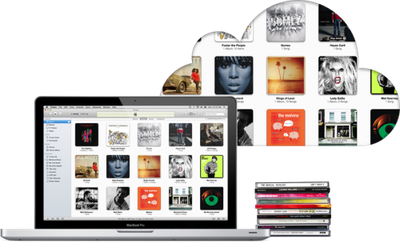
Coming several weeks late, Apple has just now officially launched iTunes Match to customers in the United States. The iTunes Match launch is facilitated by the release of iTunes 10.5.1, which now allows users to subscribe to the $25/year service offering cloud-based matching and upload of users' complete iTunes libraries. iTunes 10.5.1 is available via the iTunes download page and should be rolling out to Software Update shortly.

Apple had apparently initially intended iTunes Match to launch by mid-October as part of iTunes 10.5 as seen in a number of developer betas, but the company removed the feature from iTunes 10.5 for the public release, giving it a few more weeks to complete work on the service. Even so, Apple missed its stated launch target of "end of October" and did not provide an updated timeframe for the iTunes Match debut once the target was missed, although the company continued testing with a new developer beta of iTunes 10.5.1 just this past weekend.
itunes match
iTunes Match is a U.S.-only service for the time being, although the company is reportedly working hard to secure licensing to details to expand availability to other countries. iTunes Store users in a number of countries have been greeted with a "coming soon" tag on iTunes Match promo listings in their country-specific stores, suggesting that Apple is optimistic regarding expansion of the service in the relatively near future.

Update: Demand of iTunes Match subscriptions has overwhelmed Apple's systems, and the company has halted new signups for the time being.

New iTunes Match subscriptions are temporarily unavailable.

Due to overwhelming demand, iTunes Match is not accepting new subscriptions at this time. Please check back in an hour.

Update 2: Despite Apple's notice about overwhelming demand still showing on the iTunes Match subscription page, subscriptions do now appear to be going through.

Update 3: iTunes 10.5.1 is now available in Software Update.

Related Forum: Mac Apps

Popular Stories

Apple Logo Zoomed

Tim Cook Teases Plans for Apple's Upcoming 50th Anniversary

Thursday February 5, 2026 12:54 pm PST by
Apple turns 50 this year, and its CEO Tim Cook has promised to celebrate the milestone. The big day falls on April 1, 2026. "I've been unusually reflective lately about Apple because we have been working on what do we do to mark this moment," Cook told employees today, according to Bloomberg's Mark Gurman. "When you really stop and pause and think about the last 50 years, it makes your heart ...
wwdc sans text feature

Apple Rumored to Announce New Product on February 19

Thursday February 5, 2026 12:22 pm PST by
Apple plans to announce the iPhone 17e on Thursday, February 19, according to Macwelt, the German equivalent of Macworld. The report, citing industry sources, is available in English on Macworld. Apple announced the iPhone 16e on Wednesday, February 19 last year, so the iPhone 17e would be unveiled exactly one year later if this rumor is accurate. It is quite uncommon for Apple to unveil...
Finder Siri Feature

Why Apple's iOS 26.4 Siri Upgrade Will Be Bigger Than Originally Promised

Friday February 6, 2026 3:06 pm PST by
In the iOS 26.4 update that's coming this spring, Apple will introduce a new version of Siri that's going to overhaul how we interact with the personal assistant and what it's able to do. The iOS 26.4 version of Siri won't work like ChatGPT or Claude, but it will rely on large language models (LLMs) and has been updated from the ground up. Upgraded Architecture The next-generation...
iOS 26

iOS 26.3 and iOS 26.4 Will Add These New Features to Your iPhone

Tuesday February 3, 2026 7:47 am PST by
While the iOS 26.3 Release Candidate is now available ahead of a public release, the first iOS 26.4 beta is likely still at least a week away. Following beta testing, iOS 26.4 will likely be released to the general public in March or April. Below, we have recapped known or rumored iOS 26.3 and iOS 26.4 features so far. iOS 26.3 iPhone to Android Transfer Tool iOS 26.3 makes it easier...
maxresdefault

Apple Shows Off a Key Reason to Upgrade to the iPhone 17

Saturday February 7, 2026 9:26 am PST by
Apple today shared an ad that shows how the upgraded Center Stage front camera on the latest iPhones improves the process of taking a group selfie. "Watch how the new front facing camera on iPhone 17 Pro takes group selfies that automatically expand and rotate as more people come into frame," says Apple. While the ad is focused on the iPhone 17 Pro and iPhone 17 Pro Max, the regular iPhone...

Top Rated Comments

Nunyabinez Avatar
186 months ago
Posted this last night in a different thread, but it might help here too.

Been working with Match for a few weeks and thought I would post a FAQ type response here to what I see people asking over and over again.

1. When you enable Match it goes through a three step process. Analyzing your library, matching songs, uploading non-matched content. It does this for your whole library. You can't choose to exclude songs other than taking them out of your library.

2. If a song is matched, it becomes available to download in 256K AAC. If a song is not matched it is copied in its current format and bit rate up to 320K. If the file is Lossless however, it is converted (presumably by your computer) to a 256k AAC file and then uploaded.

3. Nothing happens to your local music when you run match. If you have a lower quality song that was matched you can remove it from your local library and then replace it with the 256k version. What happens is you delete the song, but the entry in iTunes stays, but a little cloud now shows up in a newly added column that shows you that you have a song that is in the cloud but not in your library. You can click on the cloud and it will download it to your local library, where again it is now permanently yours at the higher bit rate.

4. Match uses your meta-data. If you in an anal-retentive fashion have made lots of custom edits to your files, that is what gets copied to the cloud. Even if you replace your songs with the upgraded versions you keep your previous metal-data.

5. Your limit is 25,000 songs and purchased from iTunes don't count, but matched does. Again if you have personal recordings etc. they won't match (obviously) but will be copied to the cloud in their current format (see above for Lossless exception)

6. Songs below 100k (I couldn't tell if it was below 128K since I don't have any at 100k) are listed as ineligible and nothing happens with them.

7. iTunes runs match on any new material that is added. I.e. when you rip a new album it is matched or copied to the cloud depending on how the match worked. Also, when you change meta-data, it immediately moves that meta-data to the cloud. So, if you correct a name on your iMac, it fixes the name in match. However, if you already had it downloaded on your phone, it would not be changed. But if you delete if from your phone and download it again you would see the new information.

8. iTunes match is not an amnesty program. Because there is no way to prove that matched songs came from a legitimate source, you can't claim you "own" the songs simply because you have a matched version. The RIAA might still prove that your IP address downloaded a file and sue you. Also, since meta-data is preserved if there is a comment like "ripped by mega-thief" it's still going to be there, unless you clean it manually. This does reduce the likelihood that they could prove it was illegally obtained because it had say a specific bit-sum, but it was never a crime to be in possession of files if it couldn't be proven that you up or downloaded it. So, be aware, this does little to protect you from the RIAA.

9. You have reasonable control to get songs off the cloud that you don't want there, but if you keep it in any iTunes library that has match enabled, it will re-upload it when you update the library.

10. I still have a good number of non-obscure albums that end up with 9 out of 10 songs matching. So, when I download to my phone I end up with 9 256K AAC songs and 1 128k MP3. I don't like that.

There are probably more things that people are asking, but hopefully this helps relive some of the FUD about match.
Score: 77 Votes (Like | Disagree)
OllyW Avatar
186 months ago
Gutted no UK launch yet. Really want to give this a go.

I'm happy to let the [s]beta testers[/s] Americans sort out all the bugs before we get it. :)
Score: 27 Votes (Like | Disagree)
ProVideo Avatar
186 months ago
Hackers will love this, stealing legit music for f̶r̶e̶e̶ $25/year

Back in my day, being a hacker required more skills than downloading a torrent.
Score: 13 Votes (Like | Disagree)
Kahnyl Avatar
186 months ago
I'm begging some of you to proof read your posts.
Score: 11 Votes (Like | Disagree)
netnothing Avatar
186 months ago
So can someone tell me....how does the process work?

You sign up for Match and it...well....matches your music. Does it give you a report allowing you to see what's going to happen.....or does it just start downloading/uploading stuff?

-Kevin
Score: 11 Votes (Like | Disagree)
Mal Avatar
186 months ago
It did not let me sign up so I wasted $25.

Huh? If you didn't sign up, then you didn't pay anything. How could you have wasted anything if it didn't let you sign up?

jW
Score: 10 Votes (Like | Disagree)
















