
Apple Releases OS X 10.9.3 With Enhanced Support for 4K Displays, Syncing Improvements - MacRumors
Skip to Content

Apple Releases OS X 10.9.3 With Enhanced Support for 4K Displays, Syncing Improvements

Apple today released OS X 10.9.3, after two months of developer testing. The last 10.9.3 developer beta, build 13D61, was released just over a week ago.

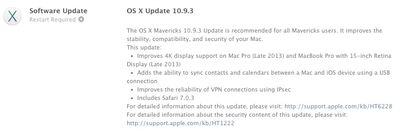
The update, which is recommended for all Mavericks users, improves 4K display support on the late 2013 Mac Pro and 15-inch MacBook Pro with Retina display. According to the release notes, it also re-adds the ability to sync contacts and calendars between Macs and iOS devices using a USB connection and it improves the reliability of VPN connections using IPSec.

Today's update also includes Safari 7.0.3, and Apple has released iTunes 11.2 as well.
mavericks

The OS X Mavericks 10.9.3 Update is recommended for all Mavericks users. It improves the stability, compatibility, and security of your Mac.
This update:

- Improves 4K display support on Mac Pro (Late 2013) and MacBook Pro with 15-inch Retina Display (Late 2013)
- Adds the ability to sync contacts and calendars between a Mac and iOS device using a USB connection
- Improves the reliability of VPN connections using IPsec
- Includes Safari 7.0.3

For detailed information about this update, please visit: http://support.apple.com/kb/HT6228
For detailed information about the security content of this update, please visit: http://support.apple.com/kb/HT1222

First outlined after the initial 10.9.3 beta, the improved 4K support enables HiDPI Retina scaling on 4K displays for the 2013 Mac Pro and Retina MacBook Pro with DisplayPort 1.2, which improves the size and readability of text and other on-screen elements. 10.9.3 also includes 60Hz 4K output for the 2013 Retina Macbook Pros and the higher refresh rates will improve response times for smoother game playing, video editing, and more.

OS X 10.9.3 can be downloaded through the software update function in the Mac App Store or through the following links:

- OS X Mavericks Update v10.9.3 (461.7 MB)
- OS X Mavericks Update v10.9.3 (Combo) (947.2 MB)

Related Forum: OS X Mavericks

Popular Stories

iphone 17 pro dark blue 1

Apple Preparing 'Most Significant Overhaul in the iPhone's History'

Sunday March 29, 2026 8:18 am PDT by
Bloomberg's Mark Gurman has high expectations for Apple's first foldable iPhone. In his Power On newsletter today, he said the foldable iPhone will be "the most significant overhaul in the iPhone's history." "iPhone 4, iPhone 6 and iPhone X were clearly a big deal, but this is a whole new design," he said. Like Samsung's Galaxy Z Fold 7, the foldable iPhone will reportedly open up like ...
Apple Event Logo

Apple to Launch These 15+ New Products Later This Year

Friday March 27, 2026 2:03 pm PDT by
March has been an incredibly busy month for Apple, with the company unveiling more than 10 new products and accessories. We said hello to the MacBook Neo at the start of the month, and we bid farewell to the Mac Pro at the end of it. Nevertheless, there is still a lot more to come this year. Beyond the usual annual updates to iPhones and Apple Watches, Apple's all-new smart home hub is...
Apple Apps Grid

Apple Releasing Two New iPhone Apps This Year

Saturday March 28, 2026 8:00 am PDT by
Apple is expected to release two new iPhone apps this year, including an Apple Business app and a Siri app with chatbot-like functionality. With the Apple Business app, employees at businesses using the new Apple Business platform will be able to install apps for work, view contact information for colleagues, and request support. Apple Business is launching on April 14, and it replaces Apple ...

Top Rated Comments

155 months ago
This is new
Score: 24 Votes (Like | Disagree)
155 months ago
It really breaks my heart to see Apple getting lax on their own UI guidelines.


Yes/No buttons are so Windows. Yuck!
Score: 22 Votes (Like | Disagree)
155 months ago
And in which way exactly should they have put it?
According to Apple's own User Interface Guidelines, buttons should have verb names, action-oriented names. They buttons themselves should be enough to decide what to do. Instead, when using Yes/No buttons, the user is forced to read the entire dialog text and then make a decision about whether they need to click Yes or No.

From their guidelines:
Using a more focused button name, such as Erase, Convert, Clear, or Delete, helps make sure that users understand the action they’re taking.
In the example dialog that I provided in my original post, the buttons could've been named "Keep Episodes" and "Delete After Played".
Score: 17 Votes (Like | Disagree)
155 months ago
461mb on 2011 MBP, hope it finally adds the retina display!
Score: 15 Votes (Like | Disagree)
DonutHands Avatar
155 months ago
Images of iPhone 6 3D printed mockups render snappier on 10.9.3
Score: 14 Votes (Like | Disagree)
155 months ago
Safari is much snippier. Seriously, it's in an awful mood and very curt with me.
Score: 13 Votes (Like | Disagree)
















