

Apple today released a new version of OS X Yosemite to developers, two weeks after releasing the fifth Developer Preview and more than two months after unveiling the new desktop operating system at its annual Worldwide Developers Conference.
The update, build 14A3429f, can be downloaded from the Mac App Store and through the Mac Developer Center. Apple has also released a Dictation Language update and Xcode 6 beta 6, though it appears the Xcode 6 software has been temporarily removed from the Developer Center.
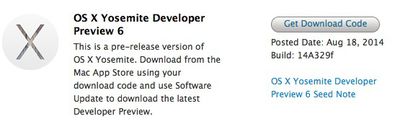
OS X Yosemite brings a flatter, more modern look to OS X, with an emphasis on translucency and redesigned dock, windows, and more. It also includes a multitude of new features, such as improved integration with iOS 8 through Continuity, a new "Today" view in Notification Center that offers integration with third-party apps, a retooled Spotlight search with new data sources, and several new features for apps like Mail, Safari, and Messages.
Over the course of the beta testing period, each Developer Preview has added new features and refined the look and performance of OS X Yosemite. DP 4, for example, added a revamped version of iTunes with a streamlined design and support for Family Sharing, while an earlier beta introduced a new Dark Mode.
Today's Developer Preview is limited to registered developers, but in late July, Apple made a version of OS X Yosemite available to the public as part of a wide-ranging beta test. The pre-release version of Yosemite available to those participating in the public beta program is not expected to receive as many updates as the developer version.
Notable changes in DP 6:
Settings - The System Preferences menu has a new look with new icons.
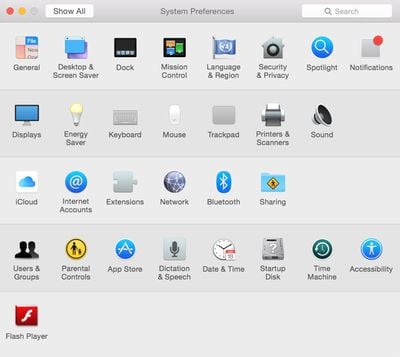
Battery icon - There's a new battery icon.
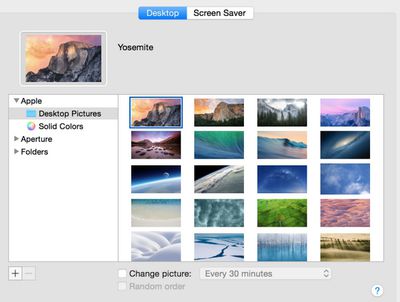
Wallpapers - Developer Preview 6 introduces new Yosemite-themed wallpapers.
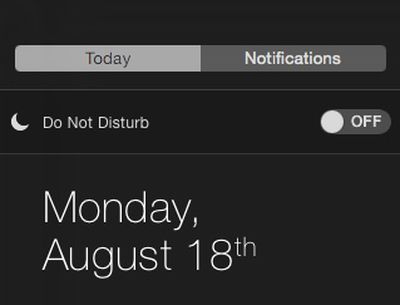
Do Not Disturb - The "Do Not Disturb" button in the Notification Center has returned in Yosemite DP 6. It was missing from previous betas.
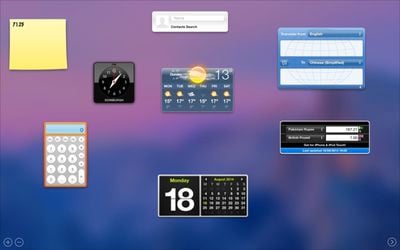
Dashboard - The Dashboard in Yosemite is now translucent.
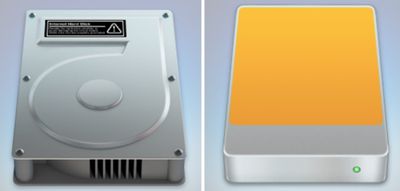
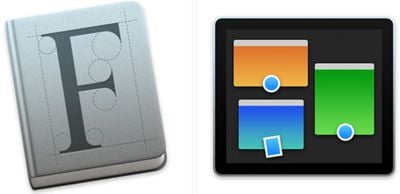
Icon updates - There are new hard drive icons in DP 6. There are also new icons for Font Book, Mission Control, Notes, Terminal, and Script Editor.
Messages Screen Sharing - A feature that allows users to share their screen using Messages was activated in DP 6. Screen sharing requires only an iMessage/Apple ID account and does not require users to have an AIM account as it did previously.
Update 6:00 PM PT: A new version of Xcode 6 beta 6 is available for download after being pulled from the Developer Center earlier today.





/https://forums.macrumors.com/proxy.php%3Fimage=http://cdn.iphonehacks.com/wp-content/uploads/2013/03/Podcasts-app-before.jpg&hash=2fe3a07e908dd3046814b84b331af089)
/https://forums.macrumors.com/proxy.php%3Fimage=http://s16.postimg.org/xdcr99mv9/IMG_6072.jpg&hash=017817876a5186f4cd52bbb854216cf8)












































