

AgileBits today updated its 1Password app for iOS to version 5.1, adding support for the larger-screened iPhone 6 and the iPhone 6 Plus. With native support for the two new devices, the app is no longer zoomed in and is now able to display more information on the screen.
Along with built-in support for the iPhone 6 and 6 Plus, 1Password has also been updated with improved Touch ID and PIN functionality. Before the update, it was unclear why the Master Password would often be requested when Touch ID integration was enabled, but the Auto-Lock settings have now been retuned to remove confusion.
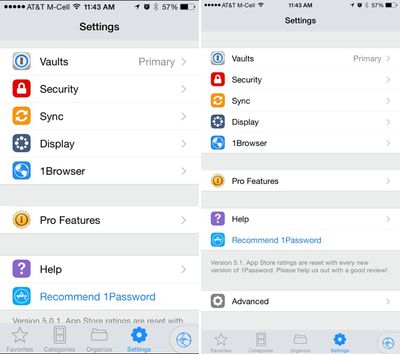
The app has gained a new setting that allows users to disable third-party keyboards within 1Password to keep passwords more secure, and several bug fixes have been implemented.
- The iPhone 6 and iPhone 6 Plus are out. Were you one of the lucky millions who got one already? 1Password 5.1 has been updated to give you a beautiful experience on these new devices with 3x images and improved rich icons.
- Touch ID and the PIN Code have been significantly improved. The Auto-Lock timeout will now function across both the Master Password and Touch ID/PIN Code, removing the confusion the separate settings caused. The iOS Keychain will be used to store the Master Password when Touch ID/PIN Code is enabled, allowing Touch ID/PIN Code to be used reliably in the 1Password Extension. Configure what works best for you in Settings->Security.
- Tag you're it. You can now add brand new tags to your items.
- Customer keyboard preference. Choose to enable or disable 3rd party custom keyboards within the Advanced Settings.
- Many fixes for the most popular issues and crashes
1Password can be downloaded from the App Store for free, with the app's full functionality unlockable through a $9.99 in-app purchase. [Direct Link]



















Top Rated Comments
LastPass is a PITA. I prefer 1Password.
I love the update. It looks so much better with 1080p resolution on my Plus. It's a wonder what's taking developers so long to update for higher resolutions, as it stands, most apps look terrible when blownup.
Do you have any objective reasons or is this basically, "I like Pepsi more."
We are not a sponsor. Perhaps the writers just use and enjoy 1Password?
AFAIK, LastPass doesn't let you sync multiple devices with Wi-Fi like 1Password does.
It's the usual balance between "security and convenience". 1password does not force - or even endorse - the sync over any cloud service! That is completely up to everyone to decide!
It was hacked? Data is actually stored there?
Now get this: with my current usage of 1password the AgileBits guys can be hacked as many times as it pleases the hackers. Not only have the AgileBits no access to my data, they do not even store it!
No one stores my encrypted "password safe" but me! On my devices! Under my control!
So the fact that you are saying that the "Lastpass people got hacked, but hey, the hackers could not access the encrypted data" is actually very scary! The hackers most likely now have the encrypted passwords, and who knows when a flaw in the implementation of Lastpass encryption will be found.
It is good to trust in the implementation and the actual encryption algorithm, it is better not to tempt any person to actually try to hack it (by not allowing access at all! Well, my opinion anyway...
It is actually noteworthy what you say here: on the one hand you admit that Lastpass has been hacked and the hackers got access to the encrypted passwords. There you seem to perfectly trust the encryption and implementation thereof!
On the other hand there is no known case of people having actually hacked iCloud or Dropbox! And NO, the celeb photo case doesn't count, as the passwords and security questions have been guessed!
But even so: on the other hand you don't recognise that the 1password file is also encrypted! And all of a sudden that seems "ridiculously insecure"?
So we have a known case of hacking with Lastpass, and you completely trust their encryption, and we have no known case of hacking into neither iCloud or Dropbox (in order to access 1password files anyway) and all of a sudden that becomes "ridiculously insecure"? Rrrrrright...!
I haven't used it, I admit. But what you say is a contradiction in itself: so you have to be "logged in into Lastpass" and at the same time "you can sync over any network connection"?
Why do I have to "log in" in order to sync via my LOCAL WiFi network only? Why does Lastpass have to know me when all I want is to move data in my LOCAL network?
Or is it not rather that the sync works VIA the LASTPASS server(s)? Just like "cloud sync"?
What's your point here? Do you want me to enumerate all my devices which are synced among each other with 1password? Synced LOCALLY I should add - no encrypted data ever leaves my own local network! Unlike with Lastpass, as it seems...
----------
Yes.
I use 1Password to manage all my accounts. I’ve added all the logins, software licences, banking details, Wi-Fi passwords, encryption keys (hard drives, FileVault, etc.), and other kind of secure data to 1Password and use it to manage everything, not just my website logins. It’s just a very powerful tool to store and organise your data. I use the security audits to check whether I should update my passwords and I’ve become a big fan of tagging and smart folders to arrange everything.