

Earlier today, Apple released iOS 8.1 which introduced number of new features to iOS and Yosemite. One of the anticipated features was SMS Text Message Forwarding, which allows SMS messages received by your iPhone to be mirrored on your iPad or Mac running OS X Yosemite.
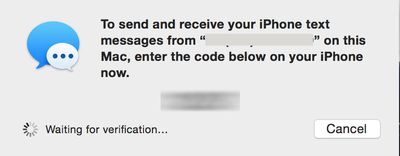
Several of our forum members had difficulty activating the feature, as the required activation code would never appear on their Macs or iPads.
GeekWebGuides reader Michael wrote in with this solution which requires an email address to be activated in iMessage:
...you need to have your email address turned on for iMessage on your iPhone in order to enable Text Message Forwarding. If you don't, the numeric access code will not appear on your iPad or Mac during the setup process. As soon as you enable your email address for iMessage (you only need to do this on your iPhone) the numeric access codes appear as expected. Once you have text message forwarding setup you can disable your email address again in iMessage as it seems to only be necessary for the numeric access code setup step, not the actual text message forwarding itself.
GeekWebGuides was able to verify this scenario and found that an email address does indeed have to be active on your iPhone for the activation message to properly be sent. In our testing, SMS messages were still received after the email address was removed from iMessage. The setting to add your email address to iMessage is under Settings -> Messages -> Send & Receive. Note, you may have to wait a few moments after adding an email address before the activation code will send.






















![Apple Pulls Keynote, Pages and Numbers From App Store [Update: Back]](https://images.macrumors.com/t/Okb7kitB_gNr6qe5Pex9nQIysD8=/112x112/article-new/2026/01/Apple-Creator-Studio-iWork-suite.jpg)

























Top Rated Comments
it doesn't entirely make sense. You are already logged into your iMessage account either way. This is just which phone numbers / email addresses you want to receive iMessages for.
arn
*sigh*
(iPhone 5, iMac mid-11, iPad Air)
Glassed Silver:mac
I had the same problem described in the article, and all I had to do was sign out of iMessages app on my iPhone and sign back in. After signing in, I still had a checkbox next to my phone number and I was able to receive the verification number on my Mac.
I only like to tick my mobile number under FaceTime not my email address as well.
When email address is not ticked, you cannot enable iPhone Mobile Calls. Keep getting error.
Anyone else?