
Force Touch on iPhone 6s to Make iPhone Interactions Faster With Focus on 'Shortcuts' - MacRumors
Skip to Content

Force Touch on iPhone 6s to Make iPhone Interactions Faster With Focus on 'Shortcuts'

Rumors have all but confirmed the upcoming iPhone 6s and the iPhone 6s Plus will include Force Touch, allowing the device to distinguish between a light tap and a deeper press to enable a wide range of new gestures.

Force Touch has been built into the Apple Watch and the trackpads of the Retina MacBook and the newest Retina MacBook Pros, adding a whole new dimension to the way the devices are controlled. On the Apple Watch, Force Touch is used within apps to access different settings, and on the Mac, it can do things like previewing links in Safari, and accelerating rewind/fast forward speed in iMovie.
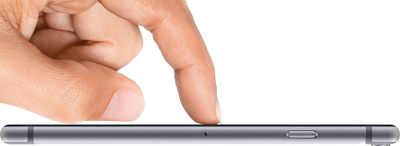
force-touch-iphone-6
Force Touch on the iPhone will work similarly to the way that it works on the existing devices that offer Force Touch, but there are some differences, according to information an inside source shared with 9to5Mac. Force Touch on the iPhone is said to be used primarily for "shortcut actions," letting users perform tasks within apps more quickly.

In Maps, for example, using Force Touch on a point of interest will cause turn-by-turn directions to start up immediately, while force pressing on a song in the Music app will bring up a menu to save it to a playlist. Force pressing on certain apps on the Home Screen could open directly to specific sections of the app.

Another feature in testing, according to one source, are shortcuts that appear after Force Touching an app icon on the Home screen. For example, if a user deep presses on the Phone app icon, he could choose to shortcut directly to the Voicemail tab. This could also apply to deep pressing the News app icon and being taken directly to either the Favorites or For You tabs.

Aside from Force Touch, the iPhone 6s and the iPhone 6s Plus will feature an A9 processor with 2GB of RAM, a revamped camera system with a 12-megapixel camera, improved Touch ID, and a chassis made of a new material with reinforcements at the weak points that previously caused some iPhones to bend. Rumors suggest the addition of Force Touch and the new reinforcements will cause the iPhone 6s and 6s Plus to be 0.2mm thicker, a change that will be hardly noticeable to most users.


Related Forum: iPhone

Popular Stories

iPhone Duo Trio

Here's What Apple's Apps Look Like on the iPhone Duo

Tuesday October 20, 2026 11:12 am PDT by
With just three days to go until the iPhone Duo is released, Apple is getting ready for the launch. Behind the scenes, the App Store now has screenshots of Apple's built-in apps running on the Duo. We've seen some apps in marketing materials, but images of the ones we haven't seen give us an idea of what it will be like using the iPhone Duo day to day. Many apps are shown in landscape...
Apple Creator Studio iWork suite

Apple Pulls Keynote, Pages and Numbers From App Store [Update: Back]

Thursday October 22, 2026 11:01 am PDT by
Apple has temporarily removed Keynote, Pages, and Numbers from the App Store, just after releasing an update that added iPhone Duo support and a new Intelligent Assistant. It is not clear if the apps were removed intentionally, or if it is a bug. Apple has not said when the apps will be reinstated, but if it was in error, they should return soon. Update: The Mac versions are back without...
M5 MacBook Pro

RIP, MacBook Ultra

Monday October 19, 2026 9:37 am PDT by
Apple today sent out invites for an experience in Los Angeles on Wednesday, October 28, and the "Pro and tell" tagline on the invitation likely means that the rumored MacBook models with touch-enabled OLED displays will stick with MacBook Pro branding instead of the once-rumored "MacBook Ultra" name. The long-rumored "iPhone Ultra" ended up being named iPhone Duo, so speculation that Apple...

Top Rated Comments

motulist Avatar
146 months ago
Force touch doesnt seem different than a long press.
Score: 42 Votes (Like | Disagree)
AngerDanger Avatar
146 months ago
And thanks to the protruding camera, Force Touch users can look forward to:


Attachment Image
Score: 40 Votes (Like | Disagree)
146 months ago
Looks like something new for Samsung to copy.
Score: 27 Votes (Like | Disagree)
macduke Avatar
146 months ago
On the Apple Watch, Force Touch can determine various levels of pressure. For instance, try slowly pushing down on the watch face. You can move it in and out based on how hard you press. I hope this capability is robust enough that Apple could unveil an API for it so that drawing apps can take advantage of the pressure sensitivity.

I hope that we are able to Force Touch things we can’t usually tap. The article mentions home screen icons, which is a neat idea. But imagine being able to Force Touch various status bar icons to quickly perform various actions—although admittedly the tap target sizes for those icons are really small so that may never happen. We could also FT notifications on our home screen to bring up a menu to do various things (more options than we have now). Or Force Touch on the clock on the home screen to see our calendar or next meeting.

As far as various potential home screen actions, I could see:

FT on Settings to quickly change a customizable set of things
FT on Calendar to quickly see your next meeting information
FT on Notes to quickly jot something down
FT on Camera to instantly take a picture or start recording a video
FT on Maps to start directions home
FT on Music to start your favorite playlist or station
FT on Reminders to quickly make a new reminder to your default list

I could go on, but I hope that they give us the ability to customize actions that can be taken when we FT different icons and third party apps as well.

As for things we could do inside of apps, it would be nice if we could FT any image anywhere in iOS and get options to share or have it default share or save it to our preferred service. Or FT a website URL or URL bar to save it to a reading list or to Pocket. I could also see FT on emails being useful if Apple would build in additional capabilities to use our inbox like a to-do list. FT could enable that without over-complicating the interface. It would be neat to FT a phone number to quickly set a reminder to call that number, add it to contacts, etc. The same could be done for other actionable information.

Another idea is that you could FT the keyboard to switch between modes for numeric, or third party keyboards, or emoji, etc. Or you could FT on Control Center to view another layer of controls. Or FT on a control center toggle to quickly switch it out with a list of other toggles that fly out in a circle around your finger. Or FT on any text input field and instantly start speaking to use dictation. Oh man there are so many fun things you could do!

I also hope that we get some kind of Taptic Engine feedback when typing—as long as it feels right—but I don’t know if that would drain the battery or wear out the parts faster.
Score: 25 Votes (Like | Disagree)
146 months ago
it is the begining for the big one iPhone 7. They need force touch for them to remove the home button. but they need same sapphire cover so this mean sapphire instead of gorila glass and this force touch. This is the only way that can be operated like a home button without one. because force touch is not a 100% software based so if your app is frozen you can force touch and come back to home screen like you do with your home button now.
So this force touch is forward thinking for the iP7. Like they did with ios7 and iphone 6, swipe left/right and with iphone 6 curved screen to be more fluent experience
Score: 16 Votes (Like | Disagree)
penajmz Avatar
146 months ago
If this is the only main thing on that iPhone I will be skipping. But 2GB ram and I'm in.
Score: 14 Votes (Like | Disagree)
Latest Stories
MacBook Neo Helps Apple Outpace Rivals as Market Declines
22 minutes ago
Happy 25th Anniversary, iPod
52 minutes ago
iPhone Duo Demand Reportedly Exceeds Apple's Expectations
3 hours ago
iPhone Duo Launch Begins as First Orders Reach Customers
10 hours ago
1Password for Agents Keeps Your Passwords Hidden From AI
10 hours ago
iPhone Duo 24 Hours Later: Your Questions Answered
11 hours ago
Apple's iWork Apps Get 'Intelligent Assistant' and iPhone Duo Support
12 hours ago
Apple is Apparently Considering a Slightly Larger iPhone Duo
12 hours ago
Giant iPhone Duo Displays Coming to Four Apple Stores
13 hours ago
Apple Pulls Keynote, Pages and Numbers From App Store [Update: Back]
14 hours ago
Apple Updates More Apps With iPhone Duo Support
14 hours ago
Apple Will Label Apps 'Made for iPhone Duo' in App Store
17 hours ago
Amazon Takes $49 Off iPad With Prices Starting at $399.99
18 hours ago
F1 on Apple TV Now Available in Dolby Atmos
18 hours ago
Apple Reveals More Than 50 Apps That Will Be Updated for iPhone Duo
19 hours ago
Apple Blocks Certificates That Could Help Attackers Fake Websites
20 hours ago
Giant iPhone Duo Installations Spotted at Apple Fifth Avenue
21 hours ago
iPhone Duo 2 Prototypes Include Under-Display Face ID
21 hours ago
Tesla App Gains iPad and iPhone Duo Support
1 day ago
Apple Reportedly Boosts iPhone Duo Orders by 44%
1 day ago
Fortnite Returning to Australian App Store After Court Ruling
1 day ago
Apple Ordered to Open iPhone to Rival App Stores in Australia
1 day ago
Apple Suppliers Face Hurdles Cutting Circuit Board Emissions
1 day ago
Things Updated for iPhone Duo With Adaptive Layout
1 day ago
Simplicity and Siri AI Are HomeView's Killer Features, Apple Says
1 day ago
iPhone Duo Reviewers Really Miss Face ID
1 day ago
Does the iPhone Duo Run Hot? Here's What Reviews Found
1 day ago
Apple Music's New Look is Now Live on Apple's Website
1 day ago
Anthropic Launches Claude Duet, a Proactive AI Agent
1 day ago
What 32,000 Folds Did to the iPhone Duo's Hinge
2 days ago








































