
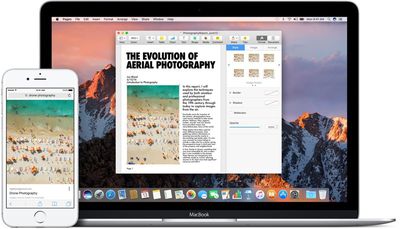
New in macOS Sierra and iOS 10 is a Universal Clipboard feature that makes it much easier to transfer links, text, photos, and more between different devices. With Universal Clipboard, you can copy something on your Mac and paste it on your iPhone, or vice versa.

It's already been possible to open up web pages across multiple devices, but now that functionality has been extended further. With macOS Sierra and iOS 10, when you copy a link on one device, it's uploaded to iCloud and available on all other devices where you're signed in with your Apple ID. You can do things like look up a recipe on your Mac, copy the text, and paste it on your iPhone, or copy a photo from an iPhone to an iPad.

Using the feature is as simple as copying something on one device, switching over to another device, and hitting "Paste." It can sometime takes a second or two for the copy to register, but it works seamlessly. There are no visual indicators for Universal Clipboard -- it's all behind the scenes.
macossierrauniversalclipboard
Apple has implemented an expiration for Universal Clipboard, so you only have a few minutes to paste something to another device once it's been copied. After that expiration time, which appears to be about two minutes, cross-device paste stops working and will need to be reactivated with another copy.

There are limitations on what can be copied where. Text can be copied almost anywhere on a Mac or iOS device, but images are somewhat more limited and will need to be copied into an app, like Pages, so it isn't a solid alternative to AirDrop for photo file transfers.

Universal Clipboard is a Continuity feature, so to get it to work, you will need to be signed into the same Apple ID across all devices. Bluetooth will also need to be turned on for the feature to work, and Bluetooth LE is required. The following Macs work with Universal Clipboard:

- MacBook (Early 2015 or newer)
- MacBook Pro (2012 or newer)
- MacBook Air (2012 or newer)
- Mac mini (2012 or newer)
- iMac (2012 or newer)
- Mac Pro (Late 2013)

Continuity features are sometimes unreliable, and there have been reports about spotty performance with Universal Clipboard during the beta testing period. Sometimes it helps to sign in and out of iCloud to restore functionality, and you'll need to make sure Handoff is activated on your iOS device (Settings --> General --> Handoff).

Aside from a Bluetooth connection and the same Apple ID, there are no other requirements. Wi-Fi is not necessary, as Universal Clipboard will work with cellular data.

Previously introduced Continuity features allow users to do things like make and answer phone calls on their Macs, get SMS messages on the Mac, and transfer tasks from one device to another with Handoff. Other new Continuity features in macOS Sierra include Apple Pay on the web and Auto Unlock with Apple Watch.

macOS Sierra is available as of today and can be downloaded from the Mac App Store.

Related Forum: macOS Sierra

Top Rated Comments

freediverx Avatar
123 months ago
Doesn't work at all for me, and I've grown increasingly unwilling to toggle iCloud off and on every time related features don't work as advertised.
Score: 6 Votes (Like | Disagree)
Rigby Avatar
123 months ago
It's already been possible to open up web pages across multiple devices, but now that functionality has been extended further. With macOS Sierra and iOS 10, when you copy a link on one device, it's uploaded to iCloud [...]
As someone who sometimes uses copy/paste for sensitive information (e.g. to copy passwords from a password manager), this makes me very uneasy if true. Does anyone know if this is documented somewhere? I had assumed that the universal clipboard works similarly as Airdrop, which does not upload anything to iCloud (but rather uses a combination of Bluetooth and peer-to-peer Wifi to transfer the data locally). Unfortunately the iOS Security Guide has not yet been updated to cover the universal clipboard.
Score: 4 Votes (Like | Disagree)
coolfactor Avatar
123 months ago
Bluetooth? I though it worked via iCloud. O well, I'm not turning on Bluetooth.
I'm glad it doesn't use iCloud... I don't want everything I copy to be sent over the internet immediately.
Score: 2 Votes (Like | Disagree)
vmachiel Avatar
123 months ago
Bluetooth? I though it worked via iCloud. O well, I'm not turning on Bluetooth.
Score: 1 Votes (Like | Disagree)
BrewsterMccloud Avatar
123 months ago
I already use Notes.app for this. It is more flexible - can paste/copy multiple separate items and they appear almost instantly on all devices. What is the advantage of the new cross-device clipboard feature over the existing functionality of Notes.app?

Article Link: macOS Sierra and iOS 10: Universal Clipboard for Cross Device Copy/Paste ('https://www.geekwebguides.com/2016/09/20/macos-sierra-universal-clipboard/')
Score: 1 Votes (Like | Disagree)
LiE_ Avatar
123 months ago
For me it works copying on Mac and pasting on iPhone but not the other way round.

2015 rMBP
iPhone 7+
Score: 1 Votes (Like | Disagree)

Popular Stories

maxresdefault

Apple Shows Off a Key Reason to Upgrade to the iPhone 17

Saturday February 7, 2026 9:26 am PST by
Apple today shared an ad that shows how the upgraded Center Stage front camera on the latest iPhones improves the process of taking a group selfie. "Watch how the new front facing camera on iPhone 17 Pro takes group selfies that automatically expand and rotate as more people come into frame," says Apple. While the ad is focused on the iPhone 17 Pro and iPhone 17 Pro Max, the regular iPhone...
Finder Siri Feature

Why Apple's iOS 26.4 Siri Upgrade Will Be Bigger Than Originally Promised

Friday February 6, 2026 3:06 pm PST by
In the iOS 26.4 update that's coming this spring, Apple will introduce a new version of Siri that's going to overhaul how we interact with the personal assistant and what it's able to do. The iOS 26.4 version of Siri won't work like ChatGPT or Claude, but it will rely on large language models (LLMs) and has been updated from the ground up. Upgraded Architecture The next-generation...
wwdc sans text feature

Apple Rumored to Announce New Product on February 19

Thursday February 5, 2026 12:22 pm PST by
Apple plans to announce the iPhone 17e on Thursday, February 19, according to Macwelt, the German equivalent of Macworld. The report, citing industry sources, is available in English on Macworld. Apple announced the iPhone 16e on Wednesday, February 19 last year, so the iPhone 17e would be unveiled exactly one year later if this rumor is accurate. It is quite uncommon for Apple to unveil...
apple wallet drivers license feature iPhone 15 pro

Apple Says These 7 U.S. States Plan to Offer iPhone Driver's Licenses

Monday February 9, 2026 6:24 am PST by
In select U.S. states, residents can add their driver's license or state ID to the Apple Wallet app on the iPhone and Apple Watch, and then use it to display proof of identity or age at select airports and businesses, and in select apps. The feature is currently available in 13 U.S. states and Puerto Rico, and it is expected to launch in at least seven more in the future. To set up the...
14 inch MacBook Pro Keyboard

New MacBook Pros Could Now Arrive in March

Sunday February 8, 2026 6:02 am PST by
New MacBook Pro models with the M5 Pro and M5 Max chips could arrive as soon as Monday, March 2, according to Bloomberg's Mark Gurman. In today's "Power On" newsletter, Gurman said that the release of new MacBook Pro models is tied to the release of macOS Tahoe 26.3. The launch is said to be slated for as early as the week of March 2. He added that the M4 Pro and M4 Max models on sale today...















