Workflow, the popular automation app Apple purchased earlier this year, was today updated to introduce support for iOS 11 and iPhone X.

The new version of the app allows users to drag and drop files onto a workflow to run the workflow using that file, and it adds HEIF and HEVC support to the Convert Image and Encode Media actions, respectively.

Support for new iOS 11 Health data types including Insulin Delivery, V02 Max, Waist Circumference, Resting Heart Rate, Walking Heart Rate Average, and Heart Rate Variability has also been added.
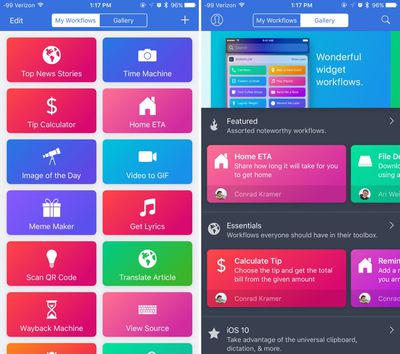
workflowforios
With the Get File and Save File actions, there's now support for retrieving and saving multiple files at one time, and there's also a new option to specify a default "From" address when using the Send Email action. Apple has also introduced a long list of bug fixes, listed below:

  • Fixed the Tweet and Post on Facebook actions on iOS 11
  • Fixed an issue where text items could unexpectedly be converted to image metadata dictionaries
  • Fixed an issue where granting access to Ulysses may not work
  • Fixed an issue where workflows launched from the Complication would not run on watchOS 4
  • Fixed an issue where the Text action may randomly scroll to the top while typing
  • Fixed an issue where the Send Message via WhatsApp action contact field did not work properly
  • Fixed an issue where the Convert Image action may crash in the Today Widget or Action Extension
  • Fixed an issue where the Show Directions action may not use the correct travel mode when opening Google Maps
  • Fixed an issue where messaging the attendees of an event may include yourself
  • Fixed an issue where VoiceOver may not focus on an action after it's added to a workflow
  • Fixed an issue where the Select Photos action did not work with VoiceOver when "Select Multiple" was turned on
  • Fixed an issue where a Workflow Input variable may not be editable after being added from the variable bar
  • Fixed a crash when inserting variables into the List and Dictionary actions
  • Fixed an issue where some files may not be selectable in the Dropbox and Box file pickers
  • Fixed an issue where a ghost workflow may appear while workflows are being reordered
  • Fixed an issue where passing a comma-separated list of email addresses into the Send Email action did not work
  • Fixed an issue where the Get Contents of URL action did not support passing a JSON body in DELETE requests
  • Fixed an issue where saving a file to Dropbox when a file already exists with the same name did not properly append a number to the filename
  • Other bug fixes and minor additions

For those unfamiliar with Workflow, it's an automation tool that can essentially do anything. It allows users to create workflows to accomplish tasks like creating GIFs from a series of photos, pulling images from a web page, translating an article, posting photos to multiple social networks at once, calculating a tip, and more.

Since Apple acquired the app, it has been free to download. Regular improvements have been introduced, including bug fixes and new actions.

Workflow can be downloaded from the App Store for free. [Direct Link]

Top Rated Comments

nitschi Avatar
108 months ago
I'm crying tears of happiness and wonder here.
Score: 2 Votes (Like | Disagree)
Jessica Lares Avatar
108 months ago
Oh wow. Drag and drop on the iPad with Workflow is going to be nice.
Score: 2 Votes (Like | Disagree)
Kabeyun Avatar
108 months ago
Still love it for snagging YouTube videos.
Score: 2 Votes (Like | Disagree)
laerning Avatar
108 months ago
Would be great if we could convert the existing iCloud Photo Library to the new HEVC/HEIF formats to save some cloud space.
Score: 1 Votes (Like | Disagree)

Popular Stories

Apple Logo Zoomed

Tim Cook Teases Plans for Apple's Upcoming 50th Anniversary

Thursday February 5, 2026 12:54 pm PST by
Apple turns 50 this year, and its CEO Tim Cook has promised to celebrate the milestone. The big day falls on April 1, 2026. "I've been unusually reflective lately about Apple because we have been working on what do we do to mark this moment," Cook told employees today, according to Bloomberg's Mark Gurman. "When you really stop and pause and think about the last 50 years, it makes your heart ...
wwdc sans text feature

Apple Rumored to Announce New Product on February 19

Thursday February 5, 2026 12:22 pm PST by
Apple plans to announce the iPhone 17e on Thursday, February 19, according to Macwelt, the German equivalent of Macworld. The report, citing industry sources, is available in English on Macworld. Apple announced the iPhone 16e on Wednesday, February 19 last year, so the iPhone 17e would be unveiled exactly one year later if this rumor is accurate. It is quite uncommon for Apple to unveil...
Finder Siri Feature

Why Apple's iOS 26.4 Siri Upgrade Will Be Bigger Than Originally Promised

Friday February 6, 2026 3:06 pm PST by
In the iOS 26.4 update that's coming this spring, Apple will introduce a new version of Siri that's going to overhaul how we interact with the personal assistant and what it's able to do. The iOS 26.4 version of Siri won't work like ChatGPT or Claude, but it will rely on large language models (LLMs) and has been updated from the ground up. Upgraded Architecture The next-generation...
iOS 26

iOS 26.3 and iOS 26.4 Will Add These New Features to Your iPhone

Tuesday February 3, 2026 7:47 am PST by
While the iOS 26.3 Release Candidate is now available ahead of a public release, the first iOS 26.4 beta is likely still at least a week away. Following beta testing, iOS 26.4 will likely be released to the general public in March or April. Below, we have recapped known or rumored iOS 26.3 and iOS 26.4 features so far. iOS 26.3 iPhone to Android Transfer Tool iOS 26.3 makes it easier...
maxresdefault

Apple Shows Off a Key Reason to Upgrade to the iPhone 17

Saturday February 7, 2026 9:26 am PST by
Apple today shared an ad that shows how the upgraded Center Stage front camera on the latest iPhones improves the process of taking a group selfie. "Watch how the new front facing camera on iPhone 17 Pro takes group selfies that automatically expand and rotate as more people come into frame," says Apple. While the ad is focused on the iPhone 17 Pro and iPhone 17 Pro Max, the regular iPhone...