

For this week's giveaway, we've teamed up with Eve Systems to offer MacRumors readers a chance to win the company's entire HomeKit product line, which includes an Eve Motion, an Eve Energy, an Eve Door & Window sensor, an Eve Button, an Eve Light Switch, an Eve Degree, and an Eve Aqua.
Eve Systems, formerly known as Elgato, was one of the first companies to create HomeKit products for Apple's smart home platform, and today, there are a wide selection of Bluetooth-enabled HomeKit products available from Eve.
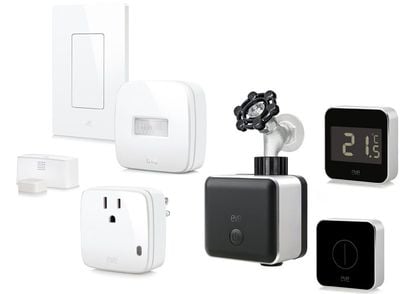
All Eve products work over Bluetooth so there's no need for a WiFi connection or a hub, and because we here at MacRumors have reviewed many of the Eve products, we can confirm that they work well with any HomeKit setup. Eve offers a lot of nice little HomeKit add-on features for automation and monitoring, so it's worth checking out the product lineup if you're looking to improve your HomeKit setup.
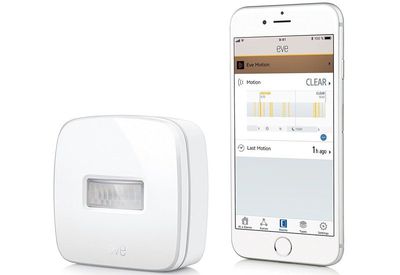
- Eve Motion ($50) - Eve Motion is a wireless motion sensor that can be used as a trigger device that works with other HomeKit products. Eve Motion can do things like turn the lights on when you enter a room or turn them off when you leave, let you know if motion is detected in a room in the home while you're away, or trigger a product like a light or a fan when movement is detected. It works in complex scene and automation setups.
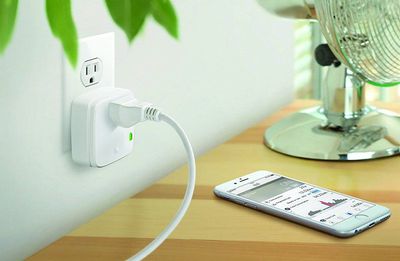
- Eve Energy ($50) - Eve Energy is a smart plug solution that turns any appliance into a HomeKit-connected appliance. You can turn an appliance on or off using Eve Energy, even when away from home, and you can see just how much power it's using. Like all other Eve products, Eve Energy can be paired with other HomeKit devices, included in scenes and automations, and controlled via Siri.
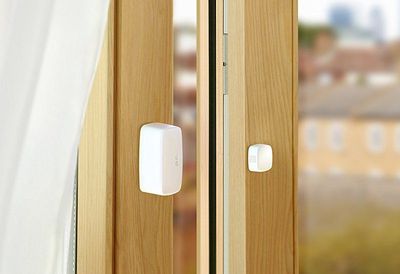
- Eve Door & Window ($40) - Eve Door & Window is a two part sensor that goes on a door or a window to let you know whether it's open or closed for peace of mind. With a door, for example, one side of the sensor goes on the door while the other goes on the door frame, with Eve Door & Window able to send an alert when the door is opened or closed. Eve Door Window can be used as a trigger in HomeKit scenes, turning on the lights and adjusting the thermostat when the door is opened.
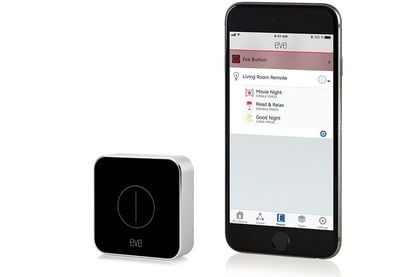
- Eve Button ($50) - Eve Button is a physical remote control device that lets you activate scenes with a single press, double press, or long press. You can assign up to three scenes to the Eve Button that can be activated by anyone in the home. So you could set up a "Good Night" scene, for example, that shuts off the lights, turns down the thermostat, and locks the doors, all of which could be activated with a single button press without the need to get out your iPhone or use a Siri command.
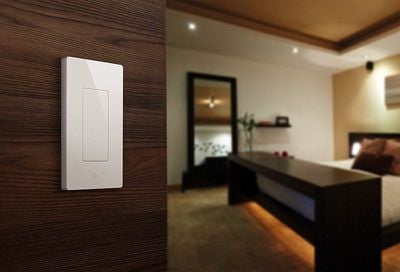
- Eve Light Switch ($50) - Designed to replace a traditional wall switch, Eve Light Switch lets you turn your lights on and off using Siri and it allows them to be paired up with other HomeKit-enabled products in scenes, while retaining the functionality of a standard light switch.
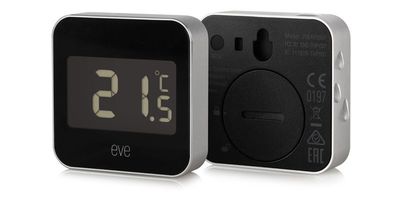
- Eve Degree ($60) - Eve Degree is Eve's mini weather station, designed to provide the temperature, humidity, and air pressure. It has an LCD display so you can see the temperature at a glance, and it lets you view the temperature in the home when away or ask Siri for temperature details. Eve Degree lets you see and monitor temperature trends over months, weeks, and days, and it lets you use temperature or humidity-based triggers for other HomeKit products.
- Eve Aqua ($100) - Eve Aqua is Eve's latest product, designed to automate sprinklers and irrigation systems, converting an outdoor water faucet into a smart faucet. With Eve Aqua, you can turn the sprinklers on via Siri voice command or your iPhone, and you can automate watering times. You can also keep an eye on how much water you're using, both day to day and over time.

We have three bundles with all of the above listed Eve products included. To enter to win the giveaway, use the Rafflecopter widget below and enter an email address. Email addresses will be used solely for contact purposes to reach the winners and send the prizes. You can earn additional entries by subscribing to our weekly newsletter, subscribing to our YouTube channel, following us on Twitter, or visiting the MacRumors Facebook page.
Due to the complexities of international laws regarding giveaways, only U.S. residents who are 18 years or older and Canadian residents (excluding Quebec) who have reached the age of majority in their province or territory are eligible to enter. To offer feedback or get more information on the giveaway restrictions, please refer to our Site Feedback section, as that is where discussion of the rules will be redirected.
The contest will run from today (July 13) at 11:15 a.m. Pacific Time through 11:15 a.m. Pacific Time on July 20. The winners will be chosen randomly on July 20 and will be contacted by email. The winners will have 48 hours to respond and provide a shipping address before new winners are chosen.



















Top Rated Comments
Did the Eve folks not read the “how to get rich selling smarthome appliances” handbook?
(I always liked Elgato)
—
Edit: Yay. Now it's working