Apple TV Remote App Gains Support for New Screen Sizes, Password AutoFill

Apple today updated its Apple TV Remote app for iOS devices to introduce several new features for the 2018 iPhone lineup and the iOS 12 update, which was released this morning.

The app now supports new screen sizes, making it compatible with the upcoming 6.5-inch iPhone XS Max and the upcoming 6.1-inch iPhone XR. The iPhone XS Max will be available starting this Friday, while the iPhone XR is coming in October.
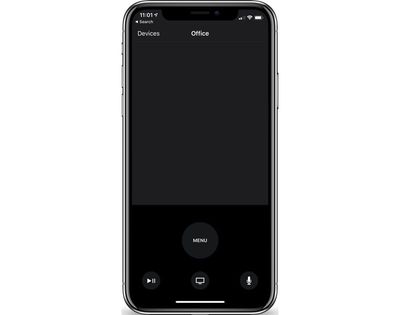
appletvremoteapp
Today's Apple TV Remote update also brings support for AutoFill Passwords, a feature that is designed to let you fill saved passwords securely from an iOS device to the Apple TV, alleviating the need to type in a full username and password.

Apple TV Remote is also automatically being added to Control Center as a default option, providing quick access to controls for the fourth and fifth-generation Apple TV. Apple TV Remote access has been available in Control Center since iOS 11, but until now, it was not one of the default Control Center icons.

Apple TV Remote can be downloaded from the App Store for free. [Direct Link]

Related Roundup: Apple TV
Buyer's Guide: Apple TV (Don't Buy)

Popular Stories

wwdc sans text feature

Apple Rumored to Announce New Product on February 19

Thursday February 5, 2026 12:22 pm PST by
Apple plans to announce the iPhone 17e on Thursday, February 19, according to Macwelt, the German equivalent of Macworld. The report, citing industry sources, is available in English on Macworld. Apple announced the iPhone 16e on Wednesday, February 19 last year, so the iPhone 17e would be unveiled exactly one year later if this rumor is accurate. It is quite uncommon for Apple to unveil...
Apple Logo Zoomed

Tim Cook Teases Plans for Apple's Upcoming 50th Anniversary

Thursday February 5, 2026 12:54 pm PST by
Apple turns 50 this year, and its CEO Tim Cook has promised to celebrate the milestone. The big day falls on April 1, 2026. "I've been unusually reflective lately about Apple because we have been working on what do we do to mark this moment," Cook told employees today, according to Bloomberg's Mark Gurman. "When you really stop and pause and think about the last 50 years, it makes your heart ...
maxresdefault

Apple Shows Off a Key Reason to Upgrade to the iPhone 17

Saturday February 7, 2026 9:26 am PST by
Apple today shared an ad that shows how the upgraded Center Stage front camera on the latest iPhones improves the process of taking a group selfie. "Watch how the new front facing camera on iPhone 17 Pro takes group selfies that automatically expand and rotate as more people come into frame," says Apple. While the ad is focused on the iPhone 17 Pro and iPhone 17 Pro Max, the regular iPhone...
Finder Siri Feature

Why Apple's iOS 26.4 Siri Upgrade Will Be Bigger Than Originally Promised

Friday February 6, 2026 3:06 pm PST by
In the iOS 26.4 update that's coming this spring, Apple will introduce a new version of Siri that's going to overhaul how we interact with the personal assistant and what it's able to do. The iOS 26.4 version of Siri won't work like ChatGPT or Claude, but it will rely on large language models (LLMs) and has been updated from the ground up. Upgraded Architecture The next-generation...
iOS 26

iOS 26.3 and iOS 26.4 Will Add These New Features to Your iPhone

Tuesday February 3, 2026 7:47 am PST by
While the iOS 26.3 Release Candidate is now available ahead of a public release, the first iOS 26.4 beta is likely still at least a week away. Following beta testing, iOS 26.4 will likely be released to the general public in March or April. Below, we have recapped known or rumored iOS 26.3 and iOS 26.4 features so far. iOS 26.3 iPhone to Android Transfer Tool iOS 26.3 makes it easier...

Top Rated Comments

rolsskk Avatar
97 months ago
Volume control???
It's there, just use the volume buttons on your phone.
Score: 5 Votes (Like | Disagree)
sinsin07 Avatar
97 months ago
Other than what I posted how would I find that out? As best I know it’s set to auto. Either way that’s the remote itself curious why the ios remote ATv app would try to use an IR setting when the iPhone has never had an IR emitter
For my setup I had my ATV4 learn the control for my A/V remote. It can’t turn it on but it can control the volume. I have and older A/V setup, no Bluetooth or Wifi.

Did you have to do the same?

What I’m getting at is in order for the iPhone to communicate with your setup, there has to be some method for it to talk to your TV, A/V etc..

I’m not an A/V expert so perhaps someone else who has a working volume control and more knowledge can jump in.

If you could take a pic of your Settings - Remotes and Devices - Volume Control screen it may shed some light.

Edit: I found this on Apple site:

Looking for the app's onscreen keyboard or volume controls?


* A keyboard appears in the Apple TV Remote app when you select a text field on your Apple TV.
* Want to change the volume using your iOS device? Receivers with HDMI-CEC volume support let you adjust volume with the volume buttons on the side of your iOS device. You just need to plug your Apple TV directly into your receiver and not into your television. Get help with HDMI-CEC ('https://support.apple.com/kb/ht205225').

[doublepost=1537235796][/doublepost]After playing around with two different setups and reviewing your original comment, it appears your TV is setup to “Auto via IR (TV)”.

If that is the case it appears you are not using HDMI-CEC which is what is required according to what I posted earlier.
Score: 2 Votes (Like | Disagree)
sinsin07 Avatar
97 months ago
Nope. Doesn’t work from iPhone 8/256GB on iOS 11. I tried before and after TVOS update (11, now 12). My ATV4 is connected directly to my TV using HDMI. Only the TV remote or the ATV4 remote will control volume.

Settings, Remotes & Devices:
Volume Control is ser to “Auto” yet displays “Auto via IR (TV)”. Only TV via IR, Off, or Learn New Device are my options.

Maybe you think it’s my HDMI Cable?
Question. Is your ATV4 remote using the IR sesnsor to control sound?
Score: 2 Votes (Like | Disagree)
Braderunner Avatar
97 months ago
@sinsin07 , the early post as stated above was to my situation and since I have no receiver the ATV is using IR to control myTV volume which sucks I’ve noticed the icon for volume change to sho the TVs on screen display vs the ATV volume display. So bummed out but it works so not too bad.

Well...you could look at it this way...this is an excuse to get an a/v receiver that supports hdmi-cec. Maybe one of those "theater in a box" setups has the feature. I'm not sure. It will enhance your movie watching/music listening experience a lot. Or, build your own system...
There are tv's that have hdmi-cec, too. But, that won't sound as good.
Score: 1 Votes (Like | Disagree)
djbuddha Avatar
97 months ago
Wow. Thank you Apple... but, why did this take so long?
Score: 1 Votes (Like | Disagree)
djbuddha Avatar
97 months ago
Question. Is your ATV4 remote using the IR sesnsor to control sound?
Was about to ask the same question.
Score: 1 Votes (Like | Disagree)

















