Pixelmator Pro Update Adds LUT Support for Color Adjustments
Popular image editor app Pixelmator Pro received an update today that brings full support for LUT files, or Lookup Tables, which are similar to universal filters/presets that change the look of images and video in a wide variety of apps.
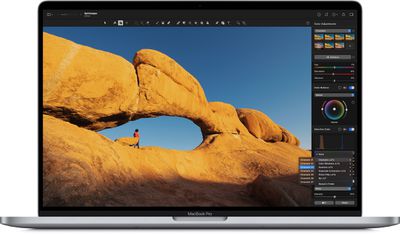
A LUT is a set of instructions that tells an app how to edit the colors of an image or video, and Pixelmator Pro now lets users import LUTs so that they can be applied to images, as if they were a standard preset or filter.
LUTs usually can't be edited, but Pixelmator Pro can use machine learning to turn them into color adjustments that can be fine-tuned in the app. Pixelmator users can now simply drag and drop an LUT to apply it, and browse LUTs with live previews. The update also includes the ability to convert LUTs into color adjustments.
In version 2.0.8, color adjustments can also be exported as LUTs, to be used in Final Cut Pro and other compatible graphics, video, and even 3D apps.
In addition, there's a built-in collection of LUTs, ranging from cinematic looks to grayscale conversion LUTs, automation and scripting support for applying and exporting LUTs.
Pixelmator 2.0 is a Universal app, so it runs natively on both M1 and Intel-based Macs. The image editing app update is free for existing Pixelmator Pro users, otherwise it costs $39.99 and can be downloaded directly from the Mac App Store.
Popular Stories
Apple today shared an ad that shows how the upgraded Center Stage front camera on the latest iPhones improves the process of taking a group selfie.
"Watch how the new front facing camera on iPhone 17 Pro takes group selfies that automatically expand and rotate as more people come into frame," says Apple. While the ad is focused on the iPhone 17 Pro and iPhone 17 Pro Max, the regular iPhone...
In the iOS 26.4 update that's coming this spring, Apple will introduce a new version of Siri that's going to overhaul how we interact with the personal assistant and what it's able to do.
The iOS 26.4 version of Siri won't work like ChatGPT or Claude, but it will rely on large language models (LLMs) and has been updated from the ground up.
Upgraded Architecture
The next-generation...
Apple plans to announce the iPhone 17e on Thursday, February 19, according to Macwelt, the German equivalent of Macworld.
The report, citing industry sources, is available in English on Macworld.
Apple announced the iPhone 16e on Wednesday, February 19 last year, so the iPhone 17e would be unveiled exactly one year later if this rumor is accurate. It is quite uncommon for Apple to unveil...
In select U.S. states, residents can add their driver's license or state ID to the Apple Wallet app on the iPhone and Apple Watch, and then use it to display proof of identity or age at select airports and businesses, and in select apps.
The feature is currently available in 13 U.S. states and Puerto Rico, and it is expected to launch in at least seven more in the future.
To set up the...
New MacBook Pro models with the M5 Pro and M5 Max chips could arrive as soon as Monday, March 2, according to Bloomberg's Mark Gurman.
In today's "Power On" newsletter, Gurman said that the release of new MacBook Pro models is tied to the release of macOS Tahoe 26.3. The launch is said to be slated for as early as the week of March 2. He added that the M4 Pro and M4 Max models on sale today...






















