
iOS 15 Lets You Drag and Drop Images and Text Across Apps

Apple this week previewed iOS 15, which is available now in beta for developers ahead of a public release later this year. One smaller but useful new feature added is the ability to drag and drop images, text, files, and more across apps on iPhone.

MacStories editor-in-chief Federico Viticci demonstrated the new feature in a tweet:

Cross-app drag and drop has been available on the iPad since 2017 and Apple has finally extended the feature to the iPhone with iOS 15. Cross-app drag and drop always results in duplication, not movement, of content.

From the iOS 15 features page on Apple's website:

Drag and drop
With support for drag and drop across apps, you can pick up images, documents, and files from one app and drag them into another.

To drag and drop on iOS 15, long press on an image, text, or file and, without lifting that finger, use a second finger to swipe out of the app and open another app. Then, let go of the image, text, or file to drop it into the other app. Long pressing on content makes it appear to rise and adhere to your finger, and as the content is dragged, animations and visual cues identify possible destinations where the content can be dropped.
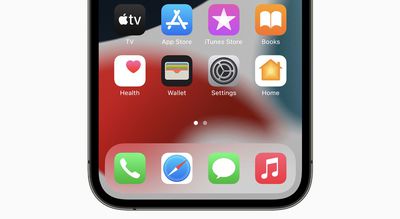
ios 15 home screen icons

In many apps, you can drag a single item with one finger, and while dragging, select additional items by tapping them with another finger. The selected items move together and appear stacked beneath the finger that's dragging the original item. You can then drag the items as a group and drop them into another app.

The first beta of iOS 15 was seeded to developers earlier this week, and the software update should be released for all compatible iPhones in September.

Related Forum: iOS 15

Popular Stories

maxresdefault

Apple Shows Off a Key Reason to Upgrade to the iPhone 17

Saturday February 7, 2026 9:26 am PST by
Apple today shared an ad that shows how the upgraded Center Stage front camera on the latest iPhones improves the process of taking a group selfie. "Watch how the new front facing camera on iPhone 17 Pro takes group selfies that automatically expand and rotate as more people come into frame," says Apple. While the ad is focused on the iPhone 17 Pro and iPhone 17 Pro Max, the regular iPhone...
Finder Siri Feature

Why Apple's iOS 26.4 Siri Upgrade Will Be Bigger Than Originally Promised

Friday February 6, 2026 3:06 pm PST by
In the iOS 26.4 update that's coming this spring, Apple will introduce a new version of Siri that's going to overhaul how we interact with the personal assistant and what it's able to do. The iOS 26.4 version of Siri won't work like ChatGPT or Claude, but it will rely on large language models (LLMs) and has been updated from the ground up. Upgraded Architecture The next-generation...
wwdc sans text feature

Apple Rumored to Announce New Product on February 19

Thursday February 5, 2026 12:22 pm PST by
Apple plans to announce the iPhone 17e on Thursday, February 19, according to Macwelt, the German equivalent of Macworld. The report, citing industry sources, is available in English on Macworld. Apple announced the iPhone 16e on Wednesday, February 19 last year, so the iPhone 17e would be unveiled exactly one year later if this rumor is accurate. It is quite uncommon for Apple to unveil...
apple wallet drivers license feature iPhone 15 pro

Apple Says These 7 U.S. States Plan to Offer iPhone Driver's Licenses

Monday February 9, 2026 6:24 am PST by
In select U.S. states, residents can add their driver's license or state ID to the Apple Wallet app on the iPhone and Apple Watch, and then use it to display proof of identity or age at select airports and businesses, and in select apps. The feature is currently available in 13 U.S. states and Puerto Rico, and it is expected to launch in at least seven more in the future. To set up the...
14 inch MacBook Pro Keyboard

New MacBook Pros Could Now Arrive in March

Sunday February 8, 2026 6:02 am PST by
New MacBook Pro models with the M5 Pro and M5 Max chips could arrive as soon as Monday, March 2, according to Bloomberg's Mark Gurman. In today's "Power On" newsletter, Gurman said that the release of new MacBook Pro models is tied to the release of macOS Tahoe 26.3. The launch is said to be slated for as early as the week of March 2. He added that the M4 Pro and M4 Max models on sale today...

Top Rated Comments

contacos Avatar
61 months ago
Anyone else feel like iOS has become super unintuitive with its weird and almost random gestures and stuff by pressing on invisible areas on the screen with different amount of fingers on top or am I just getting old? It can’t be that cuz half the people I know didn’t even know multitasking was a thing on their iPads ?

edit: Cross-app drag and drop has been available on the iPad since 2017

i didn’t know this was a thing either!
Score: 56 Votes (Like | Disagree)
RowellE Avatar
61 months ago
Wouldn’t copy and paste be easier and faster?
Score: 44 Votes (Like | Disagree)
Khedron Avatar
61 months ago

Such a nice and helpful feature.

Thank you again Apple.

We don’t owe Apple just money ? we owe them our loyalty to the brand.
That escalated quickly.
Score: 31 Votes (Like | Disagree)
cmaier Avatar
61 months ago

It would be nice after you paste text the clipboard would clear.
Why? You never paste the same thing multiple times? I sure do.
Score: 23 Votes (Like | Disagree)
velocityg4 Avatar
61 months ago

Anyone else feel like iOS has become super unintuitive with its weird and almost random gestures and stuff by pressing on invisible areas on the screen with different amount of fingers on top or am I just getting old? It can’t be that cuz half the people I know didn’t even know multitasking was a thing on their iPads ?

edit: Cross-app drag and drop has been available on the iPad since 2017

i didn’t know this was a thing!
Definitely, I started with iOS 4 or 5. It was very intuitive. First time I picked it up. It was like I'd been using it all along. All the commands and placement of everything in the UI just made sense.

iOS 7 was when it started to change. With features being hidden and placement being unintuitive.

Now so much seems to require a Google search to learn or poking around through tons of menus. Then much else I don't even know I'm missing out on. Unless I happen to come across it in a post.

A large part of that is feature creep. Everythings more complex. Which makes it harder to make everything intuitive.

A lot also has to do with minimalism or anti-skeumorphism. Making things less apparent. The most aggravating thing is when they move a function or command to another category or menu. For example adding mail accounts to settings has changed locations multiple times. To different headings.
Score: 16 Votes (Like | Disagree)
Your Royal Highness Avatar
61 months ago
copy and paste seems much more elegant.
Score: 13 Votes (Like | Disagree)















