
Apple Will Let iPhone 13 Pro Users Disable Auto Switching to Ultra Wide Lens for Macro Photography Later This Fall - MacRumors
Skip to Content

Apple Will Let iPhone 13 Pro Users Disable Auto Switching to Ultra Wide Lens for Macro Photography Later This Fall

iPhone 13 Pro and iPhone 13 Pro Max reviews were published today, with the devices receiving praise for their smoother ProMotion displays, longer battery life, and improved cameras, but there was one consistent complaint among the reviews.
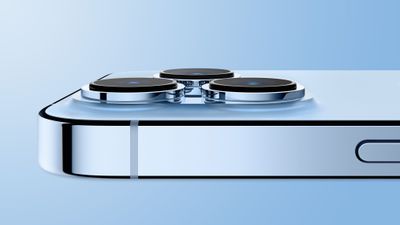
iPhone 13 Pro Light Blue Side Feature
On the iPhone 13 Pro and iPhone 13 Pro Max, a new feature is the ability to take macro photos. As noted by Input's Raymond Wong, however, this new capability results in the device automatically switching from the Wide lens to the Ultra Wide lens when you place an object or a subject within 5.5 inches of the rear camera. (The viewfinder still shows "1x" framing, but the camera relies on the Ultra Wide lens for autofocus.)

The automatic camera switching is easily noticeable in the iPhone's viewfinder, as Wong demonstrated in the video below.
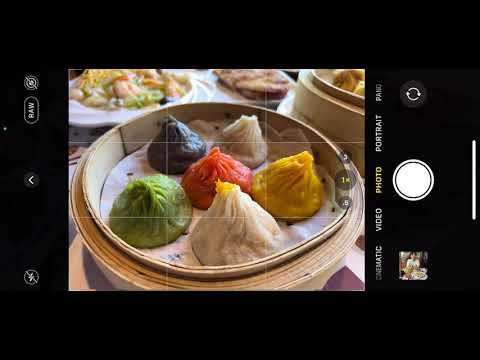

"The viewfinder keeps jittering as it tries to choose between a regular wide or wide-macro shot," he said. In his review, he expressed his opinion that "the framing should never change from what you compose and never automatically."

Apple initially told Wong that the automatic camera switching is intentional to help users better capture close-up details, according to his review, but the company has since issued a statement to Wong and others that says iPhone 13 Pro users will gain the option to turn off the switching in an iOS update that will be released later this fall.

"A new setting will be added in a software update this fall to turn off automatic camera switching when shooting at close distances for macro photography and video," said Apple.

Apple said the ability to turn off the automatic camera switching will apply to macro video recording as well, but as Wong noted, there is a "Lock Camera" option under Settings > Camera that appears to prevent the switching for video already.

All four iPhone 13 models will begin arriving to customers and launch in stores this Friday, September 24 in the U.S. and over 30 other countries and regions.


Related Forum: iPhone

Popular Stories

Apple Event Logo

Apple's Next Era Begins September 1

Thursday May 7, 2026 10:36 am PDT by
Apple recently announced that Tim Cook will be stepping down as CEO later this year, after 15 years of leading the company. Effective September 1, Apple's hardware engineering chief John Ternus will become the company's next CEO, while Cook will become executive chairman of Apple's board of directors. In his new role, Apple said Cook will assist with "certain aspects" of the company,...


Four iPhone 18 Pro Colors Mock Feature

iPhone 18 Pro Launching in September With These 10 New Features

Saturday May 9, 2026 6:03 am PDT by
While the iPhone 18 Pro and iPhone 18 Pro Max are not launching until September, there are already plenty of rumors about the devices. It was initially reported that the iPhone 18 Pro models would have fully under-screen Face ID, with only a front camera visible in the top-left corner of the screen. However, the latest rumors indicate that only one Face ID component will be moved under the...
Apple Watch Series 10 Jet Black Touch ID

Apple Watch Series 12 and watchOS 27: What to Expect Later This Year

Friday May 8, 2026 2:07 pm PDT by
While not too much has been reported about the next Apple Watch models, there are a few rumors about potential design changes and watchOS 27 features. Apple Watch Series 12 and Apple Watch Ultra 4 models are expected to be released in September, and we have outlined some of the key rumored hardware and software changes below. A new Apple Watch SE is not expected this year, as that model was...

Top Rated Comments

1applerules1 Avatar
61 months ago
looks like MKBHD got his wish
Score: 23 Votes (Like | Disagree)
firstapple Avatar
61 months ago

Why is this a problem? It’s switching the the better camera for that shot right…
Depends on what the user feels is the "better camera for the shot". It's been a pretty large complaint for most reviewers so far.
Score: 11 Votes (Like | Disagree)
jz0309 Avatar
61 months ago
Interesting and good that Apple is responding to feedback…
Score: 11 Votes (Like | Disagree)
4jasontv Avatar
61 months ago

The whole point of the App Library is that it’s automatically organized. If you want to manually do it, just use folders like you’ve been able to do for years.
How do I disable the app library and only use folders? Don’t tell me I can’t disable it, because that’s also the issue with the widget page.

Also, why is it so terrible at organizing apps? Google voice isn’t a financial app, and why isn’t steam link listed in the games folder? Might it be because it's using the marketing directives of the developer rather than actual app functions?

If it was any good at auto organizing it would allow apps to be in two different folders. The Athletic is a sports app, news app, and entertainment app. Browzine is a subscription journal reading app so why is it stored in the same folder as t-mobile Tuesday and the hue app, but not in the productivity or shopping folders? Why is echo360, a video streaming educational platform in the same folder as my electric car app and the app for my bathroom scale? Is it because the App Library fails at it's only job?
Score: 8 Votes (Like | Disagree)
firstapple Avatar
61 months ago
Like to see the fast response to this, and that's the right move to make. Hopefully it doesn't take too long to implement this, I'd like as much full creative control as possible over the photos I take.
Score: 6 Votes (Like | Disagree)
Superhappytree Avatar
61 months ago
Damn they watched and reacted upon MKBHD’s review pretty quick.
Score: 5 Votes (Like | Disagree)








































