Apple Releases macOS Big Sur Safari 15.1 Beta With Relocated Favorites Bar
Apple today seeded a new beta of Safari 15.1 for macOS Big Sur and macOS Catalina, allowing developers to test the new Safari update ahead of its launch. Safari 15.1 is also the version of Safari that's available in the macOS Monterey beta.
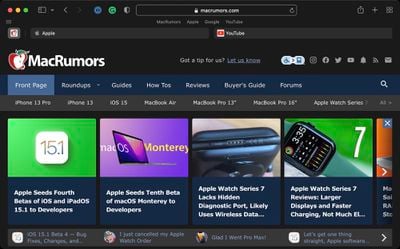
In yesterday's macOS Monterey release, Apple tweaked the design of the Favorites bar, moving it back up above the Tab bar where it was before Safari changes were implemented with the macOS Monterey update and the Safari 15 release. Safari 15.1 includes the same tweak to the Favorites bar.
Apple in macOS Monterey overhauled the look of Safari, debuting a new tab design that has proven to be unpopular with users. Apple has been refining the Safari design since then, and the changes coming in Monterey were made available to macOS Big Sur and macOS Catalina users with the launch of Safari 15.
Registered developers can download the Safari 15.1 beta by logging in and then navigating to the More Downloads section. The latest versions of macOS Big Sur or macOS Catalina are required to install the beta.
Popular Stories
Apple recently announced that Tim Cook will be stepping down as CEO later this year, after 15 years of leading the company.
Effective September 1, Apple's hardware engineering chief John Ternus will become the company's next CEO, while Cook will become executive chairman of Apple's board of directors. In his new role, Apple said Cook will assist with "certain aspects" of the company,...
Instagram will remove end-to-end encryption for direct messages between users from May 8, 2026. When the date comes around, Meta will potentially be able to see the contents of all messages between users on the social media platform.
Encrypting messages has been an optional feature in Instagram since 2023, but in March of this year the social media platform quietly updated a help page to say ...
Apple today released a new Pride Edition Sport Loop for the Apple Watch. The band features a rainbow design with 11 colors of woven nylon yarns.
The new Pride Edition Sport Loop is available to order now on Apple.com and in the Apple Store app in 40mm, 42mm, and 46mm sizes, and it will be available at Apple Store locations starting later this week. In the U.S., the band costs $49.
There...






















