
macOS Sonoma 14.6 Adds Dual External Display Support to M3 14-Inch MacBook Pro - MacRumors
Skip to Content

macOS Sonoma 14.6 Adds Dual External Display Support to M3 14-Inch MacBook Pro

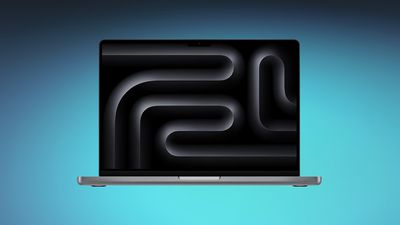
The macOS Sonoma 14.6 update that Apple released today includes dual display support, an important feature specifically for the 14-inch M3 MacBook Pro. With the new software, the 14-inch ‌MacBook Pro‌ with M3 chip is able to run two external displays in clamshell mode, aka when the lid is closed.
m3 macbook pro blue
Apple introduced dual display support in clamshell mode for the M3 MacBook Air models when they were released in March 2024, but at the time, the option was not available for the M3 14-inch ‌MacBook Pro‌ released back in October 2023. Apple said at the time that it was planning to release a software update that would add multi-display support to the M3 ‌MacBook Pro‌.

The change is mentioned in Apple's macOS Sonoma update support document and in a support document on using dual monitors with the M3 ‌MacBook Air‌ and ‌MacBook Pro‌.

The 14-inch M3 ‌MacBook Pro‌ now supports one external display at 6K resolution when the lid is open, or two external displays at 5K resolution at up to 60Hz when the lid is closed.

Higher-end ‌MacBook Pro‌ models with M3 Pro and M3 Max chips were already able to support multiple displays, so today's change only applies to the 14-inch M3 ‌MacBook Pro‌ model.

Aside from the display update, macOS Sonoma 14.6 addresses a number of security vulnerabilities as outlined in Apple's security support document. None of the vulnerabilities are known to have been actively exploited in the wild, but it is still a good idea to update as soon as possible.


Related Forum: macOS Sonoma

Popular Stories

Apple Event Logo

Apple's Next Era Begins September 1

Thursday May 7, 2026 10:36 am PDT by
Apple recently announced that Tim Cook will be stepping down as CEO later this year, after 15 years of leading the company. Effective September 1, Apple's hardware engineering chief John Ternus will become the company's next CEO, while Cook will become executive chairman of Apple's board of directors. In his new role, Apple said Cook will assist with "certain aspects" of the company,...
Four iPhone 18 Pro Colors Mock Feature

iPhone 18 Pro Launching in September With These 10 New Features

Saturday May 9, 2026 6:03 am PDT by
While the iPhone 18 Pro and iPhone 18 Pro Max are not launching until September, there are already plenty of rumors about the devices. It was initially reported that the iPhone 18 Pro models would have fully under-screen Face ID, with only a front camera visible in the top-left corner of the screen. However, the latest rumors indicate that only one Face ID component will be moved under the...
MacBook Pro Low Angle Wide Lens

macOS 27: Two More Changes Leaked Ahead of WWDC Next Month

Sunday May 10, 2026 9:45 am PDT by
macOS 27 will have a "slight redesign" compared to macOS Tahoe, along with an option to automatically group tabs in Safari, according to Bloomberg's Mark Gurman. In his Power On newsletter today, Gurman said the design changes will help to address some of the criticism surrounding macOS Tahoe's new Liquid Glass interface. In particular, the changes should improve overall readability....

Top Rated Comments

23 months ago

I'm wondering who's actually running dual-external display with the lid closed?
Surely you jest?

I run my MBP probably 80% in clamshell at home with 2 monitors and externals versus 20% while traveling as a laptop with my iPad as the 2nd monitor.

Why would I want to use the comparatively tiny screen, keyboard, trackpad while at home versus 2 27" monitors with a full size KB and mouse? And my desktop speakers are way better too.
Score: 16 Votes (Like | Disagree)
23 months ago
Ahhh yes, the software locked feature that legit made the MBA better than a “pro” model
Score: 15 Votes (Like | Disagree)
bradman83 Avatar
23 months ago

I'm wondering who's actually running dual-external display with the lid closed?

You lose the keyboard, Touch ID, webcam, speakers, trackpad, and obviously the Retina display. So yes, technically, the M3 supports dual external display. But in practical terms, it really doesn't.
I do this with my work laptop (which is a Windows machine so Touch ID isn't applicable). For me the laptop's internal display is a distraction, I'd rather have the two main displays which are the same size, same height, and situated so they line up like one continuous display. I also happen to prefer an external keyboard with numeric keypad when working with a lot of numbers and a mouse versus a trackpad for working with Excel, so the setup works for my use case.
Score: 12 Votes (Like | Disagree)
23 months ago
It would be useful to keep the lid open for the camera and Touch ID.

But it would be too complicated for Apple to let users disable the internal display when the lid is open.

I use a DisplayLink docking station with my M1 MBP and two external displays and have to mirror one of the displays to the internal display and then reduce the brightness of the internal display to zero in order to emulate a disabled internal display and still be able to use the camera, the Touch ID and the Touch Bar on the MacBook Pro.
Every Windows laptop has a dedicated key on the keyboard to switch to this mode without dumb workarounds.
Score: 12 Votes (Like | Disagree)
23 months ago

You lose the keyboard, Touch ID
New 'external' Magic Keyboard have Touch ID.
Score: 11 Votes (Like | Disagree)
23 months ago

I'm wondering who's actually running dual-external display with the lid closed?

You lose the keyboard, Touch ID, webcam, speakers, trackpad, and obviously the Retina display. So yes, technically, the M3 supports dual external display. But in practical terms, it really doesn't.
Me, most of the time when I work from home, because I have a USB camera, a Magic keyboard, a Logitech mouse and a Jabra speaker. But when I work in the office, I have to use the MacBook's internal camera and Touch ID.
Score: 11 Votes (Like | Disagree)









































