

iOS 18 and iPadOS 18 add several new features for third-party apps, such as the option to create Control Center shortcuts that can be used in the Control Center, added to the Lock Screen, or activated with the Action Button. We've rounded up a list of third-party apps that have added support for iOS 18 features.
Halide
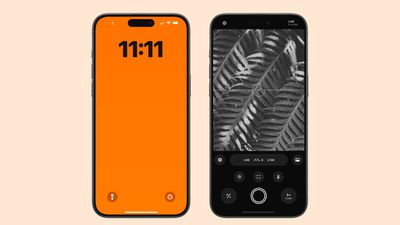
Popular camera app Halide can be accessed and launched from the Lock Screen, just like Apple's Camera app. You can even take images using Halide while the iPhone is locked.
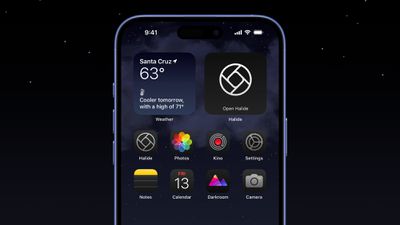
Halide can be added to Control Center, and it supports Dark Mode and Tinted icons.
CARROT Weather
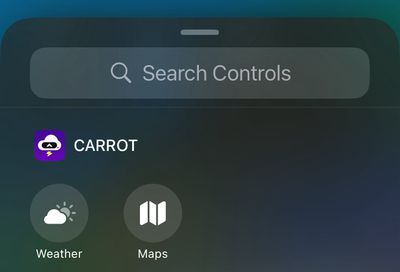
Carrot Weather supports Control Center widgets. You can add shortcuts to Control Center to launch the app to the Weather or Maps tab, plus there is support for dark and tinted app icons on the Home Screen with more than 50 alternate app icons to choose from.
On the Apple Watch, CARROT Weather now supports Live Activities so you can monitor when rain will start or stop right from your wrist. Also new is a history section that lets you see the temperature and precipitation data for the past 30 days.
Things
To-do app Things has two new controls for both the Control Center and the Lock Screen. You can create a new to-do or jump into a list. Things also supports dark and tinted app icons and widgets.
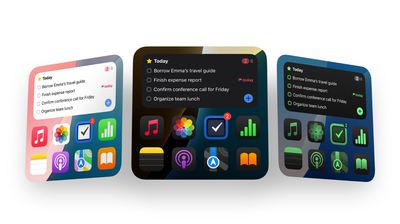
The new update lays the groundwork for Apple Intelligence, adding support for four actions when talking to Siri and integrating Writing Tools into the app.
Obscura
Camera app Obscura supports the new Lock Screen camera extension, so it can be accessed from the Lock Screen in place of Apple's default Camera app.
Tripsy
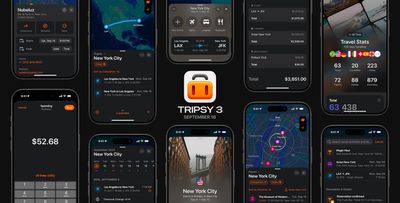
Travel app Tripsy has an updated design and integration with several iOS 18 features. There are Control Center widgets that open a list or your next trip, as well as support for Dark Mode and color tinted icons. The app also supports new MapKit categories on points of interest.
Waterllama
Water tracking app Waterllama supports Control Center widgets, but with a twist. The icons are animated, and make it simple to log liquid consumption.
Weather Up
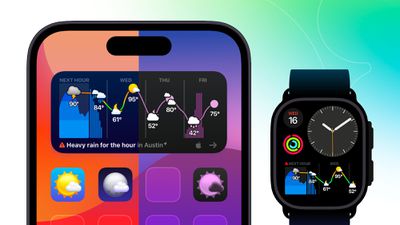
Weather Up, known for its interactive widgets, now supports tinted widgets and light, dark, and tinted Home Screen icons, all of which feature unique designs. You can use this link to try Weather Up for 7 days without agreeing to an auto-renewing subscription.
Karo
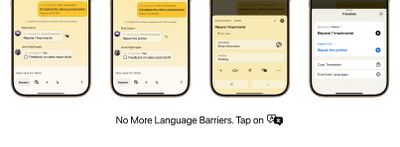
Karo, a new app for assigning tasks to people, now offers Control Center and Lock Screen widgets, along with on-device translation in the app and app intents that work with Spotlight and Apple Intelligence. There are also new Dark Mode and tinted app icons.
Crouton
Recipe management app Crouton supports several iOS 18 features including translations for recipes and Dark Mode and tinted icons. On Apple Watch, Live Activities can be used for tracking timers and more, plus there's an option to move through recipe steps with Double Tap.
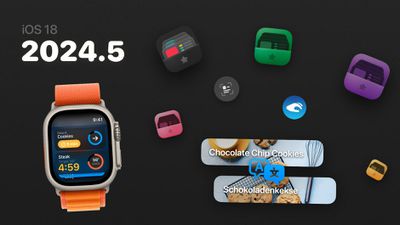
Focus
Productivity app Focus supports Control Center widgets, customizable app icons, and App Shortcuts. The watchOS 11 version of the app supports Live Activities, Interactive Widgets, and Double Tap gestures.
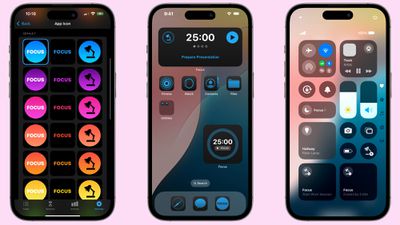
Slopes
Winter sports app Slopes has been redesigned for iOS 18 with a new focus on interactive maps and personal activity stats. Apple Intelligence support is included, and there are new Siri Shortcuts for controlling recording via voice or Control Center, along with support for Dark Mode and tinted icons.
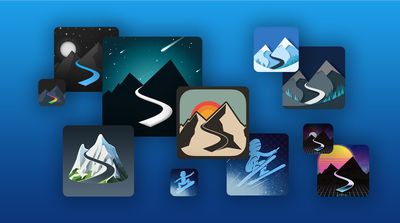
On Apple Watch, Slopes supports Smart Stack interactive widgets and Double Tap gestures.
Lumy
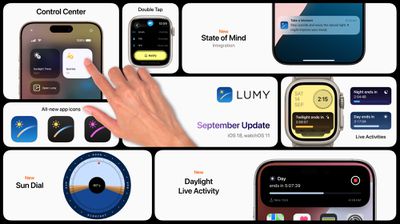
Sunrise and sunset app Lumy offers Control Center widgets and tinted icons, plus on Apple Watch, it supports Live Activities and Double Tap.
Fantastical
Calendar app Fantastical supports light mode, Dark Mode, and tinted icons and widgets. Fantastical can be adde to Control Center, with options for quick access to the Today's Schedule, Create Event, and Search in Fantastical functions.
On Apple Watch, Fantastical supports Live Activities, which are mirrored from the iPhone. There's also a Today's Schedule complication that shows your next upcoming event and the number of remaining tasks for the day.
Sticky Widgets
Sticky Widgets, an app that adds sticky notes to your Home Screen, supports light mode, Dark Mode, and tintable app icons and widgets. Support for Control Center is also included.
Pinned notes will now show up on Apple Watch thanks to new integration.
More Apps with Control Center Integration
- Todoist
- Mercury Weather
- Yoink
- Access
- Book Tracker
- Please Don't Rain
- Peak 4
- Capture
- MusicHarbor
- Saturn for Mastodon
- MeterStats
- Mango Baby
- Lion's Eye for MTG
- TV Remote
- GameBuddy
- Bills to Budget
- NowPlaying
- Zenitizer
- Calzy
- Noir
- Orbit
- Chronicling
- Home Assistant
- Cheatsheet
- World Clock Widgets
- Longplay
Apps With Dark Mode and Tinted Icon Support
- Mango Baby
- Games
- Liftin'
- Please Don't Rain
- Book Tracker
- Peak 4
- Winston
- CardPointers 6
- GameBuddy
- MusicHarbor
- Capture
- EmailMe
- Control Mark
- Mercury Weather
- 24me
- Zenitizer
- Calzy
- Noir
- Orbit
- Chronicling
- Home Assistant
- Cheatsheet
- World Clock Widgets
- Longplay




















