
iFixit Shares iPad Mini 7 Teardown, Adds Mystery to 'Jelly Scrolling' Fix

Electronics repair website iFixit this weekend shared an iPad mini 7 teardown video, and it adds some mystery to the device's "jelly scrolling" improvements.
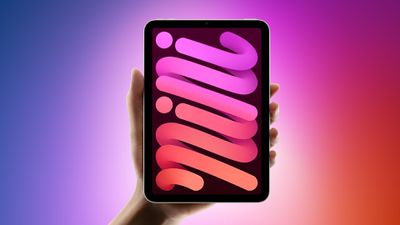
ipad mini 7 feature red and blue
"Jelly scrolling" refers to screen tearing, which can cause text or images on one side of the screen to appear to be tilted downwards because of a mismatch in refresh rates. It can cause one side of the display to look as if it is responding faster than the other side, resulting in a visual disturbance that is hard to ignore once noticed. Some customers noticed the effect on the iPad mini 6 when the device was used in portrait orientation, leading to complaints over the past three years, but not everyone noticed it or was bothered by the effect.

Despite an Apple spokesperson once stating that "jelly scrolling" was "normal" behavior for iPads with LCD displays, it appears the company still felt inclined to reduce the effect on the iPad mini 7. Many reviewers said that "jelly scrolling" was less noticeable or not noticeable at all on the latest iPad mini, and it seems that Apple vaguely told some of these reviewers that it made display-related changes to address the matter.

It was speculated that Apple might have rotated the display controller inside the iPad mini 7 to make "jelly scrolling" less visible in portrait orientation, but interestingly, iFixit said that the display controller's position has not changed compared to the iPad mini 6. The website concluded that Apple has done some unknown "trickery" to reduce "jelly scrolling," so it still remains unclear exactly what Apple has done to mitigate the issue.


The teardown video also revealed that the iPad mini 7's rear Apple logo can be removed, but otherwise the device's internal design is similar to the iPad mini 6.

Apple released the iPad mini 7 last week, with key features including the A17 Pro chip, Apple Intelligence support, Apple Pencil Pro support, and more.


Related Roundup: iPad mini
Buyer's Guide: iPad Mini (Caution)
Related Forum: iPad

Popular Stories

Apple Logo Zoomed

Tim Cook Teases Plans for Apple's Upcoming 50th Anniversary

Thursday February 5, 2026 12:54 pm PST by
Apple turns 50 this year, and its CEO Tim Cook has promised to celebrate the milestone. The big day falls on April 1, 2026. "I've been unusually reflective lately about Apple because we have been working on what do we do to mark this moment," Cook told employees today, according to Bloomberg's Mark Gurman. "When you really stop and pause and think about the last 50 years, it makes your heart ...
iOS 26

iOS 26.3 and iOS 26.4 Will Add These New Features to Your iPhone

Tuesday February 3, 2026 7:47 am PST by
While the iOS 26.3 Release Candidate is now available ahead of a public release, the first iOS 26.4 beta is likely still at least a week away. Following beta testing, iOS 26.4 will likely be released to the general public in March or April. Below, we have recapped known or rumored iOS 26.3 and iOS 26.4 features so far. iOS 26.3 iPhone to Android Transfer Tool iOS 26.3 makes it easier...
imac video apple feature

Apple Makes Its Second-Biggest Acquisition Ever

Tuesday February 3, 2026 12:45 pm PST by
Apple recently acquired Israeli startup Q.ai for close to $2 billion, according to Financial Times sources. That would make this Apple's second-biggest acquisition ever, after it paid $3 billion for the popular headphone maker Beats in 2014. This is also the largest known Apple acquisition since the company purchased Intel's smartphone modem business and patents for $1 billion in 2019....
wwdc sans text feature

Apple Rumored to Announce New Product on February 19

Thursday February 5, 2026 12:22 pm PST by
Apple plans to announce the iPhone 17e on Thursday, February 19, according to Macwelt, the German equivalent of Macworld. The report, citing industry sources, is available in English on Macworld. Apple announced the iPhone 16e on Wednesday, February 19 last year, so the iPhone 17e would be unveiled exactly one year later if this rumor is accurate. It is quite uncommon for Apple to unveil...
Finder Siri Feature

Why Apple's iOS 26.4 Siri Upgrade Will Be Bigger Than Originally Promised

Friday February 6, 2026 3:06 pm PST by
In the iOS 26.4 update that's coming this spring, Apple will introduce a new version of Siri that's going to overhaul how we interact with the personal assistant and what it's able to do. The iOS 26.4 version of Siri won't work like ChatGPT or Claude, but it will rely on large language models (LLMs) and has been updated from the ground up. Upgraded Architecture The next-generation...

Top Rated Comments

klasma Avatar
17 months ago

Is there a technical reason why the iPad mini 5 either has no jelly scroll, or it wasn't a big enough issue like the mini 6? And if the mini 5 didn't have this, what caused the regression moving forward with the mini 6 and 7?
The pixels within an LCD panel (i.e. the actual “liquid crystals”) are not refreshed all at once for each new picture frame, but instead are refreshed line by line. This means that if you take a snapshot of the panel while it refreshes from one frame to the next, some of the pixels will show the new frame while others will still show the previous frame.

In addition, each pixel doesn’t change its state instantaneously, but needs a number of milliseconds to transition from the previous state to the new state. This means that in the snapshot, pixels will be in various degrees of blending between the old state and the new state. When comparing the first line with the last line, the first line may already have fully transitioned to the new frame, whereas the last line is still completely on the old frame. And the lines in between will be in some intermediate state.

Now, when you scroll perpendicular to those refresh lines, this means that one edge of the screen will already show the next scroll position while the other edge still shows the old scroll position. Due to the continuous state change of the pixels between those two edges, it looks as if the contents is slanted between the old and new scroll position.

This effect is stronger the narrower the display is in the problematic direction, and also the longer the pixel response time (the longer they take to change their state). If the response time is especially slow, it may even “smear” across multiple successive frames or scroll positions.

From the mini 5 to the mini 6, Apple (a) changed the refresh direction from the long side to the short side, and in addition (b) made the aspect ratio of the screen much narrower than before (from 4:3 to less than 3:2), and (c) (this is just my suspicion from comparing both side by side) the new panels have a worse pixel response time.

From what has been reported about the mini 7, my guess is that the response time (c) has been improved, but obviously (a) and (b) hasn’t changed.

Since the frame contents is transferred line by line from RAM to the panel, the lines are physically driven along either the long side or the short side of the display panel, and that’s where the display controller sits along the edge of the panel. Presumably, because the bezel widths changed from the mini 5 to the mini 6, it was more convenient to place the display controller along the long edge than the short edge, however with the side effect of switching to the refresh direction where the slanting effect is more pronounced.

Apple would have to switch that positioning back to the short side in order to completely eliminate the issue in portrait orientation. Apparently they didn’t want to invest the engineering effort to change the internal component layout of the mini again.

@Joe Rossignol IMO there isn’t much of a mystery here.
Score: 21 Votes (Like | Disagree)
goodcow Avatar
17 months ago
Is there a technical reason why the iPad mini 5 either has no jelly scroll, or it wasn't a big enough issue like the mini 6? And if the mini 5 didn't have this, what caused the regression moving forward with the mini 6 and 7?
Score: 15 Votes (Like | Disagree)
firstcitazen Avatar
17 months ago

I cannot believe we are discussing such minutia. I use my iPad mini 6 in the hospital almost every day, for 10-12 hours a day (for almost 2 years). This is not even on my mind.
Perhaps people should use it for real work, rather than just pure entertainment devices?
I use it for real work and notice the jelly scrolling. What is real work? I work at a hospital too....
Score: 15 Votes (Like | Disagree)
Crow_Servo Avatar
17 months ago

I have absolutely no trust in Apple when it comes to their displays.

They use PWM (pulse-width modulation) aka flickering in almost all of their products. They have zero credibility.

I'm sure their "fix" for this iPad mini 7 is not without some compromise. Hopefully not, but we'll see. I'm picking up one of these next week.
lol. Okay. Enjoy?
Score: 14 Votes (Like | Disagree)
Apple_Robert Avatar
17 months ago

Saw it in Best Buy - it’s still a terrible screen because of the refresh rate. Maybe the jelly scrolling is better but that low refresh rate stutter is a show stopper.
I find it curious that so many people used the iPhone before Promotion was ever uttered by Apple and it wasn’t the unusable device so many here and elsewhere want to claim devices to be now.
Score: 14 Votes (Like | Disagree)
0828557 Avatar
17 months ago

The redesign of the mini with 6th gen caused it.
You answered a "what" question with a "when" answer.
Score: 13 Votes (Like | Disagree)















