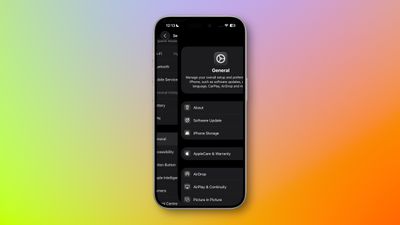
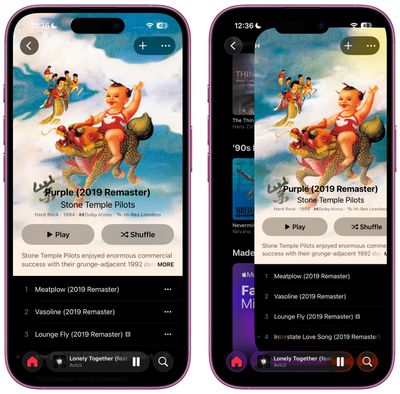
In iOS 26 beta 1, Apple has seemingly tweaked the swipe-to-go-back gesture to make it easier to navigate screens on bigger iPhones.
In iOS 18, many apps allow you to navigate back to the previous screen by swiping with your thumb from the left edge of the display. This is generally easier than tapping a back button in the top-left corner, especially if you're navigating with one hand.
However, to trigger the gesture, you need to start swiping from the very edge of the screen, which is harder if you have small hands or you're using a larger device like an iPhone 16 Pro Max.
To make things easier in iOS 26, you no longer have to start the rightward swipe at the very edge of the screen. Now you can start the gesture from anywhere, like the middle of the display. Providing you're not thumbing an interactive UI element, the swipe-to-go-back gesture will still be triggered.
Currently the gesture works in many system apps including Settings, Contacts, Music, and the App Store. It also seems to work in some third-party apps, although support is likely to expand once developers update their apps in time for the release of iOS 26 in the fall.
Apple has unveiled a whopping nine new products so far this March, including an iPhone 17e, iPad Air models with the M4 chip, MacBook Air models with the M5 chip, MacBook Pro models with M5 Pro and M5 Max chips, the all-new MacBook Neo, an updated Studio Display, a higher-end Studio Display XDR, AirPods Max 2, and now the Nike Powerbeats Pro 2.
iPhone 17e features the same overall design as...
iOS 26.4 was released today, and it includes a couple of new features for CarPlay: an Ambient Music widget and support for voice-based chatbot apps.
To update your iPhone 11 or newer to iOS 26.4, open the Settings app and tap on General → Software Update. CarPlay will automatically offer the new features so long as the iPhone connected to your vehicle is running iOS 26.4 or later....
Apple has unveiled nine new products this month, but the wait continues for the next-generation Apple TV 4K and HomePod mini models.
In his Power On newsletter today, Bloomberg's Mark Gurman said new versions of the Apple TV and HomePod mini have been "ready" since last year, but he reiterated that Apple has held off on releasing them until the more personalized version of Siri and other...
I sure hope this isn't as easy to trigger accidentally when trying to scroll and just wiggling a bit as on some apps that already implement this themselves.
Why is the back button on the top of the screen anyway? Seems like this is a solution to a problem that Apple created. Just move navigation buttons to the bottom of the screen so everything is easy to reach with your thumb.
This WWDC was the lamest, most boring one I've ever seen. And I've been watching since Jobs returned to run Apple. All I saw were tweaks to existing apps. Tweaking Back gesture? This is what's going to get people to buy a new phone? I might, but unless there's some real innovation, it might not be an Apple phone.
Apple used to lead. Now all they do is play catch up with Android.
Implementing the current swipe back API should be a specific requirement for all apps with a back button in the top left corner. Not sure if this new one will be easy to accidentally trigger though.