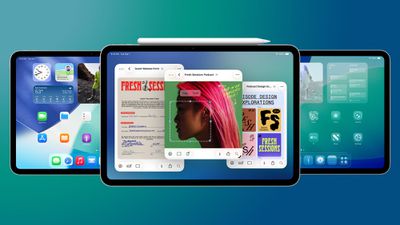
With the second beta of iPadOS 26.1, Apple tweaked multitasking on the iPad to reintroduce the Slide Over feature. Slide Over was removed in iPadOS 26 because Apple replaced it with a new windowed multitasking system, but some iPad users missed the feature.
The updated version of Slide Over works with all of the new iPadOS 26 multitasking features. You can have multiple app windows open, and then use Slide Over to quickly get to an app that overlays your windowed apps.
To use Slide Over in iPadOS 26.1, you'll need to tap on the green icon of an app's window to open up the window sizing controls. From there, you can tap on the "Enter Slide Over" button.
When an app has been put into Slide Over mode, it transitions into a Slide Over window that stays over your other open apps. You can swipe to hide the Slide Over app from view, and then swipe to bring it back again. The Slide Over window can be resized as needed, which is new in iPadOS 26.1.
Slide Over in iPadOS 26.1 beta 2 supports a single app, so it's not quite the same as the older version of Slide Over, but it should be a welcome addition to those who were missing the option.
iOS 26.5 has been in beta since late March, with a third beta released this week. The update is relatively minor so far, which is not too surprising given that Apple is starting to shift its focus towards iOS 27. Apple will unveil iOS 27 during its WWDC 2026 keynote on June 8, and the update should be released in September.
iOS 26.5 lays the groundwork for two changes, including end-to-end...
Apple today seeded the second betas of upcoming iOS 26.5 and iPadOS 26.5 updates to developers for testing purposes, with the software coming two weeks after Apple released updated first betas.
Registered developers can download the betas from the Settings app on the iPhone or iPad by going to the General section and selecting Software Update.
iOS 26.5 and iPadOS 26.5 do not include new...
Tuesday April 14, 2026 10:06 am PDT by Juli Clover
Apple today provided public beta testers with the second releases of upcoming iOS 26.5, iPadOS 26.5, watchOS 26.5, and tvOS 26.5 updates for testing purposes. The public betas come a day after Apple provided the betas to developers.
After signing up for beta testing on Apple's beta site, public beta testers can download the updates using the Software Update section of the Settings app on...