

While iOS 18 brought numerous improvements at launch, Apple introduced several AI-powered features under the banner of Apple Intelligence. The features are being released in waves through iOS/iPadOS 18.1, 18.2, 18.3, and later updates. On Mac they started arriving with macOS Sequoia 15.1.
Apple Intelligence encompasses a range of capabilities, including composing text and emails, automating actions across various apps, generating images, summarizing documents and texts, and more. However, these features require a lot of on-device computing power, so it's worth checking if your device is compatible. Here's a complete list of every device that will work with Apple Intelligence.
iPhones
- iPhone 15 Pro
- iPhone 15 Pro Max
- iPhone 16 series
iPads
- M4 iPad Pro
- M2 iPad Pro
- M1 iPad Pro
- M2 iPad Air
- M1 iPad Air
- iPad mini 7
Macs
- M3 MacBook Air
- M2 MacBook Air
- M1 MacBook Air
- M3/M3 Pro/M3 Max MacBook Pro
- M2/M2 Pro/M2 Max MacBook Pro
- M1/M1 Pro/M1 Max MacBook Pro
- M3 iMac
- M1 iMac
- M2/M2 Pro Mac mini
- M1 Mac mini
- M2 Max/M2 Ultra Mac Studio
- M1 Max/M1 Ultra Mac Studio
- M2 Ultra Mac Pro
Apple Intelligence - What to Expect
Apple says that Apple Intelligence "combines the power of generative models with personal context to deliver intelligence that's incredibly useful and relevant." For example, it can create language and images, take action across apps, and draw from personal context to simplify and accelerate everyday tasks.
For instance, new Writing Tools can be used to proofread for spelling and grammar errors or to rewrite text to adjust the tone. These tools also include options for summarizing any text and are integrated throughout the operating system, making them accessible wherever text input is possible.
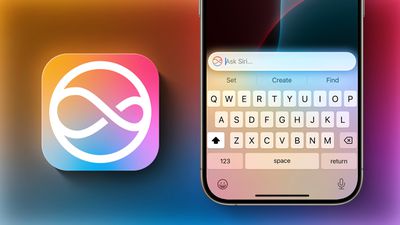
Siri now features a refreshed design with a glowing effect around the edges of the display when activated. The new Type to Siri option allows for text-based interactions without speaking. Siri can maintain context across multiple requests and adapt if you stumble over words. It can also answer a wide range of questions about your devices, thanks to its integration with Apple's product knowledge and support database.
Additionally, Apple Intelligence includes features like Genmoji, Image Playground, phone call recording, transcription, and summarization. There are Smart Replies for Mail and Messages, a Memory Maker feature in Photos, and a Reduce Interruptions Focus Mode that intelligently filters out unnecessary notifications.
For a more comprehensive overview of all the features currently available, we have a dedicated guide detailing what's included.




















