
What You Need to Know About HEIF in macOS

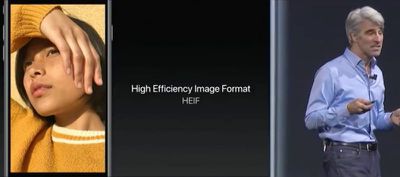
With the official release of iOS 11 and macOS High Sierra, Apple introduced support for a new image format called HEIF, which uses the file extension HEIC. Apple sees HEIF as a worthy successor to the JPEG format. So what makes it so good that it can replace an industry standard that's been in use for almost 25 years?
HEIF

What is HEIF?

HEIF stands for High Efficiency Image Format and can be considered the still-image version of the HEVC video codec that Apple's ecosystem now officially supports. (You can learn more about HEVC here.) The HEIF standard wasn't made by Apple – it was developed in 2015 by the MPEG group, which also invented the AAC audio format used in iTunes.

Benefits of HEIF Over JPEG

As the name implies, HEIF is a more streamlined method of storing image data and offers better quality than the traditional JPEG format. For example, HEIF supports image transparency and can capture a more extended color range than JPEG (16-bit versus 8-bit), which should increase the accuracy of photos taken on Apple's latest iPhones. At the same time, a HEIF-encoded image should be around half the file size of an equivalent-quality JPEG, so users will be able to keep twice the number of shots on their Apple devices (or in iCloud) before they max out their storage capacity.

In addition, HEIF files include a 320x240 embedded thumbnail that's four times the resolution but only twice the file size of a standard JPEG thumbnail. HEIF images can also be rotated and cropped without altering the image or re-saving them, all of which makes working with HEIF files that much faster than JPEG on both Mac and iOS devices.
ios11livephotos
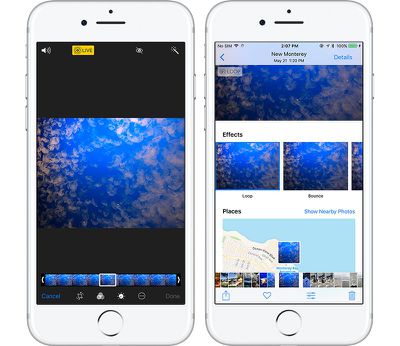
HEIF also brings other benefits that JPEG doesn't offer because it's unlike your typical image format. That's because it's also capable of acting as a container for multiple files. This should be a boon for anyone who takes bursts of photos or lots of Live Photos – which can be edited in multiple new ways in iOS 11 – but it also means HEIF could become a wholesale replacement for GIF.

HEIF Compatibility and Image Sharing

Currently, Apple only supports HEIF image encoding on iOS devices with a minimum A10 Fusion processor, so that includes the 2017 10.5-inch and 12.9-inch iPad Pro, the iPhone 7 and iPhone 7 Plus, and of course Apple's new 2017 range of iPhones. Owners of these devices can check their camera is encoding photos in HEIF by going to Settings -> Camera -> Formats, and ensuring the "High Efficiency" option is selected. The "Most Compatible" option means photos will be encoded in JPEG format.
highsierraphotoscurves
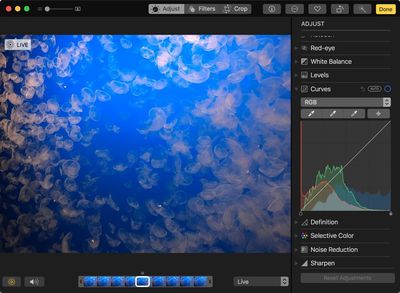
HEIF is supported on all Macs capable of running macOS High Sierra, and many macOS applications work natively with HEIF, including Photos, Preview, and Quick Look. This means macOS users might consider converting their JPEG image files to HEIF for greater storage or network benefits.

The transition to HEIF within the Apple ecosystem should be mostly transparent, but if users need to move HEIF content outside of that ecosystem, it's worth looking into transcoding options (JPEG, for example) to provide the best backwards compatibility for other users. Happily, iOS 11 will auto-convert HEIF images to JPEG when they are shared to devices running earlier versions of iOS, non-Apple devices, and popular social media sites, or when they are passed over to apps that don't yet support the standard.

Tag: HEIF
Related Forums: iOS 11, macOS High Sierra

Popular Stories

maxresdefault

Apple Shows Off a Key Reason to Upgrade to the iPhone 17

Saturday February 7, 2026 9:26 am PST by
Apple today shared an ad that shows how the upgraded Center Stage front camera on the latest iPhones improves the process of taking a group selfie. "Watch how the new front facing camera on iPhone 17 Pro takes group selfies that automatically expand and rotate as more people come into frame," says Apple. While the ad is focused on the iPhone 17 Pro and iPhone 17 Pro Max, the regular iPhone...
Finder Siri Feature

Why Apple's iOS 26.4 Siri Upgrade Will Be Bigger Than Originally Promised

Friday February 6, 2026 3:06 pm PST by
In the iOS 26.4 update that's coming this spring, Apple will introduce a new version of Siri that's going to overhaul how we interact with the personal assistant and what it's able to do. The iOS 26.4 version of Siri won't work like ChatGPT or Claude, but it will rely on large language models (LLMs) and has been updated from the ground up. Upgraded Architecture The next-generation...
wwdc sans text feature

Apple Rumored to Announce New Product on February 19

Thursday February 5, 2026 12:22 pm PST by
Apple plans to announce the iPhone 17e on Thursday, February 19, according to Macwelt, the German equivalent of Macworld. The report, citing industry sources, is available in English on Macworld. Apple announced the iPhone 16e on Wednesday, February 19 last year, so the iPhone 17e would be unveiled exactly one year later if this rumor is accurate. It is quite uncommon for Apple to unveil...
apple wallet drivers license feature iPhone 15 pro

Apple Says These 7 U.S. States Plan to Offer iPhone Driver's Licenses

Monday February 9, 2026 6:24 am PST by
In select U.S. states, residents can add their driver's license or state ID to the Apple Wallet app on the iPhone and Apple Watch, and then use it to display proof of identity or age at select airports and businesses, and in select apps. The feature is currently available in 13 U.S. states and Puerto Rico, and it is expected to launch in at least seven more in the future. To set up the...
14 inch MacBook Pro Keyboard

New MacBook Pros Could Now Arrive in March

Sunday February 8, 2026 6:02 am PST by
New MacBook Pro models with the M5 Pro and M5 Max chips could arrive as soon as Monday, March 2, according to Bloomberg's Mark Gurman. In today's "Power On" newsletter, Gurman said that the release of new MacBook Pro models is tied to the release of macOS Tahoe 26.3. The launch is said to be slated for as early as the week of March 2. He added that the M4 Pro and M4 Max models on sale today...

Top Rated Comments

katanna Avatar
109 months ago
This means macOS users might consider converting their JPEG image files to HEIF for greater storage or network benefits.
Is there an option inside of Photos to batch-convert your entire library to HEIF?
Score: 7 Votes (Like | Disagree)
zorinlynx Avatar
109 months ago
This means macOS users might consider converting their JPEG image files to HEIF for greater storage or network benefits.
Does this mean that JPG -> HEIF conversion is completely lossless? Because if it's not, NO, macOS users shouldn't convert their images.
Score: 6 Votes (Like | Disagree)
Superhai Avatar
109 months ago
I have used HEIF for some time and the short version of what you want to know is this:

Encoding and decoding is processor intensive. On my MacBook Pro without hardware acceleration, photos are not displayed instantly as with jpeg, but could take seconds. This is noticeably if you have lots of photos to go through. Consider this if you want others to view your photos as well.

The quality is much higher than jpeg. Especially skies and surfaces with little color change are much less blocky even with 8-bit sources. And it support higher bits per color without needing a different format. And like jpeg you decide how much or little compression you require.

Avoid converting jpeg to HEIF. Unless you have stored the jpeg at near lossless quality, you will loose even more detail. And storing jpeg artifacts require more space.

Apple Photos does not convert your master files to HEIF automatically. Only if you transfer to a device without HEIF support will macOS or iOS convert HEIF to jpeg. Not the other way round. It should make sense as Photos neither did this before with TIFF, PNG, camera RAW or any other file format it supports.

A HEIF photo is basically a one frame HEVC video. Interestingly you can use ffmpeg or other video software to create a HEIF image, but you still need to put it in the right container by some other software. Also knowledge of HEVC compression settings are directly transferable to HEIF.
Score: 5 Votes (Like | Disagree)
rishiomedia Avatar
109 months ago
I’m also interested in knowing if it’s possible to convert an existing library of jpeg and Raws into HEIF on the Mac.
Score: 5 Votes (Like | Disagree)
abbstrack Avatar
109 months ago
Are older pictures automatically converted in the HEIF format?
This is my question too.

Also - can you do other non-destructive editing (aside from cropping/resizing) on them similar to RAW.
Score: 4 Votes (Like | Disagree)
ajspear Avatar
109 months ago
Are older pictures automatically converted in the HEIF format?
Score: 4 Votes (Like | Disagree)















