

Apple is testing iOS 26.2, a new version of iOS 26 that's going to come out right around mid-December. iOS 26.2 is going to bring big changes to iPhone users in Japan, but there are also quite a few feature tweaks available for everyone. We've rounded up all of the new features your iPhone will get in iOS 26.2.
Reminders
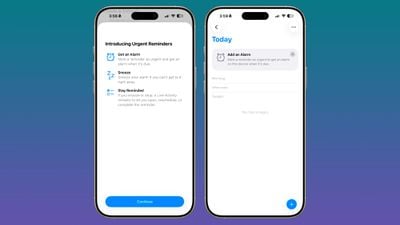
In the Reminders app, there's a new option to have an alarm go off when a reminder is due. Setting up an alarm can be done by toggling on the "Urgent" option when creating a reminder.
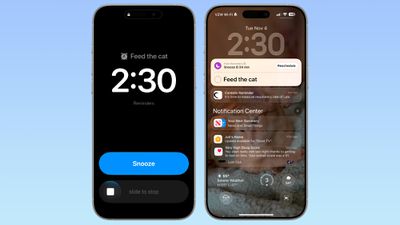
When a Reminder alarm activates, it displays a snooze option or a slide to stop option. If you snooze it, it will show a countdown on the Lock Screen that includes an option to complete the reminder or reschedule it. Apple distinguishes Reminders alarms from standard alarms with a new blue color.
Apple provides a splash screen letting users know about the feature, plus a small banner that shows up when you go to add a new entry in the Reminders app after updating to iOS 26.2.
Lock Screen
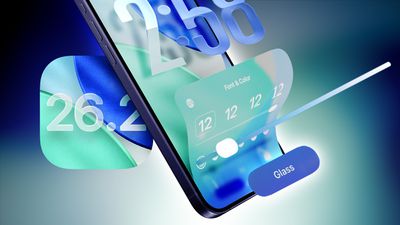
There is a Liquid Glass slider on the Lock Screen that lets you customize the appearance of the clock. When using the "Glass" option, you can use the slider to make the time look almost entirely clear, or give it a more frosted look.
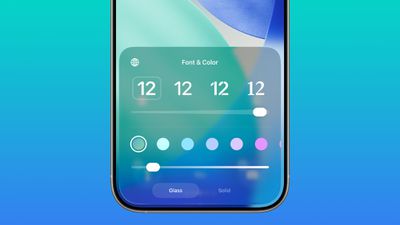
There continues to be a separate Solid toggle that turns off the Liquid Glass appearance for the clock entirely if you want to opt for a much more opaque design, and you can also still use the color options for the clock.
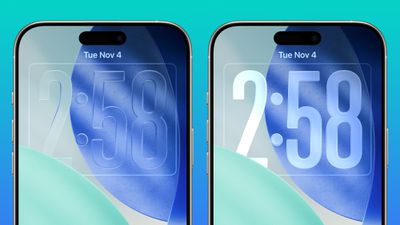
Liquid Glass Settings
When using the new Liquid Glass "Tinted" option that reduces transparency, there's a warning that the Tinted option cannot be used in tandem with the Reduce Transparency and Increase Contrast Accessibility settings.
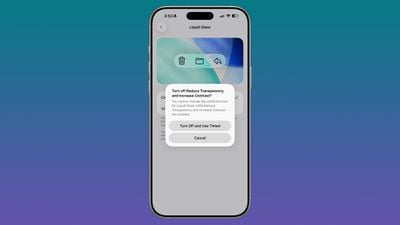
Turning on Tinted mode is able to turn off Reduce Transparency and Increase Contrast automatically. In the prior betas, there was no option to turn on Tinted mode without turning off these features manually.
AirDrop
Apple added new AirDrop functionality, providing a way for two people to share files temporarily without having to add one another as contacts.
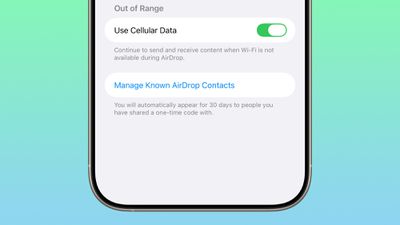
iOS 26.2 includes an option to generate a one-time AirDrop code, which can then be shared with someone who is not in your contacts list. The code allows file exchanges over AirDrop for a 30-day period.
People you have shared a one-time code with can be managed by opening up the Settings app, selecting the General section, choosing AirDrop, and tapping on "Manage Known AirDrop Contacts."
Apple Music
Apple Music now supports offline lyrics, so you can see a song's lyrics when not connected to Wi-Fi or cellular.
Sleep Score
With iOS 26.2 and watchOS 26.2, Apple has adjusted the ranges for the Sleep Score feature that it introduced earlier this year. The new Sleep Score numbers better match how people might be feeling after a night of sleep.
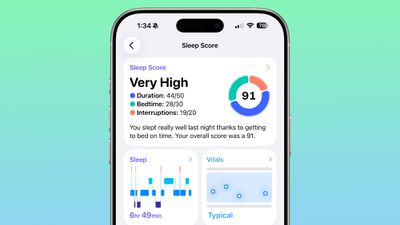
These are the new scores:
- Very Low - 0–40 (previously 0–29)
- Low - 41–60 (previously 30–49)
- OK - 61–80 (previously 50–69)
- High - 81–95 (previously 70–89)
- Very High - 96–100 (previously 90–100)
The "Very High" rank used to be "Excellent," but Apple changed the name to be more in line with the other labels.
Sleep Scores are available on all Apple Watch models compatible with watchOS 26.2 and can be found in the Health app on the iPhone. Apple designed Sleep Score to provide an overall sense of sleep patterns, so users can identify habits that might impact their sleep.
Sleep Score takes into account sleep duration, bedtime, and interruptions to assign a nightly score that represents sleep quality. Duration is worth 50 points, bedtime is worth 30, and interruptions (times woken up in the night) are worth 20, for a total of 100 possible points each night.
Podcasts
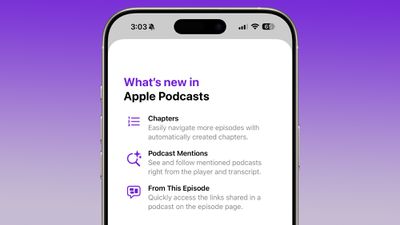
The Podcasts app adds support for three new features, including automatically created chapters, options to see mentions of other podcasts from the transcript and the player, and access to links mentioned in a podcast on the episode page.
Passwords
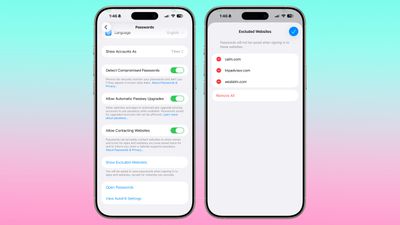
In the Settings section of the Passwords app, there's an option to manage websites where passwords are not saved when signing in.
AirPods Live Translation for EU
iOS 26.2 expands AirPods Live Translation to the European Union. Apple had to delay the feature in the EU to complete the engineering work needed to comply with the requirements of the Digital Markets Act.
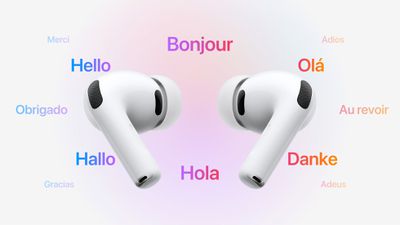
AirPods Live Translation works with the AirPods Pro 3, AirPods Pro 2, and AirPods 4 with ANC. It is available in English, French, German, Portuguese, Spanish, Italian, Chinese (Simplified and Traditional Mandarin), Japanese, and Korean at the current time.
Freeform
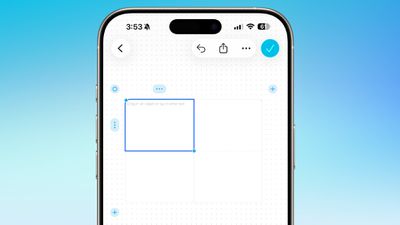
The Freeform app now supports Tables.
Weather
There is code suggesting that the Weather app now supports relative time for alerts like "next Friday," or "next Tuesday" in reference to upcoming rain or weather conditions.
Apple News
Apple updated the design of Apple News, adding quick access top buttons for categories like sports, puzzles, politics, business, and food.
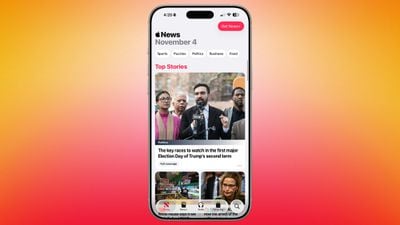
There's also a dedicated tab for Following, which has been decoupled from the search interface.
Flash for Alerts
The Flash for Alerts option in the Accessibility section of the Settings app now allows users to have the screen flash. Previously, this setting was limited to the LED on the back of the iPhone.
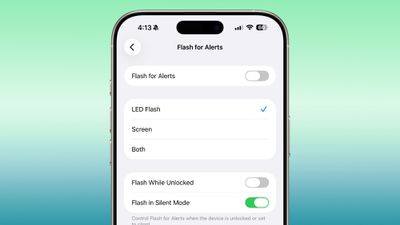
Users can swap to the screen flash or have both flash at the same time when notifications come in.
Enhanced Safety Alerts
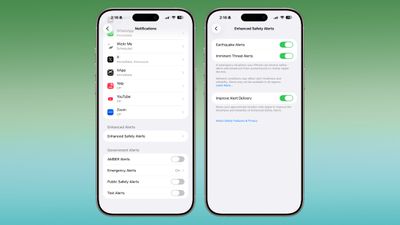
In the Notifications section of the Settings app, there's an Enhanced Safety Alerts section for managing earthquake alerts, imminent threat alerts, and activating improved alert delivery, a feature that uses location to improve the reliability of alerts.
Measure App
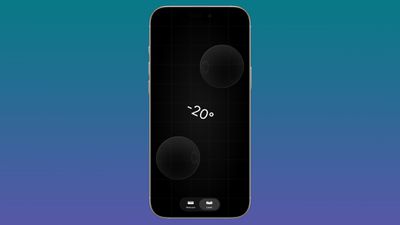
Apple's Measure app now features a Liquid Glass design for the level, with two Liquid Glass bubbles instead of white circles.
Games App
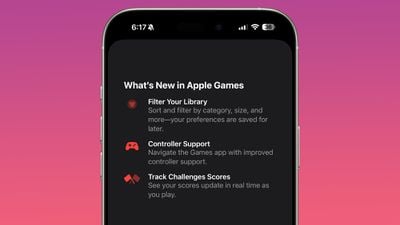
There's now an option to sort games in the Games app Library by size, in addition to Name and Recent.
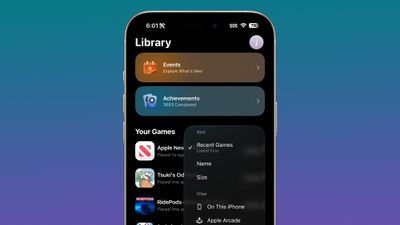
The Games app also supports navigation with a controller and real-time updates to challenge scores during gameplay.
CarPlay
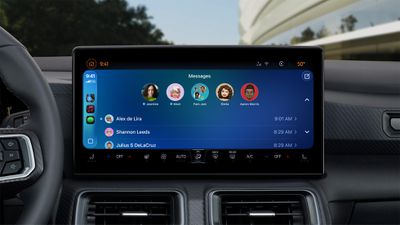
The CarPlay now app supports disabling pinned messages in the Messages app for drivers who prefer the classic Messages view that was available before iOS 26.2.
Menu Animations
For pop-out menus that expand from a corner button, there's a quicker, bouncier animation that looks like the animation that Apple showed off at WWDC.
The Liquid Glass animation in iOS 26.2 beta 2 is amazing, feels like what was shown off at WWDC pic.twitter.com/J6YruZz4cR — Aaron (@aaronp613) November 12, 2025
Privacy
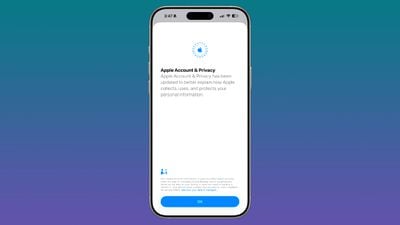
When you access your Apple Account for the first time after installing iOS 26.2, you'll see an alert letting you know that Apple's privacy information for Apple Accounts has been updated to better explain how personal information is collected and used by Apple.
iPhone Changes in Japan
Siri Replacement
Apple is laying the groundwork for a new option that will let iPhone users in Japan choose a different default voice assistant. A press and hold gesture on the Side Button only activates Siri in the current version of iOS 26, but there are multiple references to new Side Button behavior in the beta.
iPhone users in Japan will be able to select a new voice-based conversation app to activate with the Side Button, allowing alternative assistants like Gemini or Alexa to be used on the iPhone. Developer documentation confirms that it will only be available for Japanese Apple Accounts owned by people living in Japan.
Search Engine Choice
After installing iOS 26.2, iPhone users in Japan will be prompted to select a preferred search engine. Options include Bing, Google, DuckDuckGo, Yahoo Japan, or Ecosia, the same options available globally in the Safari settings. In most other countries, Google is the default search engine and there is no prompt to choose a different option when the iPhone first starts up.
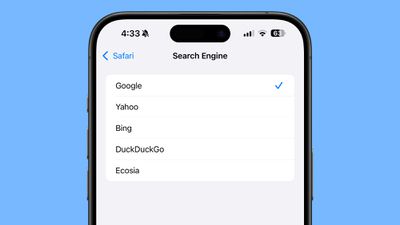
While iPhone users outside of Japan can choose one of the other options, doing so requires going into the Safari section of the Settings app to make a change.
Third Party App Stores
iOS 26.2 will allow iPhone users in Japan to install alternative app marketplaces, similar to the European Union.
Texas App Store Changes
With iOS 26.2, Apple is adding tools for developers that will help them comply with the App Store Accountability Act that goes into effect in Texas in 2026. Apple users in Texas will need to confirm whether they are 18 years or older when creating an Apple Account, and parents will need to provide consent for their children's App Store downloads and in-app transactions.
Apple will share user age range information with developers, and developers will need to implement systems for notifying parents about significant app changes and allowing parents to revoke a child's access to an app at any time.
Bonus: iPadOS 26.2 Multitasking
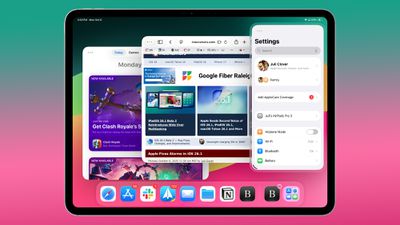
In the iPadOS 26.2, Apple is expanding on the updated multitasking that it introduced in iPadOS 26.1. There's now a option to drag and drop apps from the App Library, Dock, and Spotlight into Slide Over and tiled views, restoring some functionality that was removed in the iPadOS 18 to iPadOS 26 transition.
Compatibility
iOS 26.2 is available on all iPhones that support iOS 26.
Release Date
We're expecting Apple to release iOS 26.2 in December, sometime between December 9 and December 16.





























![Apple Pulls Keynote, Pages and Numbers From App Store [Update: Back]](https://images.macrumors.com/t/Okb7kitB_gNr6qe5Pex9nQIysD8=/112x112/article-new/2026/01/Apple-Creator-Studio-iWork-suite.jpg)

















