

Apple sells two 14-inch MacBook Pro models at $1,599 and $1,999, but recently refreshed the lower-cost model with a new chip, so which should you choose?
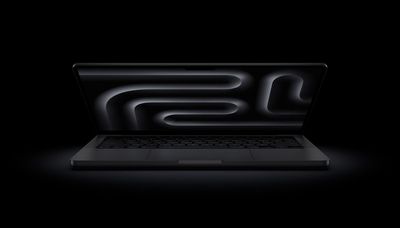
At face value, the M5 MacBook Pro is an entry-level model for users who need a machine that is more powerful and versatile than the MacBook Air. The M4 Pro MacBook Pro is a more powerful, high-end model; it comes with better multi-core performance, higher memory bandwidth, and larger quantities of memory, but loses two hours of battery life.
Each MacBook Pro is configurable to add larger quantities of memory and storage. Read on for a detailed breakdown of all of the differences between the two 14-inch MacBook Pro models.
| 14-Inch MacBook Pro (With M5) |
14-Inch MacBook Pro (With M4 Pro) |
|---|---|
| M5 with 10-core CPU and 10-core GPU | Configurations start with M4 Pro with 12-core CPU and 16-core GPU |
| Chip made with TSMC's third-generation 3nm process (N3P) | Chip made with TSMC's second-generation 3nm process (N3E) |
| Based on A19 Pro chip from iPhone 17 Pro | Based on A18 Pro chip from iPhone 16 Pro |
| Integrated Neural Accelerator in every GPU core | No integrated Neural Accelerators |
| Metal 4 developer APIs with Tensor APIs to program GPU Neural Accelerators | Metal 3 developer APIs |
| Third-generation ray tracing engine | Second-generation ray tracing engine |
| Second-generation dynamic caching | First-generation dynamic caching |
| Enhanced shader cores | Shader cores |
| 153GB/s memory bandwidth | 273GB/s memory bandwidth |
| 16GB, 24GB, or 32GB unified memory | 24GB or 48GB unified memory |
| Single fan | Dual fans |
| Three Thunderbolt 4 (USB-C) ports | Three Thunderbolt 5 (USB-C) ports |
| Up to 24-hour battery life | Up to 22-hour battery life |
| 70W USB-C Power Adapter (not included in UK and EU) | 70W USB-C Power Adapter (with M4 Pro with 12-core CPU) or 96W USB-C Power Adapter (with M4 Pro with 14-core CPU or M4 Max, configurable with M4 Pro with 12-core CPU) |
| Starts at $1,599 | Starts at $1,999 |
Apple's M4 Pro and M5 chips mark two distinct points in the Apple Silicon timeline, emphasizing different strengths. The M4 Pro is built with TSMC's 3nm process, offering up to 14 CPU cores and a 20-core GPU, delivering high sustained performance for intensive professional tasks such as video editing and 3D rendering. On the other hand, the M5 chip uses a refined 3nm process and a more advanced architecture focused on efficiency and AI acceleration. Although it has fewer CPU and GPU cores, it features improved neural and graphics performance, with up to 45% faster GPU output and new per-core AI accelerators.
In practice, the M4 Pro remains stronger for traditional multi-core workloads, while the M5 introduces smarter, more efficient silicon optimized for single-core tasks, next-generation machine learning, and graphics capabilities.
Choosing between the M5 and M4 Pro MacBook Pro models ultimately depends on the kind of work you do and how much long-term power you need. The M5 model is better suited to slightly more casual users who need a long-lasting machine with good battery life that prioritizes efficiency over extreme performance. It delivers excellent single-core performance, AI optimizations, and longer battery life, making it ideal for tasks like productivity apps, content consumption, creative work, and software development.
By contrast, the M4 Pro model is aimed more squarely at professionals with sustained, multi-threaded workloads such as video editing, music production, 3D design, or software compilation. Its additional CPU and GPU cores, higher memory bandwidth, and larger memory ceiling allow it to handle bigger projects and more demanding workflows without compromise. While it costs more and drains its battery slightly faster, it offers the headroom creative and technical users often need, even though its chip is older.
In short, the M5 MacBook Pro is the smarter choice for most users upgrading from a MacBook Air or an older Intel machine, since it offers considerably better hardware. The M4 Pro model remains the right choice for power-users or professionals who regularly push their chip harder and need workstation-level performance.






















