

Apple's redesigned Phone app in iOS 26 introduces a unified view that combines recents, favorite contacts, and search on a single screen. But if you prefer the familiar tabbed interface from iOS 18, you can easily switch back to the classic layout.
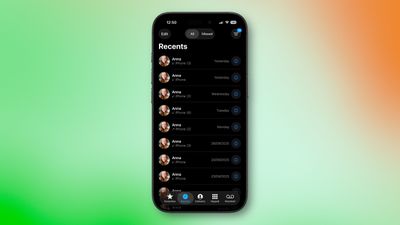
What's Different in iOS 26
The new unified design consolidates recent phone activity into one streamlined view in which your favorite contacts appear at the top for quick access. You can navigate to Contacts, Keypad, and Search through the bottom tab bar, while screens for voicemail and missed calls can be accessed via the three-line icon in the top-right corner.
Switching Back to the Classic View
If you don't get on with the new look in iOS 26, here's how to revert to the traditional Phone app layout:
- Open the Phone app on your iPhone.
- Tap the three-line icon in the upper right corner of the screen.
- Select Classic from the popup menu that appears.
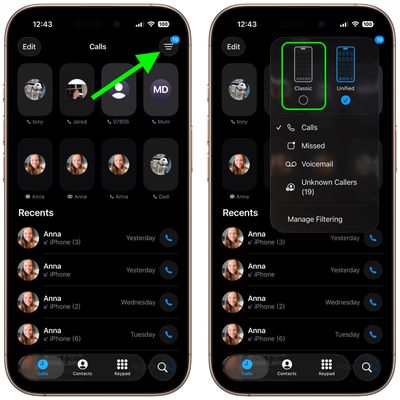
Your Phone app will immediately switch to the original iOS 18 design, with separate tabs for Recents, Contacts, Keypad, and Voicemail along the bottom.
Switching Back to the Unified View
Changed your mind? You can return to the new unified layout at any time in the following way:
- Tap the three-line icon in the upper right corner of the Phone app.
- Select Unified from the popup menu.
The unified view becomes your new default until you switch back again. Your preference persists across app launches, so you won't need to change it every time you open the Phone app.

























![Apple Pulls Keynote, Pages and Numbers From App Store [Update: Back]](https://images.macrumors.com/t/Okb7kitB_gNr6qe5Pex9nQIysD8=/112x112/article-new/2026/01/Apple-Creator-Studio-iWork-suite.jpg)



















