How to Get Your Mac's Dock to Show Running Apps Only - MacRumors
Skip to Content

How to Get Your Mac's Dock to Show Running Apps Only

by

Last week we explained how you can use a simple Terminal command to insert spaces in your macOS Dock and visibly group together app icons. In this article, we're going to highlight another simple Terminal hack that turns the Dock into more of a straightforward app switcher by making it display only apps that are currently running on your Mac.
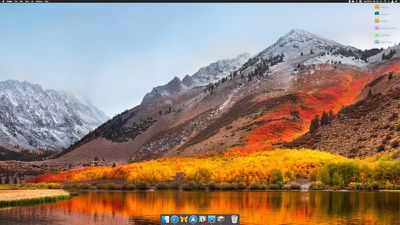
macos dock only open apps
Seeing only active apps at the bottom of your desktop can be a refreshing change if your Dock has become cluttered with various app shortcuts over time, and you can always use Spotlight (key combination Command-Space to activate) or an alternative method to launch your Mac apps.

When following the simple steps below, just bear in mind that Terminal is a powerful app, so make sure you enter the commands properly, especially if you're not familiar with it.

How to Show Only Active Apps in Your Dock

  1. Launch the Terminal app found in Applications/Utilities. (To quickly open the Utilities folder in Finder, select Go -> Utilities from the menu bar, or use the key shortcut Shift-Command-U.)

  2. At the Terminal prompt, type the following command and press Enter: defaults write com.apple.dock static-only -bool true; killall Dock
    recent apps only dock Terminal command

  3. Your Dock will reboot in order to show only the currently running apps on your Mac in the order they were launched.

    mac dock only active apps

How to Revert the Dock Back to Its Original State

If you decide you don't like this way of using the Dock, follow the steps below to return it to its usual behavior.

  1. Launch the Terminal app again if it's not already open.

  2. At the Terminal prompt, type the following command and press Enter: defaults write com.apple.dock static-only -bool false; killall Dock

  3. Your Dock will reboot and revert to showing both running and non-running apps.

If there's a specific active app that you'd like to hide from the Dock for whatever reason, there are a couple of third-party utilities that might help. Dock Dodger is a free drag-and-drop tool that can hide certain apps from the Dock even when they're running (once placed on the tool's droplet, you have to restart the app in question to hide it, although our success rate varied depending on the app). If you're willing to open your wallet, GhostTile is a more recent and reliable paid-for alternative with similar functionality.


Top Rated Comments

frou Avatar
106 months ago
For the longest time, I have simply dragged all of the default app "shortcuts" off of my Dock, and used Spotlight via the keyboard to launch everything.
Score: 3 Votes (Like | Disagree)
sunapple Avatar
106 months ago
What’s the difference with removing all apps from the Dock and opening new ones from another place?
Score: 3 Votes (Like | Disagree)
106 months ago
I don't get this tip.

After I implemented this command, I was able to right-click on the icons of the running apps and select "Keep in Dock". After that, when I closed the apps, their icons remained on the Dock. So, how is this different from just dragging all your icons off the dock one at a time?
Score: 2 Votes (Like | Disagree)
Amazing Iceman Avatar
106 months ago
I hardly use the dock to launch apps. Using [COMMAND] [SPACE] and typing the app name to launch it is a faster approach.
Score: 2 Votes (Like | Disagree)
sp3k0psv3t Avatar
106 months ago
This is nice. Really cleans things up a bit since I have a gazillion apps in my dock lol.

Thanks for the tutorial.
Score: 2 Votes (Like | Disagree)
106 months ago
Just apply the technique and then add the download folder manually (drag it to the dock).
Score: 1 Votes (Like | Disagree)

Popular Stories

Apple Event Logo

Apple's Next Era Begins September 1

Thursday May 7, 2026 10:36 am PDT by
Apple recently announced that Tim Cook will be stepping down as CEO later this year, after 15 years of leading the company. Effective September 1, Apple's hardware engineering chief John Ternus will become the company's next CEO, while Cook will become executive chairman of Apple's board of directors. In his new role, Apple said Cook will assist with "certain aspects" of the company,...
Instagram Feature 2

PSA: Instagram Encrypted Messaging Ends on Friday, May 8

Tuesday May 5, 2026 8:24 am PDT by
Instagram will remove end-to-end encryption for direct messages between users from May 8, 2026. When the date comes around, Meta will potentially be able to see the contents of all messages between users on the social media platform. Encrypting messages has been an optional feature in Instagram since 2023, but in March of this year the social media platform quietly updated a help page to say ...
macbook neo launch day

Apple May Drop Base $599 MacBook Neo as Chip, DRAM Costs Climb

Thursday May 7, 2026 4:55 am PDT by
Apple is considering dropping the cheapest MacBook Neo configuration as one possible response to the rising cost of building the popular laptop, according to Taiwan-based tech columnist and former Bloomberg reporter Tim Culpan. The Neo currently starts at $599 for a 256GB model, with a 512GB version at $699. Writing in his latest Culpium newsletter, Culpan says cutting the entry-level...