

 Apple's Thunderbolt Display, for myriad reasons, may not display an image from your Mac, recognize USB peripherals, connect to Ethernet, or power on whatsoever.
In many cases, the display is not broken. Before contacting Apple, follow these troubleshooting steps to see if you can reset your Thunderbolt Display.
Update OS X
 As a preliminary measure, it is recommended that you update your Mac to the latest version of OS X.
- Click on the Apple logo in the top-left menu bar.
- Click on About This Mac in the dropdown menu.
- Click on the Software Update… button.
- Click on the Update button next to the latest OS X version in the Mac App Store.
Power Cycle for 30 Seconds
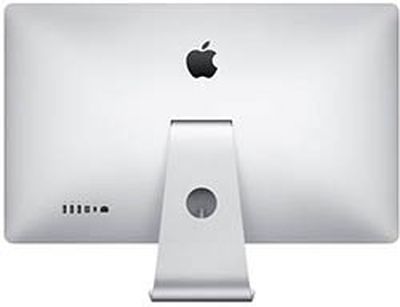 Shut down and disconnect both your Mac and Thunderbolt Display from AC power for at least 30 seconds.
- Disconnect the Thunderbolt Display's MagSafe cable from your Mac.
- Disconnect the Thunderbolt Display from AC power by unplugging the cord.
- Disconnect all USB peripherals and any cables plugged into the Thunderbolt Display.
- Wait at least 30 seconds before powering on your Mac and Thunderbolt Display.
Reset Your Mac's SMC
 Intel-based Macs have a System Management Controller (SMC) that can be reset as a possible fix for Thunderbolt Display issues.
These instructions are for Mac notebooks with non-removable batteries.
- Shut down the Mac.
- Plug in a MagSafe or USB-C power adapter to a power source and to your computer.
- On the Mac's built-in keyboard, press the left side Shift-Control-Option keys and the power button simultaneously.
- Release all the keys and the power button at the same time.
- Press the power button to turn on the Mac.
Apple provides steps for Macs with removable batteries, and the Mac Pro, iMac and Mac mini, on its support website.
On Macs with MagSafe power adapters, the cable's LED might change states or temporarily turn off when you reset the SMC.
Reset Your Mac's NVRAM or PRAM
 NVRAM, short for "non-volatile random-access memory," stores certain settings even when your Intel-based Mac is turned off. On older Macs, it is known as PRAM.
- Shut down the Mac.
- Turn on the Mac.
- Press and hold the Command-Option-P-R keys immediately after you hear the startup sound.
- Hold these keys until the Mac restarts and you hear the startup sound for a second time.
- Release the keys.
After resetting NVRAM, you may need to reconfigure the Mac's settings for speaker volume, screen resolution, startup disk selection, and time zone information.
Use a Standalone Thunderbolt Cable
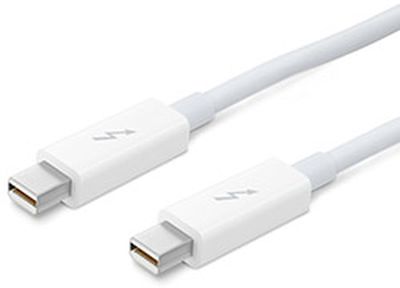
Try connecting a standalone Thunderbolt cable between your Mac and Thunderbolt Display. If this resolves the issue, then possibly your Thunderbolt Display's dual MagSafe-Thunderbolt cable is damaged.
Contact Apple
If none of the troubleshooting methods worked above, it is recommended that you contact Apple Support by calling 1-800-MY-APPLE, scheduling a Genius Bar appointment or choosing another option. You may also consider visiting an Apple Authorized Service Provider if your Thunderbolt Display requires repair.



















Top Rated Comments
Unbelievably sad.
And btw, I had Apple Thunderbolt Display. After 2 years it died on me. Sometimes it would turn on, sometimes it wouldn't. Upgrading firmware, smc reset, 1000x more things and it finally died on me. You have a long thread about this issue on apple forums. Lots of people with exact same situation I was in.
Do you think Apple reacted to this? Of course not.
Will I ever buy Apple monitor again? Nope. I payed premium expecting a premium product and a premium support. Got neither. Glossy screen with large bezels that was pretty expensive couldn't last me 2 years. With so many great monitors out there that support thunderbolt 2, and so many coming out that will support thunderbolt 3, I really see no reason in waiting and finally purchasing a monitor from Apple.
Not with their past record. And besides, they aren't interested anymore in monitors or pro users. They have their iToys to play with now :)