
How to Listen to Spatial Audio on a MacBook Pro - GeekWebGuides
Skip to Content

How to Listen to Spatial Audio on a MacBook Pro

by

Spatial audio is a sonic feature exclusive to AirPods (3rd generation), AirPods Pro, Beats Fit Pro, and AirPods Max that adds surround sound to Apple's premium audio wearables. By utilizing dynamic head tracking, it brings a theater-like audio experience to the movie or video you're watching, so that it seems as if the sound is coming from all around you. This article explains how to listen to spatial audio on Mac.
spatialaudiofeature
Spatial audio uses the gyroscope and accelerometer in your ‌AirPods, AirPods Pro or AirPods Max‌ to track the motion of your head and the position of your ‌Mac‌. It then compares the motion data and maps the sound field to what's happening on the screen even as you move your head.

What You Need

To take advantage of spatial audio on AirPods (3rd gen), Beats Fit Pro, AirPods Pro or AirPods Max, you'll need a MacBook Pro introduced in 2021. That includes:

  • 14-inch ‌MacBook Pro‌
  • 16-inch ‌MacBook Pro‌

You'll also need iOS 14 or iPadOS 14 or later installed on your iPhone or iPad if you intend to use it to update the firmware of your AirPods or AirPods Max.
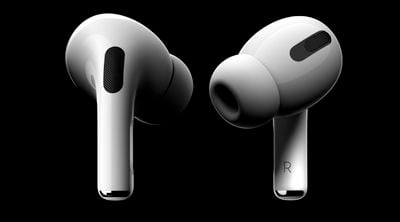
AirPods Pro

Make Sure Your AirPods Firmware is Up to Date

While there's no clear cut way to upgrade the firmware of the AirPods, AirPods Pro and AirPods Max, with new firmware installed over-the-air when the AirPods are connected to a Mac or iOS device, putting your ‌‌AirPods‌‌ in the case, connecting them‌‌ to a power source, and then pairing the ‌‌headphones to a iPhone/‌iPad‌ or Mac should force the update after a short period of time.

Apple in September 2020 released the 3A283 firmware for AirPods that introduced spatial audio. Apple may have released newer firmware by the time you read this, but you can check your ‌AirPods firmware by following these steps:

  1. Make sure the ‌‌AirPods‌‌ or AirPods Max are connected to your iOS device.
  2. Open the Settings app.
  3. Tap General.
  4. Tap About.
  5. Tap AirPods or AirPods Max.
  6. Look at the number next to "Firmware version."

You can check AirPods and AirPods Max firmware on a Mac by connecting them to the Mac, clicking the Apple symbol in the menu bar, and selecting About This Mac -> System Report -> Hardware -> Bluetooth -> Devices. You should be able to see the information for your AirPods there.

Hoe to Activate or Deactivate Spatial Audio on Mac

  1. Make sure that you're wearing your AirPods Pro, AirPods Max, AirPods (3rd generation), or Beats Fit Pro, and that they're connected to your ‌MacBook Pro‌ over Bluetooth.
  2. Click the Control Center icon in the menu bar.
  3. Click Sound, then find your AirPods or Beats in the list (for example, "Tim's AirPods").
  4. Choose Spatial Audio while you're playing multichannel content recorded in Dolby Atmos. Choose Stereo Audio to switch back to normal stereo.

In Monterey, Apple has also included an audio feature called "Spatialize Stereo" that takes any non-Dolby stereo mix and creates a virtual spatial audio environment out of it. To access it, connect a pair of AirPods or AirPods Max headphones to your Mac and start playing some audio. Next, click the Control Center icon in the menu bar, and then click the Sound volume bar. You should see the option to Spatialize Stereo in the dropdown beneath your headphones.


Related Roundup: MacBook Pro
Buyer's Guide: MacBook Pro (Caution)
Related Forums: MacBook Pro, macOS Monterey

Popular Stories

M5 MacBook Pro

RIP, MacBook Ultra

Monday October 19, 2026 9:37 am PDT by
Apple today sent out invites for an experience in Los Angeles on Wednesday, October 28, and the "Pro and tell" tagline on the invitation likely means that the rumored MacBook models with touch-enabled OLED displays will stick with MacBook Pro branding instead of the once-rumored "MacBook Ultra" name. The long-rumored "iPhone Ultra" ended up being named iPhone Duo, so speculation that Apple...
MacBook Pro Ultra Feature 1

Apple to Launch Touchscreen OLED MacBook Pro and OLED iPad mini on October 27

Thursday October 8, 2026 1:31 pm PDT by
Apple will introduce new OLED touchscreen MacBook Pro models and an OLED iPad mini "on or around" Tuesday, October 27, reports Bloomberg. The launch will also include an M6 14-inch MacBook Pro and an M6 iMac. The October 27 follows Apple's October 13 debut of a new smart home hub, a revamped Apple TV 4K, and a refreshed HomePod mini. Earlier this month, GeekWebGuides reported that Apple would do ...
Black Apple Event Logo

Apple Now Inviting Media to October 28 'Launch Experience'

Thursday October 15, 2026 4:13 am PDT by
Apple has begun inviting selected members of the media to a product launch experience in Los Angeles on Wednesday, October 28, according to Bloomberg's Mark Gurman. In a post on X, Gurman described the gathering as an "all-day product launch experience" for touchscreen MacBooks, a new iPad mini, and Macs equipped with M6 chips. Gurman previously reported that Apple would introduce the...
Latest Stories
iPhone Duo Demand Reportedly Exceeds Apple's Expectations
2 hours ago
iPhone Duo Launch Begins as First Orders Reach Customers
8 hours ago
1Password for Agents Keeps Your Passwords Hidden From AI
9 hours ago
iPhone Duo 24 Hours Later: Your Questions Answered
9 hours ago
Apple's iWork Apps Get 'Intelligent Assistant' and iPhone Duo Support
10 hours ago
Apple is Apparently Considering a Slightly Larger iPhone Duo
10 hours ago
Giant iPhone Duo Displays Coming to Four Apple Stores
11 hours ago
Apple Pulls Keynote, Pages and Numbers From App Store [Update: Back]
12 hours ago
Apple Updates More Apps With iPhone Duo Support
12 hours ago
Apple Will Label Apps 'Made for iPhone Duo' in App Store
15 hours ago
Amazon Takes $49 Off iPad With Prices Starting at $399.99
16 hours ago
F1 on Apple TV Now Available in Dolby Atmos
16 hours ago
Apple Reveals More Than 50 Apps That Will Be Updated for iPhone Duo
17 hours ago
Apple Blocks Certificates That Could Help Attackers Fake Websites
18 hours ago
Giant iPhone Duo Installations Spotted at Apple Fifth Avenue
19 hours ago
iPhone Duo 2 Prototypes Include Under-Display Face ID
19 hours ago
Tesla App Gains iPad and iPhone Duo Support
23 hours ago
Apple Reportedly Boosts iPhone Duo Orders by 44%
1 day ago
Fortnite Returning to Australian App Store After Court Ruling
1 day ago
Apple Ordered to Open iPhone to Rival App Stores in Australia
1 day ago
Apple Suppliers Face Hurdles Cutting Circuit Board Emissions
1 day ago
Things Updated for iPhone Duo With Adaptive Layout
1 day ago
Simplicity and Siri AI Are HomeView's Killer Features, Apple Says
1 day ago
iPhone Duo Reviewers Really Miss Face ID
1 day ago
Does the iPhone Duo Run Hot? Here's What Reviews Found
1 day ago
Apple Music's New Look is Now Live on Apple's Website
1 day ago
Anthropic Launches Claude Duet, a Proactive AI Agent
1 day ago
What 32,000 Folds Did to the iPhone Duo's Hinge
1 day ago
iPhone Duo's Hidden FaceTime Camera Takes 'Trash' Photos
1 day ago
iPhone Duo Has 'Edge Light' Feature That Debuted on Macs Last Year
2 days ago








































