How to Transfer Files Between an Apple Silicon Mac and Another Mac - MacRumors
Skip to Content

How to Transfer Files Between an Apple Silicon Mac and Another Mac

by

If you have a newer Apple Silicon Mac and an older Intel Mac lying around, you can connect the two using Sharing Mode, so that the older Mac appears as an external hard disk to your new machine.
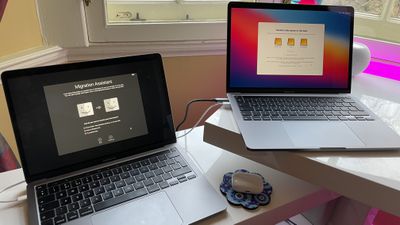
transfer files between macs
Sharing Mode on ‌Apple Silicon‌ Macs replaces the older Target Disk Mode found on Intel Macs, and can be used similarly to transfer data between two Macs. Mac Sharing Mode turns the system into an SMB file sharing server, providing another Mac with file-level access to user data.

Using the method described below will allow you to easily transfer your files across from an older Mac to a new ‌Apple Silicon‌ Mac. Keep reading to learn how it's done.

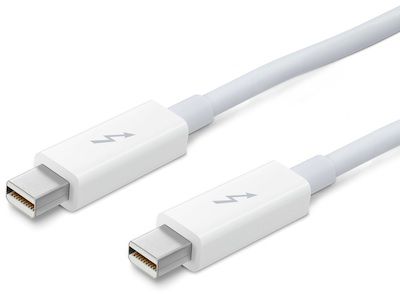
  1. Connect the two computers using a USB-C or Thunderbolt cable.
    apple thunderbolt cable

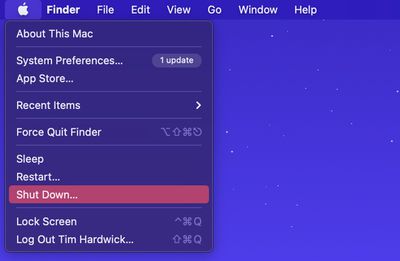
  2. If the ‌Apple Silicon‌ Mac is powered on, shut it down ( menu -> Shut Down).
    shutdown menu bar

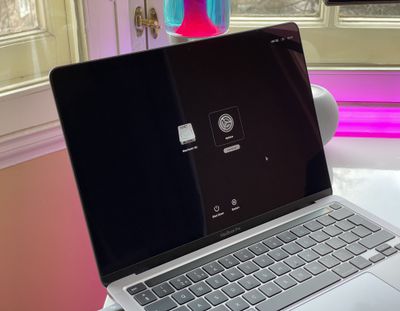
  3. On the same Mac, press and hold the power button until you see a screen offering "Loading startup options."
    m1 mac startup options

  4. Click Options, then click Continue. Enter the password for an administrator account if prompted.
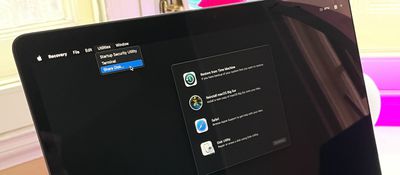
  5. When your Mac has entered Recovery mode, choose Utilities -> Share Disk from the menu bar.
    m1 share disk startup

  6. Select the disk you want to share with the other Mac, then click Start Sharing.
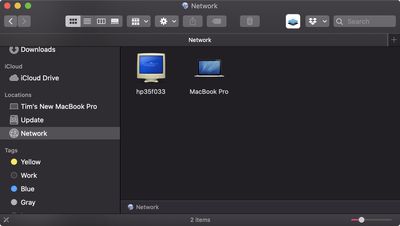
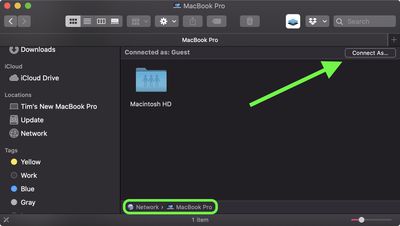
  7. On the other Mac, open a Finder window and click Network in the sidebar under "Locations."
    3transfer files m1 mac to mac

  8. In the Network window, double-click the Mac that has the shared disk, then click Connect As.
    1transfer files m1 mac to mac

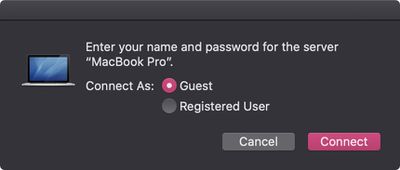
  9. Select Guest in the Connect As window, then click Connect.
    2transfer files m1 mac to mac

  10. Transfer your files.
  11. When your files are transferred, eject the disk on the other Mac.
macOS Recovery on Macs with ‌Apple Silicon‌ includes a number of other apps that can help you repair an internal disk, reinstall macOS, restore your files from a Time Machine backup, and more.


Popular Stories

imac video apple feature

Apple Released Yet Another New Product Today

Friday March 20, 2026 2:39 pm PDT by
Apple has unveiled a whopping nine new products so far this March, including an iPhone 17e, iPad Air models with the M4 chip, MacBook Air models with the M5 chip, MacBook Pro models with M5 Pro and M5 Max chips, the all-new MacBook Neo, an updated Studio Display, a higher-end Studio Display XDR, AirPods Max 2, and now the Nike Powerbeats Pro 2. iPhone 17e features the same overall design as...
HomePod mini and Apple TV Sage

New Apple TV and HomePod Mini Remain 'Ready' to Launch

Sunday March 22, 2026 6:33 am PDT by
Apple has unveiled nine new products this month, but the wait continues for the next-generation Apple TV 4K and HomePod mini models. In his Power On newsletter today, Bloomberg's Mark Gurman said new versions of the Apple TV and HomePod mini have been "ready" since last year, but he reiterated that Apple has held off on releasing them until the more personalized version of Siri and other...
iOS 26

iOS 26.4 Adds Two New Features to CarPlay

Tuesday March 24, 2026 1:55 pm PDT by
iOS 26.4 was released today, and it includes a couple of new features for CarPlay: an Ambient Music widget and support for voice-based chatbot apps. To update your iPhone 11 or newer to iOS 26.4, open the Settings app and tap on General → Software Update. CarPlay will automatically offer the new features so long as the iPhone connected to your vehicle is running iOS 26.4 or later....