

 Find My iPhone is an iCloud feature that allows you to locate lost or misplaced Apple devices, including iPads, AirPods, Apple Watches, Macs, and of course, iPhones.
Because it works via iCloud, Find My iPhone can be accessed by logging in to your iCloud account using a web browser on any Mac or PC. The following steps guide you through the process.
- Launch a web browser on your computer and navigate to www.icloud.com.
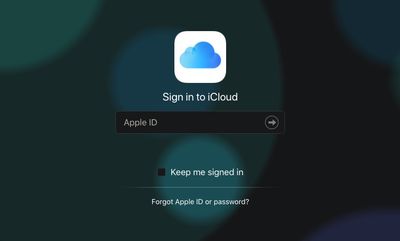
- Log in to your iCloud account by entering your Apple ID and password into the related fields.

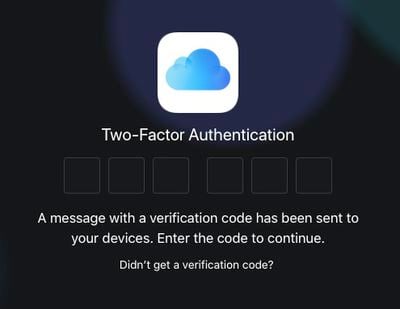
- If you're using two-factor authentication, confirm the login by entering the verification code sent to your trusted device.
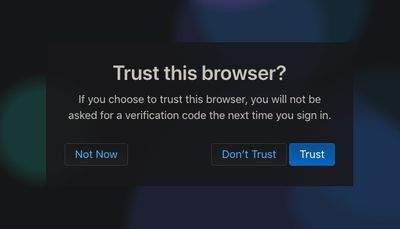
- If you're using your own computer, you can opt to Trust the browser so you don't have to enter a verification code again. If it's a public computer you're using, click Don't Trust.
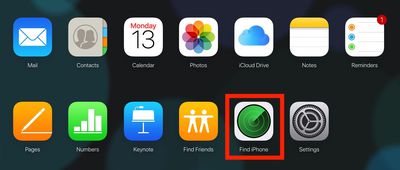
- Once you're logged in, click the Find My iPhone icon.
- For security reasons, you may be asked to enter your password again.
- Wait a moment while Find My iPhone locates your device(s).
At this point, you should see a map that you can view in Standard, Satellite, or Hybrid mode by clicking the options in the bottom right corner of the browser window. The green dots on the map represent Apple devices located by Find My iPhone that are powered on and signed into your iCloud account via a Wi-Fi or cellular network.
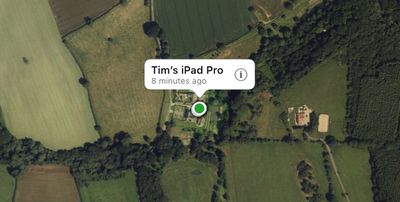
Click on the dots to center the map on a particular device, then click the information (circled 'i') icon to bring up the device's options panel. Alternately, click All Devices at the top of the map to choose a device from the dropdown list.
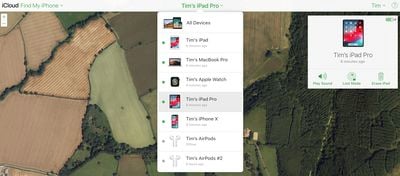
The options available to you in the device panel on the right depend on the type of device you're trying to locate, but you should always have the option to play a sound to locate a nearby device. If it's a Mac, you'll also have the option to lock the machine or erase it, and if it's an iOS device or Apple Watch, you can put it into Lost Mode or erase it.

If the selected device is out of network coverage or powered off, you will see its last known location and a box that you can tick to be notified when the device is found. The options you choose will be performed the next time the device comes back online.
If the device hasn't been in use at all recently, you'll see a screen with the same options, along with the option to remove it from your account.















































