

In iOS 26, Apple has extended Visual Intelligence to work with content that's on your iPhone, allowing you to ask questions about what you're seeing, look up products, and more.
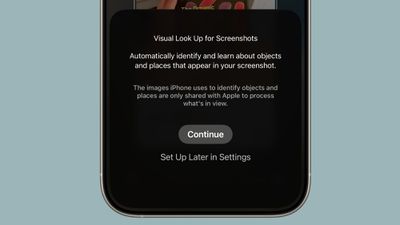
Visual Intelligence started out in iOS 18.2 as a Camera Control button function that can describe what you are looking at, get details about a restaurant or business, translate text, and the like.
But in iOS 26, Visual Intelligence is no longer just for learning more about your physical surroundings. You can also use the feature to analyze content on your iPhone screen, simply by pressing the same buttons you use to take a screenshot.
You can search across apps, go straight to relevant websites, add an event to your calendar, and more. Keep reading to learn what you can do with it. Note that Visual Intelligence is an Apple Intelligence feature of iOS 26 that's exclusive to the iPhone 15 Pro, iPhone 16 series, and iPhone 17 series (including iPhone Air).
Use Visual Intelligence With Screen Content
Start by taking a screenshot: Quickly press and release the iPhone's Side button and the Volume Up button at the same time.
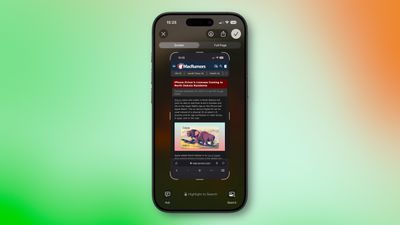
Once the screenshot interface appears, you'll see Visual Intelligence options along the bottom. The options offered up will depend on the content, but they let you interact with what you've just captured in several ways.
- Search for Similar Items: Tap Search to look up the selected item on the web. This is useful when you want to find matching products, related images, or more information about what's in the screenshot.
- Highlight and Search a Specific Item: If only part of the screenshot interests you, swipe your finger over that area to highlight it, then tap Search. The search will focus on the highlighted object rather than the whole image.
- Ask a Question About What's Onscreen: Tap Ask to open a text box where you can pose a question to ChatGPT about the screenshot's contents. For example, you can ask for an explanation of a term or details about an object.
- Add an Event to Your Calendar: If the screenshot includes a date or event information, tap Add to Calendar to create a new calendar entry without leaving the screenshot view.
- Open a Website: When the screenshot contains a web link, you'll see tappable links at the bottom that will take you straight to the relevant site.
- Summarize Text: Tap Summarize to generate a concise summary of the visible text.
- Listen to Text: Tap Read Aloud to have the text in the screenshot spoken to you.
- Identify Plants or Animals: If the screenshot contains a plant or animal, tapping its tag will reveal its name and further information about it.
When you're done with the screenshot, you can either tap ✖ to discard it or ✔ to keep it in your Photos library.
























![Apple Pulls Keynote, Pages and Numbers From App Store [Update: Back]](https://images.macrumors.com/t/Okb7kitB_gNr6qe5Pex9nQIysD8=/112x112/article-new/2026/01/Apple-Creator-Studio-iWork-suite.jpg)






















Top Rated Comments
I’ve tried it probably a dozen times already and every single time it has either been completely inaccurate, or completely irrelevant. This is just another Apple Intelligence gimmick, locking basic computing behind AI. For those of you that don’t have Apple Intelligence, I promise, you aren’t missing out on anything.