

Hyundai's luxury brand Genesis has been gaining increasing attention over the course of its relatively short lifetime, and I recently had a chance to try out a 2023 Electrified GV70 SUV to see how the infotainment experience stacks up for an iPhone owner.
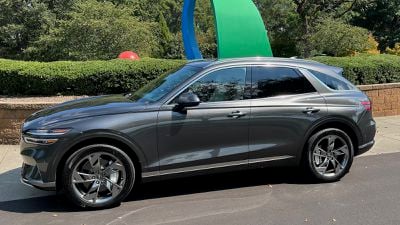
My test vehicle was a high-end Prestige trim with a beautiful 14.5-inch widescreen center screen, complemented by a 12.3-inch all-digital driver display featuring autostereoscopic 3D technology, plus an additional head-up display for viewing key information without having to take your eyes off the road.
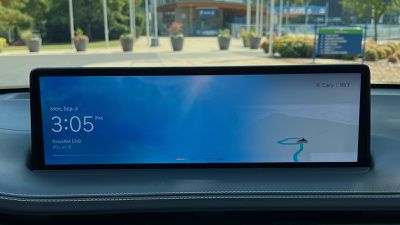 Infotainment display
The GV70's center display is mounted high on the dashboard and set back a decent amount, which puts it in a good spot for glancing at without having to look too far away from what's in front of you, but the positioning and widescreen dimensions make operating it via the touchscreen a bit of a reach. To address that, Genesis also includes a rotary controller and a number of buttons within easy reach of the driver on the center console.
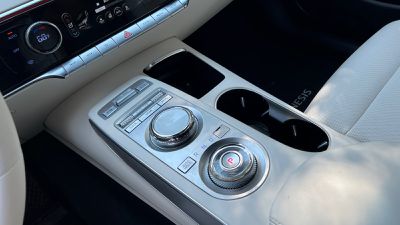 Rotary controller located above a rotary shifter dial
The rotary controller includes a dial for navigating between user interface elements, and you can press the dial to register your selection, but the dial can also be rocked to move more quickly move between pages and sections in the system. The surface of the controller is also touch-sensitive, allowing you to draw out letters when trying to search for destinations or performing other tasks where text entry is needed. Voice commands are typically a much superior method for this, however.
In addition to the rotary controller, there are several buttons located directly above it on the console to quickly access specific functions in the infotainment system, including dedicated Home, Menu, and Back buttons. Scroll-style buttons also allow for easy volume and tuning adjustments.
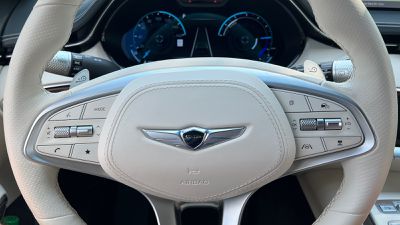 Steering wheel controls
Steering wheel controls are another method for controlling some infotainment functions, and there's even another strip of buttons on the center stack below the climate controls with quick access to the map, navigation, radio, and media functions. This strip and the steering wheel each have a user-configurable "star" button that can be set to jump you straight into CarPlay.
And yes, climate controls have their own dedicated section separate from the main infotainment screen and they include a combination of physical and digital controls that works quite well. The driver and passenger each have a knob for adjusting the temperature for their respective sides of the cabin, and there additional commonly used controls to the outside of these dials.
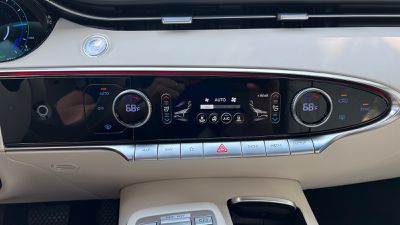 Dedicated climate controls
These climate controls are not individual buttons, but the small panels they're on do move when pressed, providing some tactile feedback. Other settings like heated and cooled seats, heated steering wheel, and manual fan speed adjustments are made on a digital screen, so they're harder to manage by feel, although they do provide some haptic and audio feedback when pressed.
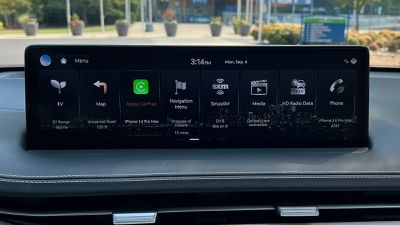 Menu screen for native infotainment
For the most part, the native infotainment system has a sleek, modern look, with high-resolution graphics and a logical layout of screens and panels that's easy to navigate using the rotary controller or by touch.
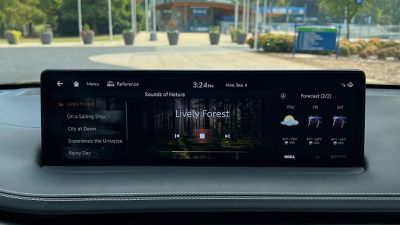 Nature sounds
A full array of functions are available, from SiriusXM to onboard navigation to EV data. There are even a variety of soothing nature sounds that can be piped throughout the cabin, and there's a weather app complete with a radar view.
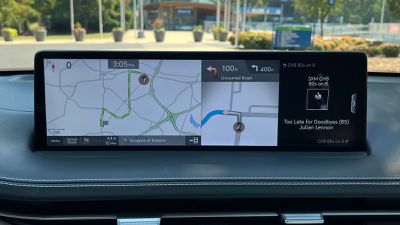 Built-in navigation
The onboard navigation is functional and helpful with both overview and next-turn views available simultaneously while a route is in progress, but the look could stand some modernization to better match the rest of the infotainment system.
In the driver's display, Genesis includes the neat Blind-Spot View Monitor system that Hyundai has offered for a number of years, which uses cameras on the side-view mirror to display a live video feed of your blind spot on a given side when you engage your turn signal. It's a handy feature that I wish was common in more brands.
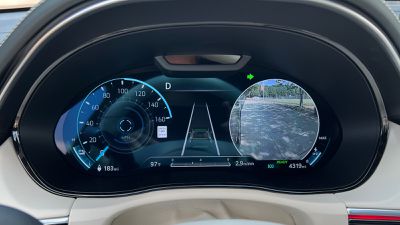 Driver display with stereoscopic 3D view and Blind-Spot View Monitor
The other clever driver's display feature that comes as part of the Prestige package on the GV70 is the 3D aspect. It's something you really have to experience in person to fully grasp, but it takes advantage of parallax with offset images to turn gauges and other digital aspects of the instrument cluster into three-dimensional representations that give a sense of depth.
A camera pointed at the driver tracks their position and gaze, adjusting the 3D effect accordingly. The whole thing is a bit gimmicky, but it's kind of neat and stands out as something different to help set the high-end Genesis trims apart.
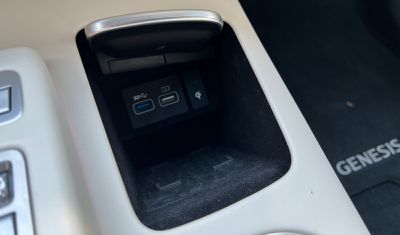 USB ports and wireless charging pad in center console
The GV70 includes a pair of USB-A ports (one for charge and data and one for charging only) in a small cubby on the center console that also includes a wireless Qi charger. As with many car chargers, it can be difficult to get a reliable wireless charging connection, likely due to the slab-style charger design and the iPhone's camera bump and case lip interfering with positioning on the charger.
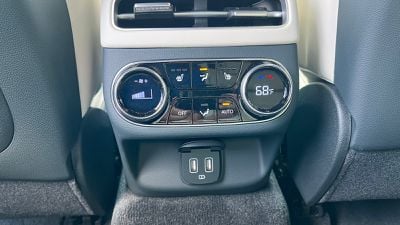 Rear climate controls and USB charging ports
On the rear of the center console are climate controls and a pair of USB-A charging ports for rear passengers.
CarPlay
As you'd hope, the Electrified GV70 supports CarPlay, but unfortunately only via a wired connection. Genesis is currently a victim of an odd split in Hyundai's infotainment systems wherein lower-tier systems support both wired and wireless CarPlay while higher-end systems with built-in navigation only support wired CarPlay. There have been rumors of Hyundai and Genesis adding wireless CarPlay to some of these higher-tier systems on select models via a software update in the relatively near future, but we'll have to see if that pans out.
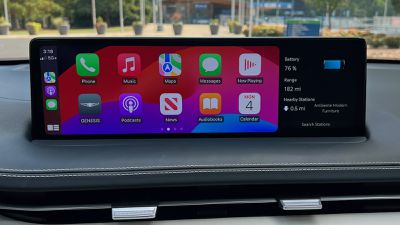 CarPlay Home screen
So if you want to use CarPlay, you're going to have plug your phone in, and it's unfortunate that more modern USB-C ports aren't included. The charging and USB compartment includes a spring-loaded cover to help hide things away, but if you've got a Pro Max-sized iPhone with a cable sticking out the bottom for CarPlay, you'll have a very difficult time getting that cover to close properly.
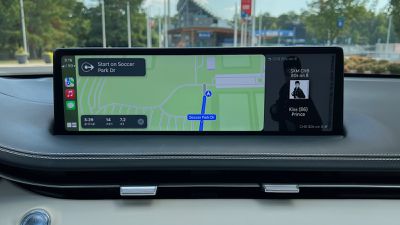 Apple Maps in CarPlay
CarPlay looks great on the GV70's widescreen display, which even leaves enough room for a sidebar off to the right where you can view other functions from the native infotainment system. You can see your current radio station or audio track information, a compass, a dedicated clock, vehicle battery information, and more.
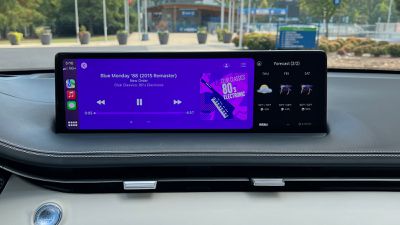 Now Playing screen in CarPlay
On the downside, CarPlay is a single-screen experience in the GV70, as it doesn't get the latest dual-screen experience rolling out recently to Volvo and a few other brands, and it doesn't even get the more basic Apple Maps navigation prompts in the driver display or the head-up display that are available on many vehicles. Navigation prompts from the native navigation system do appear in the head-up display, so that's a plus for using the Hyundai/Genesis system.
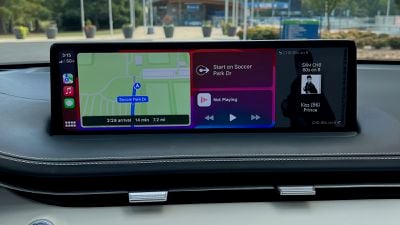 CarPlay Dashboard view
Wrap-up
The Genesis Electrified GV70 starts at a little over $65,000, with the Prestige package on my test model, a paint upcharge, and destination fees bringing things to a little shy of $75,000. It's not cheap, and its range clocks in at only 236 miles (and even a bit less than that in real-world review), but overall it's a fun drive with a boost mode that lets you go 0–60 in around four seconds.
It's also packed with technology from the gorgeous center display to the 3D driver's display to a fingerprint authentication system. My main gripes on this front are the lack of wireless connectivity for CarPlay, USB-A ports rather than USB-C, and an inconvenient phone storage/charging setup.
Hopefully, those issues will be addressed in upcoming model years (or even via software updates to existing models such as for wireless CarPlay), but even now if the issues aren't deal-breakers and you're willing and able to spend that kind of cash, the Electrified GV70 is a pretty compelling package. A gasoline-powered version is also available for a still-premium but significantly lower price tag, but you'll be missing out on some of the fun EV features like zippy acceleration.























![Apple Pulls Keynote, Pages and Numbers From App Store [Update: Back]](https://images.macrumors.com/t/Okb7kitB_gNr6qe5Pex9nQIysD8=/112x112/article-new/2026/01/Apple-Creator-Studio-iWork-suite.jpg)




















Top Rated Comments
How long is this car going to take to charge? At least ill be able to use my mophie battery bank from 2016 as a backup in the trunk.
I guess its a positive that you dont have to roll the car over to charge it like Apples mice.
Being serious tho, USB C really should come as standard now. At least one of each port (A and C)