

Smarter's WiFi-enabled iKettle has been available for purchase in the UK for years now, but the newest version, iKettle 3.0, recently made its way to the United States.
Priced at $150, the iKettle is a variable temperature kettle that can heat water to a specified temperature from 68°F to 212°F, making it ideal for tea that requires lower temperatures, baby bottles, and other similar applications.
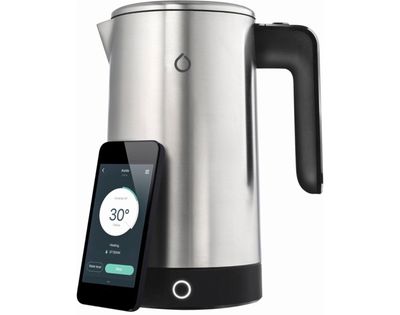
iKettle connects to your WiFi network and communicates with your iPhone, allowing you to heat up water remotely, and it integrates with Alexa and IFTTT if you use those services. With Alexa integration, the iKettle can be controlled via voice if you have an Alexa device, and with IFTTT, it can be programmed to interact with other smart home products.
Design
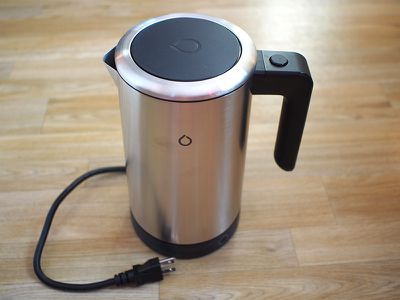
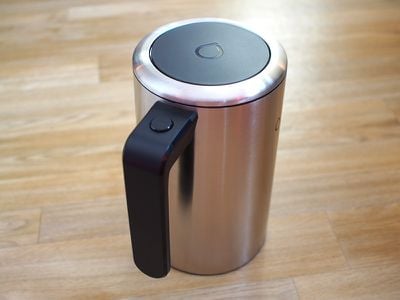
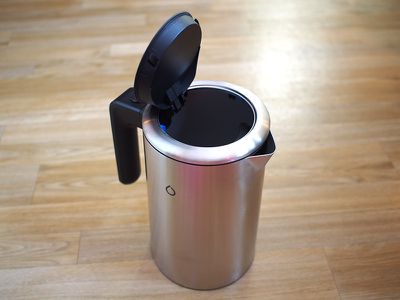
The iKettle looks like your average kettle, with a stainless steel body that rests on a black base. It's taller than most other kettles that I've used, but not so tall that it doesn't fit comfortably on a counter.
There are no buttons on the iKettle, and aside from a small drop-shaped LED on the side of the body, there are no other markings, for a sleek, simple look.
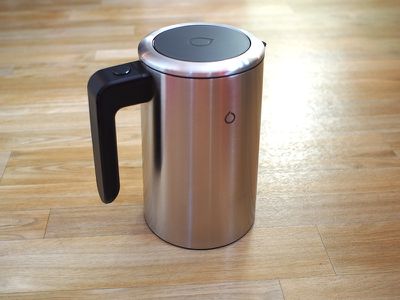
The base with the heating elements is thicker than the base for my existing kettle, which also contributes to making the iKettle rather tall. The base includes a single button that can be pre-programmed for one set temperature, so you can set water to heat up if your phone isn't nearby, and it has a cord that plugs into the wall. You can wind up a bit of the cord into the base, so excess cord isn't visible.
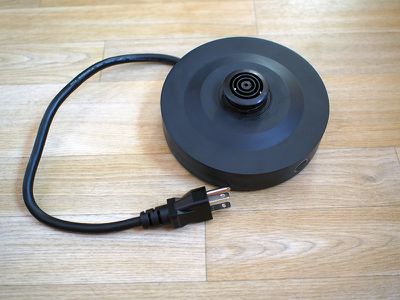
It's best to program the button on the base to the water temperature that you use most often because aside from that button, there's no way to activate the iKettle without your phone.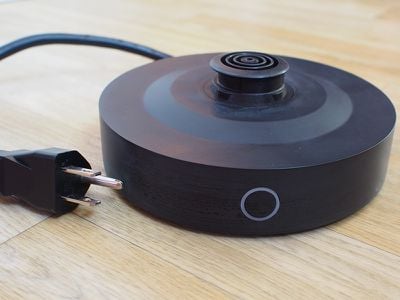
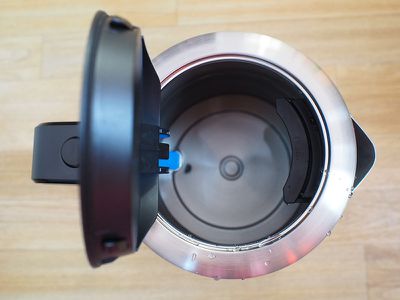
The iKettle has a black plastic handle and a stainless steel lid, with a pouring spout located on the left side of the kettle. A button on the handle opens the lid, so water can be added. Inside, there's a filter (I guess so you can potentially put tea leaves directly inside of it) and a blue plastic gauge that lets you know where the maximum water line is.
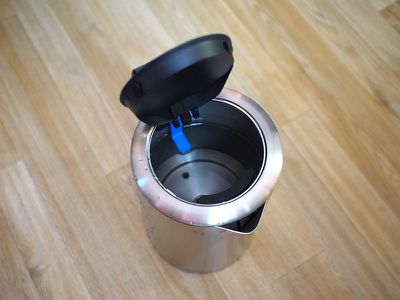
The gauge is located about halfway up the iKettle, so it holds a total of 1.8L of water, aka a little over 7 cups or 60 ounces. There's a lot of extra space inside the iKettle between the top and the water line so it doesn't boil over, and this is true of all kettles.
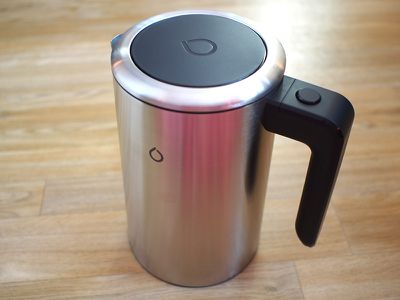
I know some people are concerned with plastic coming into contact with hot water, so I do want to point out that there are plastic components in the iKettle (filter and water level) that will touch the water. If this is a problem for you, this is not the kettle to purchase.
Setup and App
Setting up the iKettle was a bizarre and somewhat frustrating experience. It requires a 2.4GHz Wi-Fi network, which the app doesn't tell you before you start the setup process. This led to several failed setup attempts before I realized what was wrong, and to get it to connect to my 2.4GHz Wi-Fi network, I had to first connect to that network on my phone because it was pulling in network details automatically.
Once I figured out the 2.4GHz issue, setup went more smoothly. You need to create an account within the app, which requires your email address, and then you need to walk through steps specifying where the kettle is located (home or work) and which room it's in, presumably in case you have multiple Smarter products.
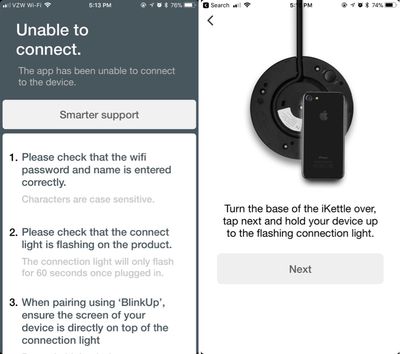
After that's done, there's a strange process where you flip the base upside down, place your iPhone face down on the base, and pair using flashing lights on the iPhone's display. This worked okay, but the flashing lights were somewhat blinding if you didn't manage to get your phone situated in time, and I'm not sure why something simpler wasn't used. It did take two tries to get the iKettle connected to my phone, but since then, it's worked perfectly well.
The iKettle app is okay. The main view is a circle-shaped temperature ring with a small bar you can drag with a finger to choose a temperature.
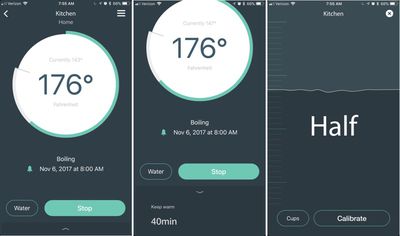
Temperature can be changed in 2° increments and it can be set at any temperature from 68°F to 212°F, which is more versatility than I get with my current kettle, and more than most "dumb" kettles on the market offer. My current kettle is limited to 160°F, 175°F, 190°F, 200°F, and "boil." Granted, these are generally the temperatures you want for most kinds of tea, but the range is wider on iKettle.
Since water can be heated to as low as 68°F, iKettle can be used for heating up baby bottles, and there is, in fact, a dedicated "formula mode." There's also the "wake up mode" I mentioned before for heating water in the mornings, and there's a Home mode that uses geofencing to activate the kettle when you get home.
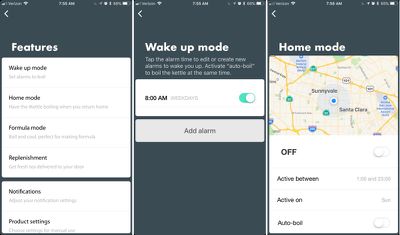
When you set a temperature for the iKettle, you can also choose to keep the water warm for a set period of time, between 5 minutes and 40 minutes. There is a gauge in the app that is supposed to let you know how much water is in the iKettle, but even after calibrating it several times, I couldn't get this to read accurately.
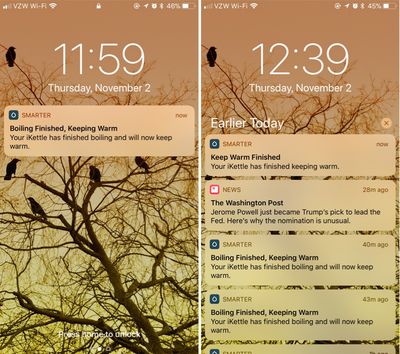
The app sends notifications when your water finishes heating, when keep warm activates, when keep warm is over, and when water is done cooling if you've chosen a temperature lower than the current water temperature.
There's an option to program the one manual button on the device from the app, a link to support, and an option to purchase tea from the Smarter website, but there's not many options and prices are in pounds, so it's probably best to source your tea elsewhere.
Functionality
I am a tea drinker, and I stick to green tea, white tea, and oolongs, so a variable temperature kettle is a must for me, and I've been using one for years and years now. On my current Cuisinart kettle, I wake up in the morning, head into the kitchen, fill up the kettle, and select the 175°F button to heat up my water while I get my tea leaves ready to go. Once that's done, I go back into my office and wait for the water to finish up while I read emails or tend to other morning tasks.
With the iKettle, the process is simplified a little bit. When I wake up, I get a notification (which I set up) that asks me if I want to heat my water to my pre-specified temperature of 176°F. I tap the notification, unlock my phone, and tap "boil" in the app. That gets the heating process going before I even walk into the kitchen.
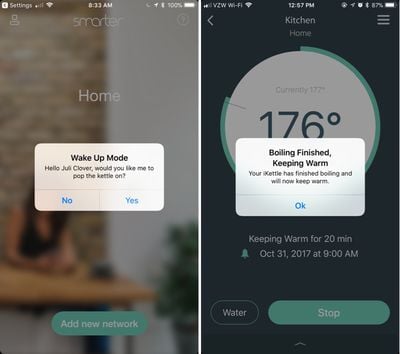
From there, I go into the kitchen to get my tea leaves ready if I didn't do it the night before or I go into the office and start my typical morning routine while I wait for the notification that the water's been heated.
I still need to put water in the kettle, something I've taken to doing the night before with the iKettle, and I still need to get my cup, add leaves to the basket, put it in the cup, and pour the water. Since I need to be in the kitchen anyway, the iKettle isn't saving me a whole lot of time, but I won't deny that it's a bit more convenient to be able to heat water from my bed right when I wake up.
During the day, I also tend to pop back into the kitchen after my first cup of tea to make a second cup. With the iKettle, I can set the water to heat without leaving my office, saving a trip into the kitchen. It's a two trip affair with my current kettle, or a single trip with about five minutes of waiting.
I've been testing iKettle for a couple of weeks now, and in general, I feel the iPhone functionality is useful. There have been some small frustrations, though. At times, I'm in the kitchen anyway and want hot water, but if my phone isn't there and I want something other than the pre-programmed temperature, I have to go get the phone. It'd be nice if there were additional physical buttons on the iKettle to address these kinds of situations. Or if there's no water in the kettle, I have to get up and add it, rendering the remote functionality useless.
There's no setting that will allow it to heat water without my input, which I understand. You wouldn't want to forget about the automatic kettle setting you had activated and then heat water when you're not home.
As far as accuracy, the iKettle was at least as accurate as my current kettle and it heated water to the proper temperature as was displayed in the app.
Bottom Line
I've found the iKettle to be a useful addition to my morning routine because it cuts out a few minutes of waiting around for water to heat up, but it's incredibly expensive and I'm not sure those few minutes I save in the morning are worth the cost.
Variable temperature kettles can be purchased from Amazon for $40 to $100. I own a nice Cuisinart kettle that's worked perfectly for years, and I paid $80, so iKettle is asking for quite a premium for iPhone connectivity. iKettle doesn't really heat water any better than other variable temperature kettles, so it's hard to justify an extra $70+.
If you only need to heat up water to boiling for noodles, black tea, coffee, and other purposes, there's even less reason to get the iKettle. It's only potentially worth considering if you drink white, green, oolong and other teas (or some kinds of coffee) that need to be brewed at lower temperatures.
The iKettle isn't a bad kettle. It's perfectly adequate and works well, so if you've got excess money and just want to shave a few minutes off your morning routine and have water ready on demand, there's no reason not to consider it. I just suspect most people aren't going to find the utility worth the price tag.
How to Buy
The iKettle 3.0 can be purchased from Best Buy for $149.99.
Note: Smarter provided GeekWebGuides with an iKettle for review, and the review unit is being returned at the conclusion of the testing period. No other compensation was received. GeekWebGuides is an affiliate partner with Best Buy and this post includes an affiliate link.





























![Apple Pulls Keynote, Pages and Numbers From App Store [Update: Back]](https://images.macrumors.com/t/Okb7kitB_gNr6qe5Pex9nQIysD8=/112x112/article-new/2026/01/Apple-Creator-Studio-iWork-suite.jpg)















Top Rated Comments
When are companies going to learn that just because you can connect something to wi-fi, doesn't mean you should.
I don’t get modern tech.
Also, I want one.
Because nerd.