

Nanoleaf, the company behind the HomeKit-enabled Aurora smart modular lighting system, recently introduced a $49 accessory that allows the Aurora lights to respond to music, adding a whole new sound-based dimension to an already great product.
Called the Nanoleaf Aurora Rhythm, the add-on module is a small three-triangle accessory that snaps right in to an existing Nanoleaf setup using the same plastic connector tabs that connect the Aurora lights together.
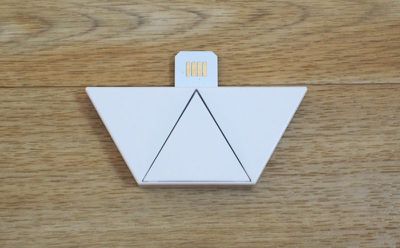
It can be plugged in to any of the triangle-shaped lights in an Aurora setup, because all of them are able to provide power to the accessory. Setting up the Rhythm is as simple as attaching it to an Aurora setup -- there are no other steps involved.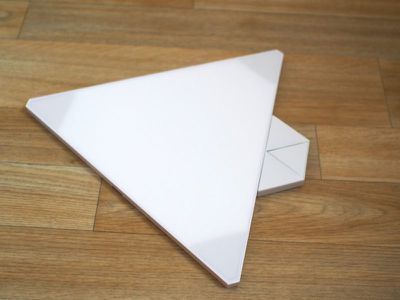
I had a little bit of an issue with the first Rhythm I tested, which killed my WiFi connection after plugging it in. I'm not sure if this was the Rhythm or a quirk of my WiFi setup, but Nanoleaf sent out a replacement Rhythm and the second version worked perfectly with no interference.
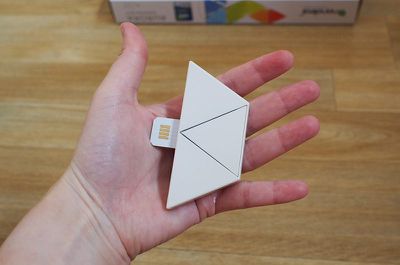
Once the Rhythm is plugged in, the Rhythm mode can be selected on the Aurora through the Nanoleaf app. Though the Aurora has HomeKit support, the Rhythm feature is not compatible and needs to be manually enabled in the app.
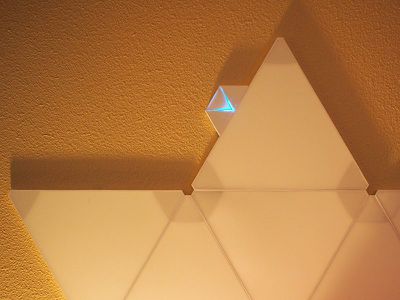
When activated, the Rhythm module itself has a blue light that lets you know it's working, and the Aurora lights will begin responding to sound. With the Rhythm, the Aurora lights are in the off position until a sound is detected.
The Rhythm has a sound sensor (and a 3.5mm jack) and is able to detect all noise, whether it be a song, the television, a conversation, a cat meowing, a door slamming, or a baby crying, and when it hears a noise, it activates the attached Aurora lights in various patterns, colors, and brightness levels.
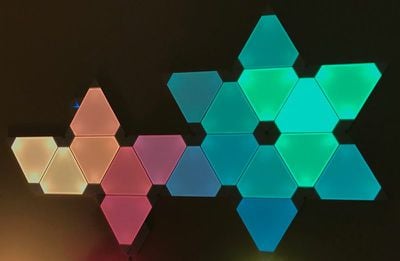
It's sensitive enough that it picks up most sounds nearby, and the light reaction to the sound is tied to both the volume and the duration of the sound. A quiet "hello" spoken in the vicinity of the Rhythm activates just a couple of the triangle lights because it's a soft sound, while something like the slam of a door activates all of the lights in a crescendoing pattern with each one flaring brightly before fading out.
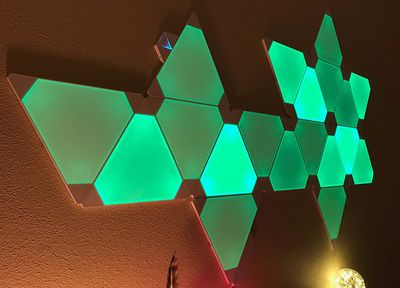
Though the Rhythm will respond to any noise, it's meant to be used with music that's playing aloud because it can detect the beat of what's playing to match the pattern of the lights to the song. The Rhythm paired well with all of the songs that I tested, from pop and EDM to hip hop and rock, though I do wish it was better at identifying bass and treble. I liked it best with songs with a fast beat, because that's where it really shines. There is a small delay between the music and the reaction of the Aurora, but it's hardly noticeable.
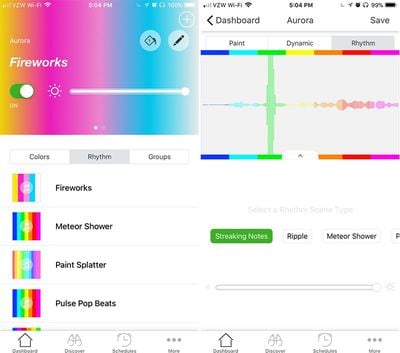
In the Aurora app, there are several different light patterns to choose from that work with the Rhythm, and all of the patterns can be combined with customized user-picked colors for an endless number of options. You can create your own color palettes, pair them with patterns, choose a brightness, and save the scene for future use.
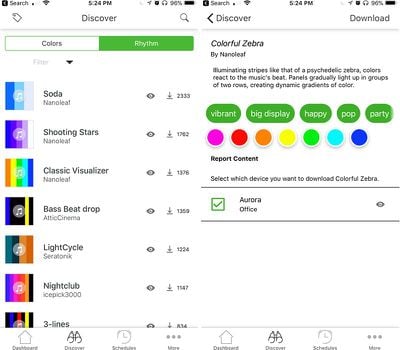
Nanoleaf also lets users upload their light creations so there are dozens of Rhythm mixes downloadable from the app.
While colors are customizable, patterns are not. Rhythm comes with eight lighting "scenes" that dictate how the lights are activated when sound is detected. Fireworks, for example, lights up a handful of tiles at a time in rapid succession with no fade, like a firework.
Meteor Shower flows from color to color in a linear pattern with the pace of the song setting the shifts between color, while Paint Splatter is more random. Pulse Pop Beats changes colors more slowly while also dimming and brightening tiles with the beat of the music, and Rhythmic Northern Lights keeps the lights on full brightness but shifts between colors rapidly. Streaking Notes, Sound Bar, and Ripple are other options, and each one is unique.
For every Rhythm mix, the brightness is customizable, a nice touch because depending on the number of panels, the ambient lighting in the room, and the song playing, it can get a little chaotic if it's too bright.
It's worth noting that the Rhythm is going to look different depending on the number Aurora panels you have set up and their arrangement. I have 21 panels in a kind of key/flower shape and the Rhythm looks great with this setup. I can't pull my panels off the wall to test other configurations because they're up there with adhesive and it's an insane hassle to get them down, but I suspect the different Rhythm patterns look great on any Aurora configuration.
The Rhythm feature is something you'll probably want to only turn on occasionally when listening to music, though I did find it very satisfying to watch my lights flare up when I slammed my door. I also found it fun to have on when I was having a conversation with someone.
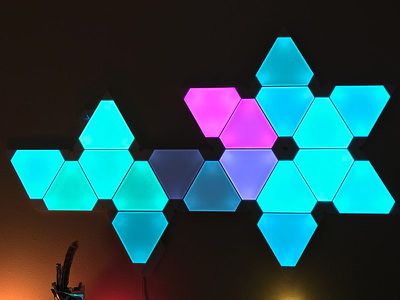
I tried the Rhythm with TV, but in general, the color transitions and patterns were a little too chaotic. Your mileage may vary, though - it's really based on setup and personal preference.
In the future, I'd love to see Nanoleaf do partnerships like Philips Hue has done with Syfy for Sharknado and Twelve Monkeys, pairing the lights with TV shows or movies in carefully selected patterns to enhance what you're watching. I'd also like to have more options for customizing and creating the patterns themselves.
Bottom Line
If you've already invested in a Nanoleaf Aurora setup and listen to music, the $50 Rhythm add on is a fun and inexpensive way to add utility and interactivity to the Aurora lights. And if you throw parties, it's a must.
If you don't already have Aurora lights but do a lot of entertaining or want to spice up a room, it's worth considering picking up a set. Aurora is not cheap at $200 for the starter pack (which comes with nine tiles) and $60 for each additional pack of three tiles, but it's one of the neatest modular lighting systems available. The only real downsides are the cost and the fact that they stick to the wall using adhesive.
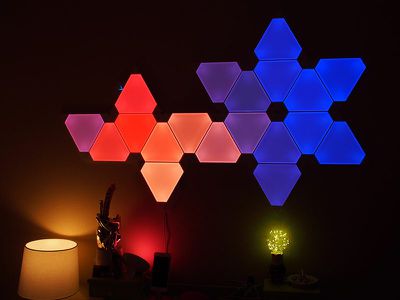
I've had Aurora lights in my office since the beginning of the year, and I have no complaints. I still love to set the colors to match my mood, the game I'm playing, or the show I'm watching, and they've worked reliably with no issues. I've been steadily adding to my Aurora design and I'm up to 21 panels. Aurora is hard not to love, and the Rhythm makes a good product even better.
How to Buy
The Aurora Rhythm can be purchased from the Nanoleaf website for $49.99. The Nanoleaf Aurora itself is currently on sale from Best Buy for $187.99.
Note: Nanoleaf provided MacRumors with an Aurora Rhythm for the purpose of this review. No other compensation was received. This post contains an affiliate link to Best Buy.



















Top Rated Comments
[doublepost=1506719070][/doublepost]It's not too bad. But mine's on a lot of the time. No real reason these can't be running at different settings all the time. Dimmed for a nightlight, brighter in the daytime, etc.