
Star Wars Hologram Effect for iChat and PhotoBooth - MacRumors
Skip to Content

Star Wars Hologram Effect for iChat and PhotoBooth

by

Forum user, elbows, took some time to try to recreate the missing iChat Star Wars hologram effect that didn't make the final cut of Leopard.

OK here it is. Like I said its not quite right yet, probably need some effects to make the image look grainy etc. And the preview is messed up and it doesnt seem to work in PhotoBooth, just iChat, but give it a try anyway.
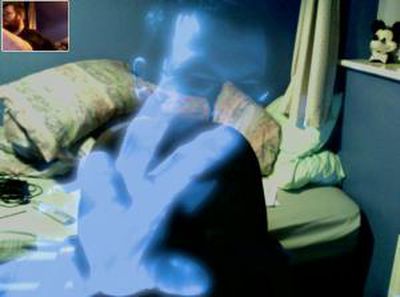
hologit 300

You simply copy the .qtz file into your {HardDriveName}/Library/Compositions/ directory. The new effect will appear in iChat and can be seen by anyone (they don't have to install the effect). An early version of the effect is available in this thread.

Update: Ice-Cube posts how to get this effect into PhotoBooth:

1. Extract HoloGit.qtz from the zip file.
2. Place it on your desktop for easy access.
3. Go to photobooth in your applications folder and right click to *Show package contents*
4. Navigate to content>resources
5. Drag the HoloGit.qtz file from the desktop to this folder.
6. Locate the file *EffectsOrdering.plist* in this folder
7. Open the file with textedit
8. You should see a number of effects listed in that file. You should see user backdrop 1, user backdrop 2, and so forth in the last paragraph.
9. Replace the words *user backdrop 1* to *HoloGit*
It should look like this: /HoloGit
10. Save the file. Close all folders.
11. Open up photobooth and enjoy your newfound effect.

Note: the .qtz must also be placed in the {HardDriveName}/Library/Compositions/ directory as described above for iChat


Popular Stories

iOS 26

iOS 26.4 Adds Two New Features to CarPlay

Tuesday March 24, 2026 1:55 pm PDT by
iOS 26.4 was released today, and it includes a couple of new features for CarPlay: an Ambient Music widget and support for voice-based chatbot apps. To update your iPhone 11 or newer to iOS 26.4, open the Settings app and tap on General → Software Update. CarPlay will automatically offer the new features so long as the iPhone connected to your vehicle is running iOS 26.4 or later....
Apple Business hero

Apple Unveils 'Apple Business' All-in-One Platform

Tuesday March 24, 2026 8:53 am PDT by
Apple today announced Apple Business, a new all-in-one platform that unifies device management, productivity tools, and customer outreach features. The service is designed to be a consolidated replacement for several of Apple's existing business-focused offerings, including Apple Business Essentials, Apple Business Manager, and Apple Business Connect. It provides organizations with a single...
AirPods Pro Firmware Feature

Apple Releases New Firmware for AirPods Pro 3, AirPods Pro 2 and AirPods 4

Tuesday March 24, 2026 12:31 pm PDT by
Apple today released new firmware for the AirPods Pro 2, AirPods Pro 3, and the AirPods 4. The firmware has a version number of 8B39, up from 8B34 on the AirPods Pro 3, 8B28 on the AirPods Pro 2, and 8B21 on the AirPods 4. There is no word on what's included in the firmware, but Apple has a support document with limited notes. Most updates are limited to bug fixes and performance...














