Apple Releases New Firmware for AirPods Pro 3, AirPods Pro 2 and AirPods 4
Apple today released new firmware for the AirPods Pro 2, AirPods Pro 3, and the AirPods 4. The firmware has a version number of 8B39, up from 8B34 on the AirPods Pro 3, 8B28 on the AirPods Pro 2, and 8B21 on the AirPods 4.

There is no word on what's included in the firmware, but Apple has a support document with limited notes. Most updates are limited to bug fixes and performance improvements.
To get the new firmware, make sure your AirPods are in range of your iPhone, iPad, or Mac and are connected via Bluetooth. From there, connect your Apple device to Wi-Fi, put your AirPods in the Charging Case, and connect the Charging Case to power. Keep the case closed and wait at least 30 minutes for the firmware update to install.
Popular Stories
Apple today released new beta firmware for the AirPods Pro 2, AirPods Pro 3, AirPods 4, AirPods 5, and AirPods Max 2. The firmware has a build number of 9B5042a and is rolling out for developers and public beta testers.
There's no word on what's included in the firmware update because Apple doesn't offer notes for AirPods beta releases.
When the AirPods are connected to an iPhone, iPad,...
Apple today released new beta firmware for the AirPods Pro 2, AirPods Pro 3, AirPods 4, AirPods 5, and AirPods Max 2. The firmware has a build number of 9B5043a and is rolling out for developers and public beta testers.
There's no word on what's included in the firmware update because Apple doesn't offer notes for AirPods beta releases.
When the AirPods are connected to an iPhone, iPad,...
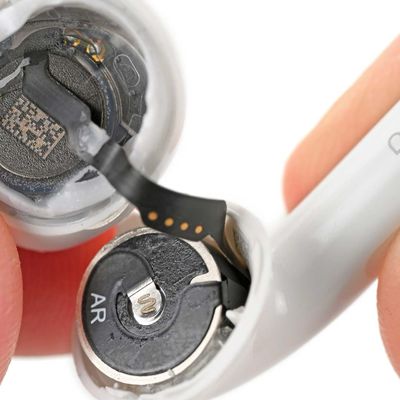
Repair site iFixit today took apart Apple's AirPods 5 for one of its traditional teardown videos. It turns out the new AirPods are slightly more repairable than prior models, but it's still not a simple home fix.
The AirPods 5 use pronged batteries that Apple previously used in the AirPods 3, but not the AirPods 4. The battery can be removed with a "nifty pair of tongs," and iFixit says the...