Apple Posts Step-by-Step Guide to Activating 3G Service on iPad Wi-Fi + 3G
With pre-orders for Apple's new iPad Wi-Fi + 3G models being delivered today and Apple retail stores gearing up for a 5:00 PM start to in-store sales, Apple has posted a new support document offering a step-by-step guide to setting up 3G service for the device through AT&T. The information expands upon a feature posted last month on Apple's iPad site and a fact sheet published by AT&T earlier this week.
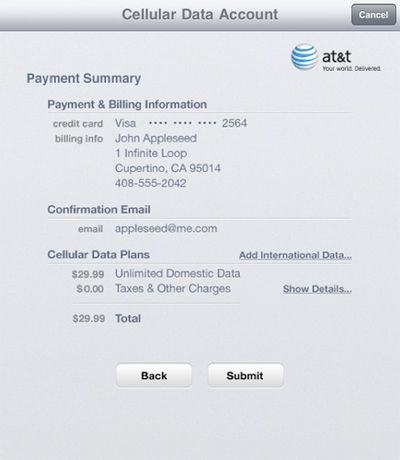
The guide provides a series of screenshots to show users the exact process for activating 3G service on their new iPads, from adding contact information and creating a login account to selecting a data plan and entering payment information.
The process also includes a review of the Terms of Service for AT&T, and upon agreement with the terms, displays a payment summary for the activated plan. International data can also be managed through this screen and must be added before leaving the United States.
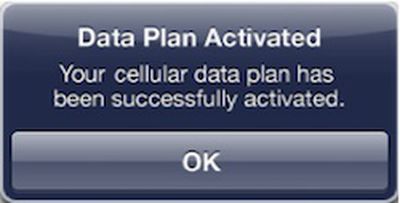
Once completing the signup process, it may take several minutes for 3G service to be activated, but customers can use their iPad as normal on Wi-Fi and will be notified by an alert once the plan is activated.
Popular Stories
iOS 26.4 was released today, and it includes a couple of new features for CarPlay: an Ambient Music widget and support for voice-based chatbot apps.
To update your iPhone 11 or newer to iOS 26.4, open the Settings app and tap on General → Software Update. CarPlay will automatically offer the new features so long as the iPhone connected to your vehicle is running iOS 26.4 or later....
Apple today announced Apple Business, a new all-in-one platform that unifies device management, productivity tools, and customer outreach features.
The service is designed to be a consolidated replacement for several of Apple's existing business-focused offerings, including Apple Business Essentials, Apple Business Manager, and Apple Business Connect. It provides organizations with a single...
Apple today released new firmware for the AirPods Pro 2, AirPods Pro 3, and the AirPods 4. The firmware has a version number of 8B39, up from 8B34 on the AirPods Pro 3, 8B28 on the AirPods Pro 2, and 8B21 on the AirPods 4.
There is no word on what's included in the firmware, but Apple has a support document with limited notes. Most updates are limited to bug fixes and performance...