
Apple Releases iOS 5 Beta 2 to Developers, Now with Wi-Fi Sync

Screen Shot 2011 06 24 at 6
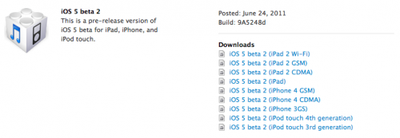
As noted by ItsAllTech, Apple has released the first followup beta release to iOS developers. iOS 5 Build 9A5248d was just released this evening. The first changes noted include:

- Wireless syncing has been enabled for Mac OS X computers

WiFi Syncing

In iOS 5.0 beta 2, wireless syncing is now available for the Mac. It requires iTunes 10.5 beta 2 and OS X 10.6.8 or Lion. You will see an option to enable wireless syncing when you connect your device to iTunes with the USB cable. It is recommended you perform your initial sync with a cable after restoring your device.

Wireless syncing is triggered automatically when the device is connected to power and on the same network as the paired computer. Or, you can manually trigger a sync from iTunes or from Settings -> General -> iTunes Sync (same network as paired computer required). Be sure your device is plugged into a power source when performing Wireless syncs.
If you find issues with apps, media and/or photos synced to your device, you can reset then resync. From Settings -> General -> Reset, choose Erase all Content and Settings. Then reconnect to iTunes and sync again.

In this beta, iTunes may incorrectly report Photos as "Other" in the capacity bar. Photo syncing otherwise works as expected.

iTunes 10.5 beta 2 and Apple TV Software beta 2 has also been released.

iFans has release notes. Summarized here:

- iTunes 10.5b2 can’t sync iOS 5 Beta 1 devices
- iOS5 Beta 1 devices can’t iMessage iOS5 Beta 2 devices and vice-versa
- WiFi sync now works with OS X computers; it has to be enabled in iTunes 10.5 beta 2 first
- OTA updates have been released, though none are currently available
- iCloud has a new logo in the Settings.app
- You can now backup to iCloud or the computer when setting the device up
- If no notifications are available, Notification Center shows the text “No New Notifications”
- Stock widget in the Notification Center is now off by default
- Stock wallpapers are back, but are the same that were in iOS 4
- General speed improvements, kills bugs that were present in iOS 5 beta 1

Video of Wi-Fi Sync from iPhoneDownloadBlog:


We'll post updates as we hear more.

Popular Stories

Apple Logo Zoomed

Tim Cook Teases Plans for Apple's Upcoming 50th Anniversary

Thursday February 5, 2026 12:54 pm PST by
Apple turns 50 this year, and its CEO Tim Cook has promised to celebrate the milestone. The big day falls on April 1, 2026. "I've been unusually reflective lately about Apple because we have been working on what do we do to mark this moment," Cook told employees today, according to Bloomberg's Mark Gurman. "When you really stop and pause and think about the last 50 years, it makes your heart ...
wwdc sans text feature

Apple Rumored to Announce New Product on February 19

Thursday February 5, 2026 12:22 pm PST by
Apple plans to announce the iPhone 17e on Thursday, February 19, according to Macwelt, the German equivalent of Macworld. The report, citing industry sources, is available in English on Macworld. Apple announced the iPhone 16e on Wednesday, February 19 last year, so the iPhone 17e would be unveiled exactly one year later if this rumor is accurate. It is quite uncommon for Apple to unveil...
Finder Siri Feature

Why Apple's iOS 26.4 Siri Upgrade Will Be Bigger Than Originally Promised

Friday February 6, 2026 3:06 pm PST by
In the iOS 26.4 update that's coming this spring, Apple will introduce a new version of Siri that's going to overhaul how we interact with the personal assistant and what it's able to do. The iOS 26.4 version of Siri won't work like ChatGPT or Claude, but it will rely on large language models (LLMs) and has been updated from the ground up. Upgraded Architecture The next-generation...
iOS 26

iOS 26.3 and iOS 26.4 Will Add These New Features to Your iPhone

Tuesday February 3, 2026 7:47 am PST by
While the iOS 26.3 Release Candidate is now available ahead of a public release, the first iOS 26.4 beta is likely still at least a week away. Following beta testing, iOS 26.4 will likely be released to the general public in March or April. Below, we have recapped known or rumored iOS 26.3 and iOS 26.4 features so far. iOS 26.3 iPhone to Android Transfer Tool iOS 26.3 makes it easier...
iphone 17 pro dark blue 1

iPhone 18 Pro Max Rumored to Deliver Next-Level Battery Life

Friday February 6, 2026 5:14 am PST by
The iPhone 18 Pro Max will feature a bigger battery for continued best-in-class battery life, according to a known Weibo leaker. Citing supply chain information, the Weibo user known as "Digital Chat Station" said that the iPhone 18 Pro Max will have a battery capacity of 5,100 to 5,200 mAh. Combined with the efficiency improvements of the A20 Pro chip, made with TSMC's 2nm process, the...

Top Rated Comments

aristotle Avatar
191 months ago
Your point of view has absolutely no testing needed on PC's.
Argument aside, no I will not relax, I need to know whether or not iOS 5 plays nice with Windows, and that's not possible until the next beta is released, which should be 3 weeks from now.
Dude. Stop it before you start looking like a troll. You obviously are not a software developer so let me explain how software development works.

Apple has a QA department (quality assurance) with QA engineers who are obviously testing each build of iTunes for windows and OS X long before the beta build even reaches the developers.

As others have explained, because the iOS SDK is OS X only, there is no need to release a beta to the general iOS developer community and the primary feature set for this release of iTunes is to support iOS 5 so if it works with windows right now then it should work with windows in the future.

Basic functionality and integration with windows is going to be tested by the QA engineers at Apple so you can rest assured.
Score: 10 Votes (Like | Disagree)
125037 Avatar
191 months ago
Why the HELL does the device need to be plugged into a power source? The only advantage of wireless syncing is that you can sync even if you're not charging it, i.e. wirelessly, when your device is already charged! I hate having to plug in an already charged device just to sync it, if it could do all of that wirelessly! What a useless feature. Disappointing and lame!

Um, it doesn't.
Score: 7 Votes (Like | Disagree)
voidptr Avatar
191 months ago
Why? The entire point of wireless syncing is to do it without a cable, which is why it's called "wireless". If you have to charge it to plug it in, you might as well sync it on USB while you're at it.

I think the great thing with wireless syncing is that you have your device on your desk and all you need to do is press a button. No fiddling with cables, chargers and whatever.

A lot of people, myself included, charge their iPhone at night with the wall charger. In that case, it'll sync at night even though the iPhone and charger is in my bedroom, and the computer it syncs against is somewhere else in the house. I charge it nightly, but almost never bother to sync it.

And from what's reported, you can still press a button and sync it if it's not plugged in; plugging it in triggers it automatically.
Score: 6 Votes (Like | Disagree)
HiRez Avatar
191 months ago
You will see an option to enable wireless syncing when you connect your device to iTunes with the USB cable.
OK, am I the only one seeing the irony here? :)
Score: 6 Votes (Like | Disagree)
dethmaShine Avatar
191 months ago
I hope I'm not breaking the NDA by posting this:

WiFi Syncing
In iOS 5.0 beta 2, wireless syncing is now available for the Mac. It requires iTunes 10.5 beta 2 and OS X 10.6.8 or Lion. You will see an option to enable wireless syncing when you connect your device to iTunes with the USB cable. It is recommended you perform your initial sync with a cable after restoring your device.
Wireless syncing is triggered automatically when the device is connected to power and on the same network as the paired computer. Or, you can manually trigger a sync from iTunes or from Settings -> General -> iTunes Sync (same network as paired computer required). Be sure your device is plugged into a power source when performing Wireless syncs.
If you find issues with apps, media and/or photos synced to your device, you can reset then resync. From Settings -> General -> Reset, choose Erase all Content and Settings. Then reconnect to iTunes and sync again.
In this beta, iTunes may incorrectly report Photos as "Other" in the capacity bar. Photo syncing otherwise works as expected.
Score: 6 Votes (Like | Disagree)
radiogoober Avatar
191 months ago
You kind of lost me there, did you mean to say "If you have to plug it in to charge it"? If so, I get your point, wireless syncing isn't a great advantage if you still have to connect the wire once every couple of days to charge. However, for some people it's easier just to connect to a power outlet rather than have to connect to their Mac/PC.

Of course, when inductive charging is incorporated into the iPhone at some point down the line...

You guys wouldn't be having these discussions if you read the release notes.

YOU DONT HAVE TO PLUG IT IN TO WIFI SYNC!
Score: 5 Votes (Like | Disagree)















