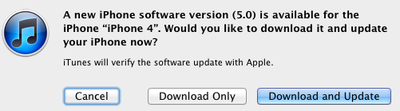
In line with Apple's announced schedule calling for a release today, iOS 5 is now available to download for iPad, iPhone, and iPod touch users. Users can obtain the update by connecting their devices to iTunes and clicking the "Check for Update" button. It may take a few minutes for the update to propagate to all users, however.
iOS 5 brings more than 200 new features, including Notification Center, iMessage, Newsstand, Reminders, and systemwide Twitter integration.
iOS 5 is compatible with the iPad 2, original iPad, iPhone 4, iPhone 3GS, and third- and fourth-generation iPod touch. It will also ship on the iPhone 4S, which launches on Friday. An iOS 5-based version of the Apple TV software, labeled software version 4.4, is also available.
iOS 26.4 was released today, and it includes a couple of new features for CarPlay: an Ambient Music widget and support for voice-based chatbot apps.
To update your iPhone 11 or newer to iOS 26.4, open the Settings app and tap on General → Software Update. CarPlay will automatically offer the new features so long as the iPhone connected to your vehicle is running iOS 26.4 or later....
Apple today announced Apple Business, a new all-in-one platform that unifies device management, productivity tools, and customer outreach features.
The service is designed to be a consolidated replacement for several of Apple's existing business-focused offerings, including Apple Business Essentials, Apple Business Manager, and Apple Business Connect. It provides organizations with a single...
Tuesday March 24, 2026 12:31 pm PDT by Juli Clover
Apple today released new firmware for the AirPods Pro 2, AirPods Pro 3, and the AirPods 4. The firmware has a version number of 8B39, up from 8B34 on the AirPods Pro 3, 8B28 on the AirPods Pro 2, and 8B21 on the AirPods 4.
There is no word on what's included in the firmware, but Apple has a support document with limited notes. Most updates are limited to bug fixes and performance...
This update contains over 200 new features, including the following:
Notifications
◦ Swipe from the top of any screen to view notifications in one place with Notification Center
◦ New notifications appear briefly at the top of the screen
◦ View notifications from lock screen
◦ Slide the notification app icon to the right on the lock screen to go directly to the app
iMessage
◦ Send and receive unlimited text, photo, and video messages with other iOS 5 users
◦ Track messages with delivery and read receipts
◦ Group messaging and secure encryption
◦ Works over cellular network and Wi-Fi*
Newsstand
◦ Automatically organizes magazine and newspaper subscriptions on Home Screen
◦ Displays the cover of the latest issue
◦ Background downloads of new issues
Reminders for managing to do lists
◦ Syncs with iCloud, iCal and Outlook
◦ Location-based reminders when you leave or arrive at a location for iPhone 4S and iPhone 4
Built-in support for Twitter
◦ Sign-in once in Settings and tweet directly from Camera, Photos, Maps, Safari and YouTube
◦ Add location to any tweet
◦ View twitter profile pictures and usernames in Contacts
Camera improvements for devices with cameras
◦ Double click the home button when device is asleep to bring up a camera shortcut on iPhone 4S, iPhone 4, iPhone 3GS and iPod touch (4th generation)
◦ Volume Up button to take a picture
◦ Optional grid lines to line up shots
◦ Pinch to zoom in the preview screen
◦ Swipe to camera roll from preview screen
◦ Tap and hold to lock focus and exposure, iPad 2 and iPod touch (4th generation) only support exposure lock
Photo improvements for devices with cameras
◦ Crop and rotate
◦ Red eye removal
◦ One tap enhance
◦ Organize photos into albums
Mail improvements
◦ Format text using bold, italic, or underlined fonts
◦ Indentation control
◦ Drag to rearrange names in address fields
◦ Flag messages
◦ Mass mark messages as flagged, read or unread
◦ Customize mail alert sounds
◦ S/MIME
Calendar improvements
◦ Year view on iPad and new Week view for iPhone and iPod touch
◦ Tap to create an event
◦ View and add event attachments
Game Center improvements
◦ Use personal photos for your Game Center account
◦ Compare your overall achievement scores with your friends
◦ Find new Game Center friends with friend recommendations and friends of friends
◦ Discover new games with custom game recommendations
AirPlay Mirroring for iPad 2 and iPhone 4S
Multitasking Gestures for iPad
◦ Use four or five fingers to pinch to the Home Screen
◦ Swipe up to reveal the multitasking bar
◦ Swipe left or right to switch between apps
On-device setup, activation and configuration with Setup Assistant
Software updates available over the air without tethering
iCloud support
◦ iTunes in the Cloud
◦ Photo Stream
◦ Documents in the Cloud
◦ Apps and Books automatic download and purchase history
◦ Backup
◦ Contacts, Calendar, and Mail
◦ Find My iPhone
Redesigned Music app for iPad
Hourly weather forecast
Real-time stock quotes
Wireless sync to iTunes
Keyboard improvements
◦ Split keyboard for iPad
◦ Improved autocorrection accuracy
◦ Improved Chinese and Japanese input
◦ New Emoji keyboard
◦ Personal dictionary for autocorrection
◦ Optionally create keyboard short cuts for frequently used words
Accessibility improvements
◦ Option to light LED flash on incoming calls and alerts for iPhone 4S and iPhone 4
◦ Custom vibration patterns for incoming calls on iPhone
◦ New interface for using iOS with mobility-impairment input devices
◦ Option to speak a selection of text
◦ Custom element labeling for VoiceOver
Exchange ActiveSync improvements
◦ Wirelessly sync tasks
◦ Mark messages as flagged, read or unread
◦ Improved offline support
◦ Save a new contact from a GAL service
More than 1,500 new developer APIs
Bug fixes