
Hack Allows Developers to Start Testing iPad Retina Display in iOS Simulator - MacRumors
Skip to Content

Hack Allows Developers to Start Testing iPad Retina Display in iOS Simulator

by

With a Retina iPad 3 expected just next week, one developer has created a small utility that allows the iPad simulator to run in 2X mode. The utility is available from Ryan Petrich.

In order to run it on the latest version of Xcode, you will need to symlink /Applications/Xcode.app/Contents/Developer to /Developer and /Developer4.

Meanwhile, stroughtonsmith shows how his app SameGame looks in the Retina iPad emulator running on his 27" iMac:
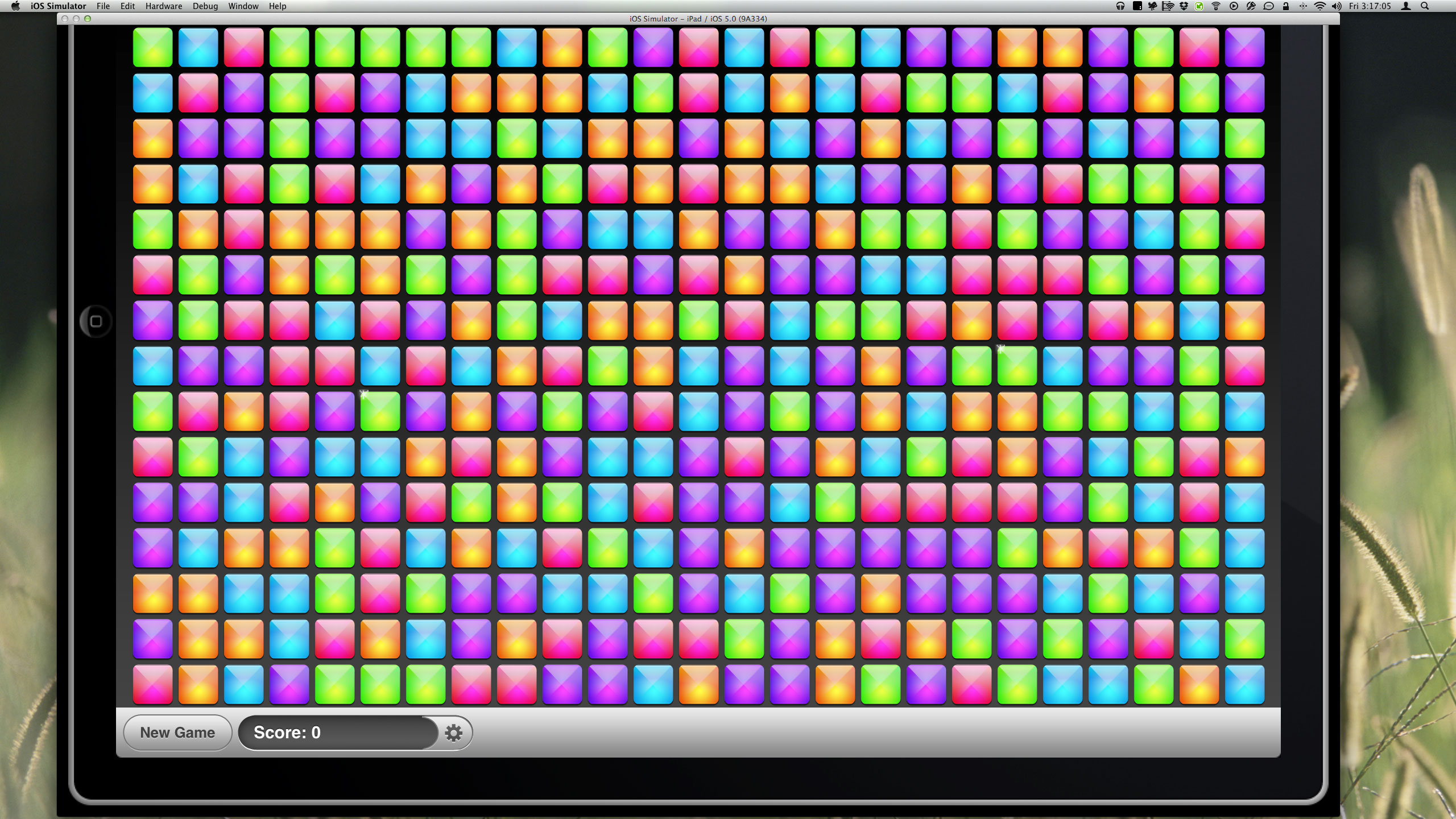
sim
Click on image to see full size.

Apple is widely expected to release a Retina-enabled iPad 3 next week at their media event. If rumors are to believed, the iPad 3 should be available within a week or so of the announcement. That would leave developers little time to Retina-ize their current iPad apps if they wait until the day of the announcement.


Top Rated Comments

chrmjenkins Avatar
184 months ago
could a worse example be chosen?

Score: 26 Votes (Like | Disagree)
184 months ago
could a worse example be chosen?
Score: 17 Votes (Like | Disagree)
184 months ago
I think that might still actually be better.
Score: 16 Votes (Like | Disagree)
Pakaku Avatar
184 months ago
Why do I find it so funny that it can't even be fully displayed on a 27" screen...
Score: 14 Votes (Like | Disagree)
Xenc Avatar
184 months ago
But is this hack actually correct. It seems like it isn't. From the description this emulator is making the pixels double the size akin to the blowing up of an iPhone app on an iPad. But that isn't what the retina screen does. It's more like cutting the pixels in half to shove more into the same space.
To view the rumoured four times the number of pixels, you need to double the width and height - which is exactly what is being done here. Density is hardware based (ie. the physical number of pixels per inch).
Score: 2 Votes (Like | Disagree)
184 months ago
Hey - look at the upper right of his title bar!

I recognize the bluetooth and wireless, but what are all those other icons? What kind of really cool software does this person have?

Drooolllll.....
Score: 2 Votes (Like | Disagree)

Popular Stories

iOS 26

iOS 26.4 Adds Two New Features to CarPlay

Tuesday March 24, 2026 1:55 pm PDT by
iOS 26.4 was released today, and it includes a couple of new features for CarPlay: an Ambient Music widget and support for voice-based chatbot apps. To update your iPhone 11 or newer to iOS 26.4, open the Settings app and tap on General → Software Update. CarPlay will automatically offer the new features so long as the iPhone connected to your vehicle is running iOS 26.4 or later....
Apple Business hero

Apple Unveils 'Apple Business' All-in-One Platform

Tuesday March 24, 2026 8:53 am PDT by
Apple today announced Apple Business, a new all-in-one platform that unifies device management, productivity tools, and customer outreach features. The service is designed to be a consolidated replacement for several of Apple's existing business-focused offerings, including Apple Business Essentials, Apple Business Manager, and Apple Business Connect. It provides organizations with a single...
AirPods Pro Firmware Feature

Apple Releases New Firmware for AirPods Pro 3, AirPods Pro 2 and AirPods 4

Tuesday March 24, 2026 12:31 pm PDT by
Apple today released new firmware for the AirPods Pro 2, AirPods Pro 3, and the AirPods 4. The firmware has a version number of 8B39, up from 8B34 on the AirPods Pro 3, 8B28 on the AirPods Pro 2, and 8B21 on the AirPods 4. There is no word on what's included in the firmware, but Apple has a support document with limited notes. Most updates are limited to bug fixes and performance...















