Vietnamese site Tinhte.vn has been spending some more time with the 3rd Generation iPad in their possession.
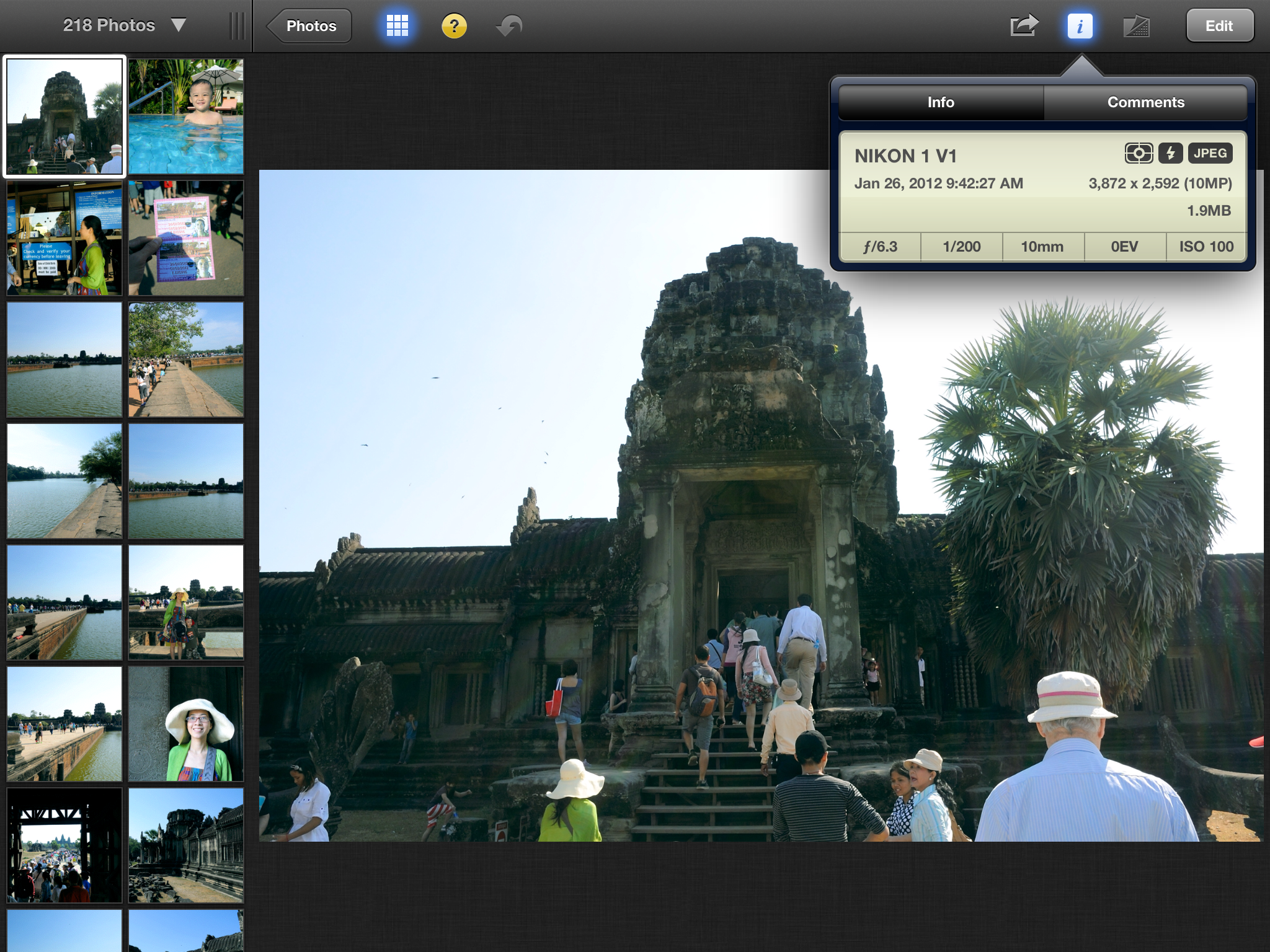
They took some screenshots of the native apps that come bundled with the new iPad that support its new Retina screen. This is a screenshot from iPhoto (click for full size):
The sizes of these Retina-enabled apps appear to be about 2.5-3x the size of their original counterparts.
These applications are developed by Apple has been upgraded to support the Retina screen, for example with Keynote (iWork software sets), this application previously only 115MB capacity but its latest version is 327MB. Numbers from 109MB or 283MB up to, from 95MB to 269MB Pages, iMovie from 70MB to 404MB.
Existing iPad apps are automatically pixel-doubled to take up the full screen on the new iPad, but appear noticeably less sharp than native Retina graphics.
In a separate post, they took a number of sample photos using the new iPad's 5-megapixel camera. This represents a significant upgrade from the iPad 2's 1-megapixel camera. One sample shot is included here (click for full size):
The 3rd Generation iPad is officially launching on March 16th at retail stores. The bulk of the pre-orders should also be arriving in customers hands on that day.
iOS 26.4 was released today, and it includes a couple of new features for CarPlay: an Ambient Music widget and support for voice-based chatbot apps.
To update your iPhone 11 or newer to iOS 26.4, open the Settings app and tap on General → Software Update. CarPlay will automatically offer the new features so long as the iPhone connected to your vehicle is running iOS 26.4 or later....
Apple today announced Apple Business, a new all-in-one platform that unifies device management, productivity tools, and customer outreach features.
The service is designed to be a consolidated replacement for several of Apple's existing business-focused offerings, including Apple Business Essentials, Apple Business Manager, and Apple Business Connect. It provides organizations with a single...
Tuesday March 24, 2026 12:31 pm PDT by Juli Clover
Apple today released new firmware for the AirPods Pro 2, AirPods Pro 3, and the AirPods 4. The firmware has a version number of 8B39, up from 8B34 on the AirPods Pro 3, 8B28 on the AirPods Pro 2, and 8B21 on the AirPods 4.
There is no word on what's included in the firmware, but Apple has a support document with limited notes. Most updates are limited to bug fixes and performance...
damn - should have gone with the 64gig instead of the 32gig version ... when all my apps double in space on the long run i'll have to make a much more careful selection than in the past
I'm just comprehending the fact that the viewfinder displays almost 1:1 pixels of the sensor. That's the sensor feeding 270MB/s of data to the application.
That 5 megapixel image looks great when scaled down to about 1 megapixel. Really what is the point of all those extra pixels if they're just a blurry jittery mush? And I'm not pointing the finger at Apple here, its all the people who demand more megapixels without understanding what they're getting.