
iOS 6 Beta Allows Reordering of Icons on Apple TV - MacRumors
Skip to Content

iOS 6 Beta Allows Reordering of Icons on Apple TV

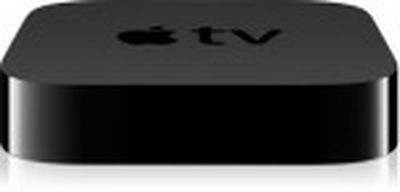
apple tv blackAs noted by MacMagazine.com.br, the latest beta of the iOS 6-based Apple TV software now allows users to reorder the icons on the main menu page.

The feature is accessed by holding down the center Select button on the remote for several seconds, after which the selected icon begins to wiggle as is seen on other iOS devices when in reorder/delete mode. The wiggling icon can then be moved by using the directional buttons on the remote, with other icons automatically adjusting to make room for the icon being moved.


One difference in icon reordering between the Apple TV and other iOS devices is that the lack of a touch interface means that only one icon at a time can be selected and moved on the Apple TV. On other iOS devices, touching any icon for several seconds causes all icons to wiggle and multiple icons can be moved or deleted before exiting the mode. There is also no sign yet of an ability to delete or hide unused icons on the Apple TV menu.

On the current Apple TV software, holding the Select button for several seconds puts the device to sleep, and it is unclear whether this functionality is being discontinued or reassigned to a different remote shortcut.

Related Roundup: Apple TV
Buyer's Guide: Apple TV (Don't Buy)

Popular Stories

iOS 26

iOS 26.4 Adds Two New Features to CarPlay

Tuesday March 24, 2026 1:55 pm PDT by
iOS 26.4 was released today, and it includes a couple of new features for CarPlay: an Ambient Music widget and support for voice-based chatbot apps. To update your iPhone 11 or newer to iOS 26.4, open the Settings app and tap on General → Software Update. CarPlay will automatically offer the new features so long as the iPhone connected to your vehicle is running iOS 26.4 or later....
Apple Business hero

Apple Unveils 'Apple Business' All-in-One Platform

Tuesday March 24, 2026 8:53 am PDT by
Apple today announced Apple Business, a new all-in-one platform that unifies device management, productivity tools, and customer outreach features. The service is designed to be a consolidated replacement for several of Apple's existing business-focused offerings, including Apple Business Essentials, Apple Business Manager, and Apple Business Connect. It provides organizations with a single...
AirPods Pro Firmware Feature

Apple Releases New Firmware for AirPods Pro 3, AirPods Pro 2 and AirPods 4

Tuesday March 24, 2026 12:31 pm PDT by
Apple today released new firmware for the AirPods Pro 2, AirPods Pro 3, and the AirPods 4. The firmware has a version number of 8B39, up from 8B34 on the AirPods Pro 3, 8B28 on the AirPods Pro 2, and 8B21 on the AirPods 4. There is no word on what's included in the firmware, but Apple has a support document with limited notes. Most updates are limited to bug fixes and performance...

Top Rated Comments

179 months ago
Hmm

Preparing for Apps are we? :D
Score: 20 Votes (Like | Disagree)
MonkeySee.... Avatar
179 months ago
Who is putting the atv to sleep anyway? It will go to sleep automatically. Non sense function. It consumes no power whatsoever even when it is on.

What is this Wizardry you speak of. :p
Score: 8 Votes (Like | Disagree)
adnbek Avatar
179 months ago
I wish they'd make the blue outline around a selected icon thicker. It's almost impossible to see which icon is selected the way it is now. It's just way too thin.
Score: 5 Votes (Like | Disagree)
179 months ago
Nice, but I have one issue with this: Holding down the centre button is currently a shortcut to put the Apple TV to sleep.

Then the shortcut will be moved...obviously...

Think about the home button on the iPhone and iPad - it's got so many different functions.
Score: 5 Votes (Like | Disagree)
mopatops Avatar
179 months ago
Why are they selling for more? :eek:

Because the 1080p hasn't been jailbroken yet.
Score: 4 Votes (Like | Disagree)
179 months ago
Here comes the next big thing! :apple:
Score: 4 Votes (Like | Disagree)
















