Apple Seeds Golden Master of OS X Mountain Lion to Developers - MacRumors
Skip to Content

Apple Seeds Golden Master of OS X Mountain Lion to Developers
200newfeatures
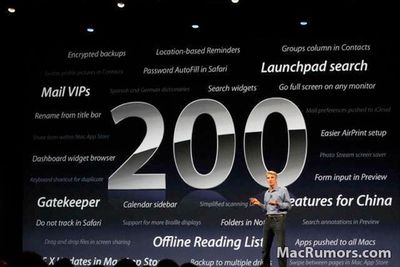
"200 New Features" Mountain Lion slide shown at WWDC

Apple released the Golden Master (GM) version of OS X Mountain Lion to developers today. The "golden master" designation indicates that this version of the software is intended to be the final version released to the public, barring any last-minute issues. The Build is 12A269.

Apple first previewed Mountain Lion in February, highlighting many features already present in iOS, including Messages, Reminders, Notes, Notification Center, Game Center and more at that time. At WWDC, Apple announced additional features, including Dictation, iCloud Tabs, and 'Power Nap'.

We previously highlighted this video which shows off many of the new features found in Mountain Lion:


Mountain Lion will be priced at $19.99 and released to the Mac App Store in July.

Popular Stories

iOS 26

iOS 26.4 Adds Two New Features to CarPlay

Tuesday March 24, 2026 1:55 pm PDT by
iOS 26.4 was released today, and it includes a couple of new features for CarPlay: an Ambient Music widget and support for voice-based chatbot apps. To update your iPhone 11 or newer to iOS 26.4, open the Settings app and tap on General → Software Update. CarPlay will automatically offer the new features so long as the iPhone connected to your vehicle is running iOS 26.4 or later....
Apple Business hero

Apple Unveils 'Apple Business' All-in-One Platform

Tuesday March 24, 2026 8:53 am PDT by
Apple today announced Apple Business, a new all-in-one platform that unifies device management, productivity tools, and customer outreach features. The service is designed to be a consolidated replacement for several of Apple's existing business-focused offerings, including Apple Business Essentials, Apple Business Manager, and Apple Business Connect. It provides organizations with a single...
AirPods Pro Firmware Feature

Apple Releases New Firmware for AirPods Pro 3, AirPods Pro 2 and AirPods 4

Tuesday March 24, 2026 12:31 pm PDT by
Apple today released new firmware for the AirPods Pro 2, AirPods Pro 3, and the AirPods 4. The firmware has a version number of 8B39, up from 8B34 on the AirPods Pro 3, 8B28 on the AirPods Pro 2, and 8B21 on the AirPods 4. There is no word on what's included in the firmware, but Apple has a support document with limited notes. Most updates are limited to bug fixes and performance...


Top Rated Comments

heisenberg123 Avatar
179 months ago
Can anyone give me a download link please?

not sure whats worse
a) not knowing how to obtain things illegally on net in 2012
b) asking for help to do it on a forum thats so against it
Score: 72 Votes (Like | Disagree)
Tonewheel Avatar
179 months ago
[SIZE="4"]I'm honestly not that excited about this upgrade. Nothing exciting has really come out since Tiger or Leopard in my opinion. Most of these new features will be used for like 5 minutes by the mainstream user because they're just not that important (i.e. Reminders). And they also end up taking up more precious RAM & most importantly, battery life (on a laptop). Can someone name something that is really that ground breaking in this release? It just seems like things were reorganized & tweaked a bit.

P.S.
I've been in the Apple game since 1985, so I know a good Apple product when I see it. I'm not saying this is bad, but it's just not that amazing. Maybe OS 11 will be exciting?
[/SIZE]

Please type larger next time.
Score: 61 Votes (Like | Disagree)
thelink Avatar
179 months ago
Can anyone give me a download link please?

https://developer.apple.com/ (https://developer.apple.com/)
That's a good place to start. Have fun. :)
Score: 26 Votes (Like | Disagree)
179 months ago
Bye bye Lion

Seems like we hardly got to know each other :o
Score: 24 Votes (Like | Disagree)
179 months ago
Hooray…..

Just released, 10.8 GM build.

Downloading as I type….
Score: 22 Votes (Like | Disagree)
ScottishDuck Avatar
179 months ago
A reminder on how to make your own USB copy. Requires a 8GB+ USB drive

*Download the installer from the app store.

*Right-click installer -> "Show Package Contents"


*Contents -> Shared Support -> InstallESD.dmg (open it/mount it)


*Open the terminal and copy this command:

open /Volumes/Mac\ OS\ X\ Install\ ESD/BaseSystem.dmg


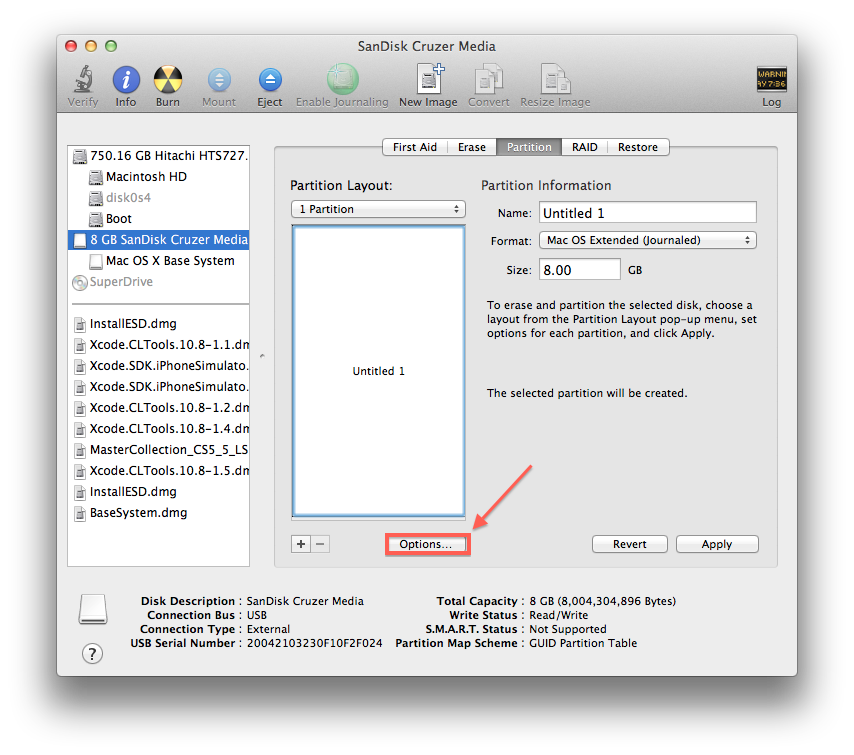
*Now open Diskutility and "restore" BaseSystem.dmg to your USB drive.

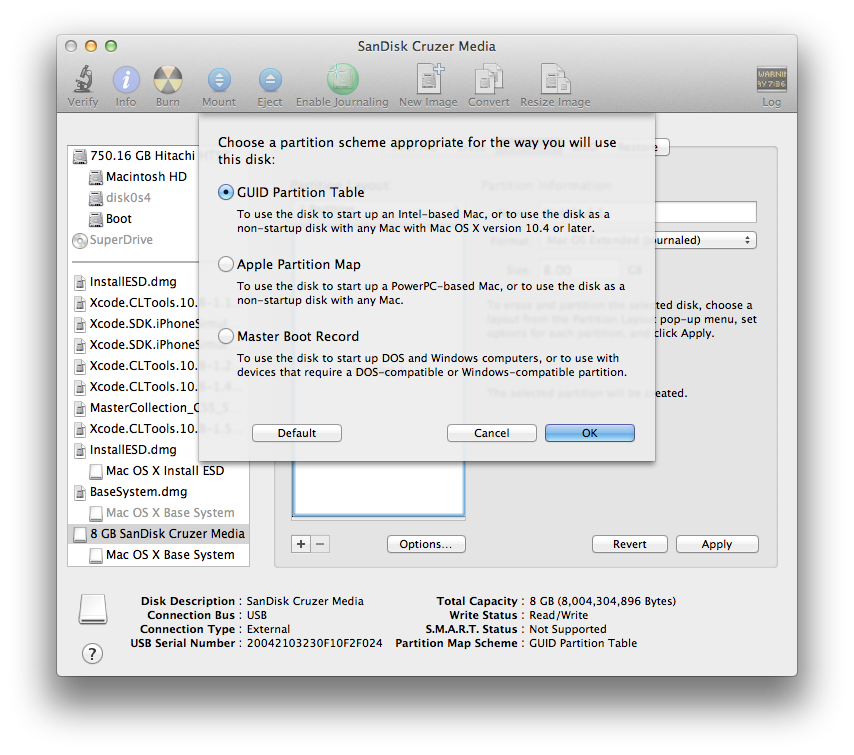
***PLEASE NOTE THIS REQUIRES YOUR USB HAS A GUID PARTITION TABLE***

[Changing partition table to GUID]


[Restoring the DMG]


*Now open your newly restored USB drive


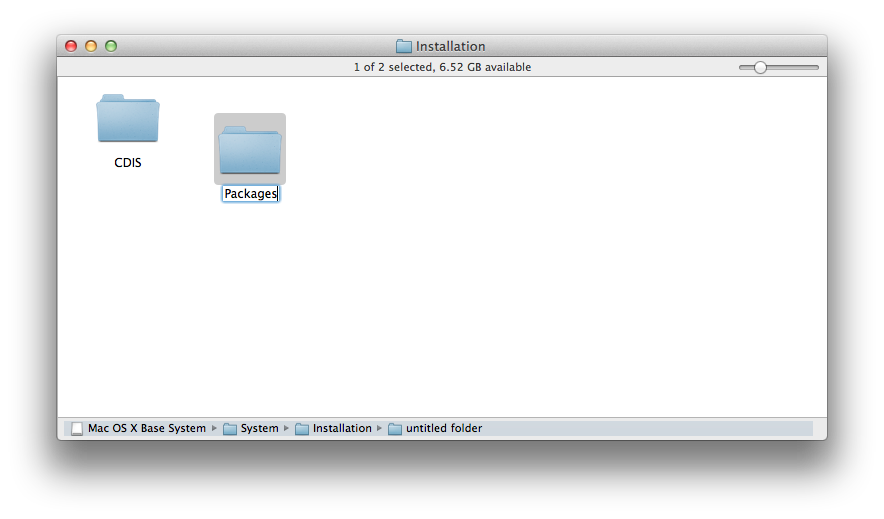
*System -> Installation


*Delete the link called "Packages" and then create a new folder with the same name


*Open the terminal again and copy this to it:

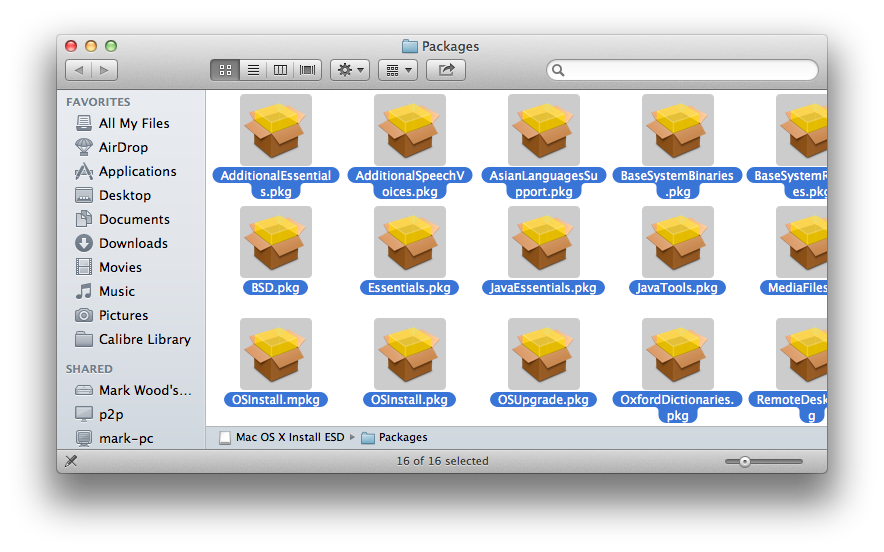
open /Volumes/Mac\ OS\ X\ Install\ ESD/Packages


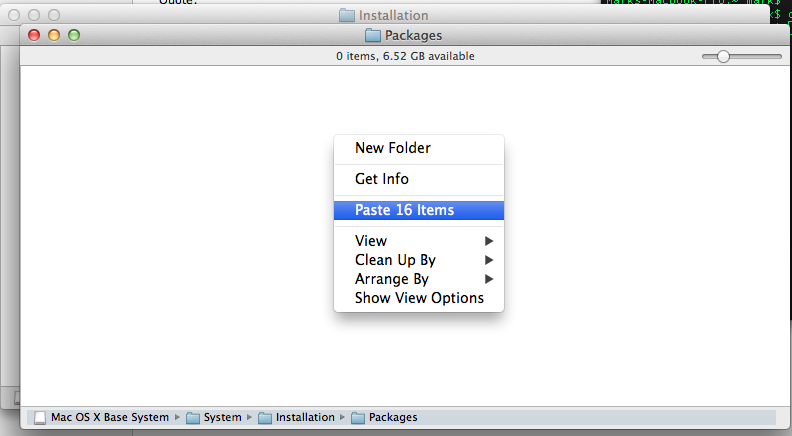
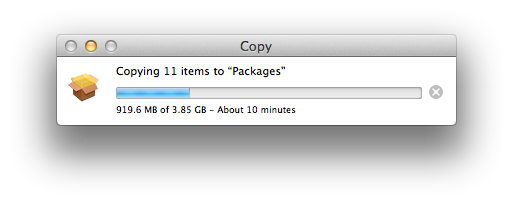
*Copy everything in this folder to the "Packages" folder you created on your USB.


**Note this stage might take a while**


Hurray you now have a working installer.

----------------------------------------------------------------------------------------

A note:

This guide may seem different to others you have seen but it works better:

*The standard installer will copy the installation DMG to your hard drive and then re-run the installation using that. i.e you are needlessly running the install twice. My way doesn't do that.

*This installer allows you to clean install
Score: 20 Votes (Like | Disagree)