T-Mobile USA Rolling Out Software Update for Existing Unlocked iPhone Customers - MacRumors
Skip to Content

T-Mobile USA Rolling Out Software Update for Existing Unlocked iPhone Customers
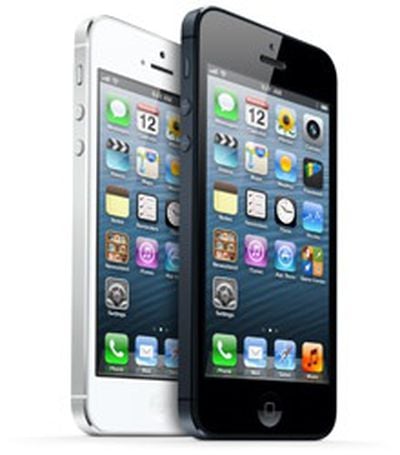
iphone_5_black_whiteIn line with a report from earlier this week, TmoNews reports that T-Mobile USA has begun rolling out software updates for existing customers running unlocked iPhones on its network.

As the carrier notes in its support forum, the update enables a number of features, including LTE support where available, ahead of the official launch of new iPhone 5 sales for the carrier next week.

Enables the following:

- Visual Voicemail
- 4G network indicator
- Commercial Mobile Alert System (CMAS)
- AWS LTE (T-Mobile and officially unlocked AT&T iPhone 5 only)
- HD Voice (T-Mobile and officially unlocked AT&T iPhone 5 only)
- AWS HSPA+ (T-Mobile and new 2013 AT&T iPhone 5 only)

Auto configures:

- MMS Settings
- Personal Hotspot Settings (Smartphone Mobile Hotspot)
- APN settings for LTE connectivity
- My Account bookmark

Earlier today, T-Mobile began taking pre-orders for iPhone 5 customers, with the official launch set for next Friday, April 12.

Related Forum: iPhone

Popular Stories

iOS 26

iOS 26.4 Adds Two New Features to CarPlay

Tuesday March 24, 2026 1:55 pm PDT by
iOS 26.4 was released today, and it includes a couple of new features for CarPlay: an Ambient Music widget and support for voice-based chatbot apps. To update your iPhone 11 or newer to iOS 26.4, open the Settings app and tap on General → Software Update. CarPlay will automatically offer the new features so long as the iPhone connected to your vehicle is running iOS 26.4 or later....
Apple Business hero

Apple Unveils 'Apple Business' All-in-One Platform

Tuesday March 24, 2026 8:53 am PDT by
Apple today announced Apple Business, a new all-in-one platform that unifies device management, productivity tools, and customer outreach features. The service is designed to be a consolidated replacement for several of Apple's existing business-focused offerings, including Apple Business Essentials, Apple Business Manager, and Apple Business Connect. It provides organizations with a single...
AirPods Pro Firmware Feature

Apple Releases New Firmware for AirPods Pro 3, AirPods Pro 2 and AirPods 4

Tuesday March 24, 2026 12:31 pm PDT by
Apple today released new firmware for the AirPods Pro 2, AirPods Pro 3, and the AirPods 4. The firmware has a version number of 8B39, up from 8B34 on the AirPods Pro 3, 8B28 on the AirPods Pro 2, and 8B21 on the AirPods 4. There is no word on what's included in the firmware, but Apple has a support document with limited notes. Most updates are limited to bug fixes and performance...


Top Rated Comments

169 months ago
They are not wasting time! WOW!
Score: 7 Votes (Like | Disagree)
aristotle Avatar
169 months ago
I don't think you guys understand what is going on here. The T-Mobile version and the old iPhone 5 AT&T versions are the SAME hardware.

The only difference between the two models is that they have a different firmware builds. A firmware update can update the baseband which is what controls the radios and what frequencies can be offered.

When you hear about a new version breaking the unlocks that jailbreakers use, it is because Apple updated the baseband portion of the firmware. It is similar to an SMC firmware update on a mac. When Apple updates the baseband, it will often result in a longer upgrade process as the phone has to reboot several times. If a baseband update is not part of the update, jailbreakers can often get their unlock back.

It is possible that Apple will provide older iPhone 5 models with a baseband that can use AWS HSPA+ sometime in the future. Apple has already told the FCC that the hardware is the same. The only difference is the baseband firmware which can be updated and has been updated multiple times by previous updates to iOS.

When you officially unlock, Apple sends an update file that modifies the baseband slightly causing it to shift from a carrier locked baseband to a "factory unlocked" one. That unlock will remain in place even after future firmware updates.

You guys are under the mistaken impression that the cellular radio firmware is stored on a READ ONLY chip.
Score: 4 Votes (Like | Disagree)
169 months ago
For Carrier updates, you need to go to Settings - General - About. That will trigger the carrier update. Of course you'll need to have your T-Mobiles SIM inserted in the iPhone.
Score: 4 Votes (Like | Disagree)
169 months ago
For those of you that are eager...

- Carrier update changes references of 3G to 4G

- My new APN for cellular data is fast.t-mobile.com
- My new APN for MMS is fast.t-mobile.com
- MMSC remains the same: http://mms.msg.eng.t-mobile.com/mms/wapenc
- MMS max message size the same 1048576
- MMS UA Prof URL: now empty
- Takes away my 'Internet Tethering' section in the Cellular Data Settings
- Puts a 'Setup Personal Hot Spot' button on the cellular page. Press it "PLZ CONTACT TEH TMOBILE TO CAN HAZ SETUP HOTSPOT" (those turds)
Score: 2 Votes (Like | Disagree)
crisss1205 Avatar
169 months ago
You can also install this profile update by visiting http://tmobile.com/isetup directly on your iPhone if your phone is on T-Mobile’s network but doesn’t show up any available updates.

I tried accessing that link with my AT&T iPad and it was about to install the T-mobile configurator. I cancelled it. Did anyone tried it to see what happens?

It has been posted several times here already, IT IS NOT the same thing as a carrier update.
Score: 2 Votes (Like | Disagree)
169 months ago
When it's available, it will be in this list:

curl -s -L http://phobos.apple.com/version | grep -i ios6.1.*_us_
Score: 2 Votes (Like | Disagree)

















