
Resetting Network Settings May Fix iMessages Not Working in iOS 7 - MacRumors
Skip to Content

Resetting Network Settings May Fix iMessages Not Working in iOS 7

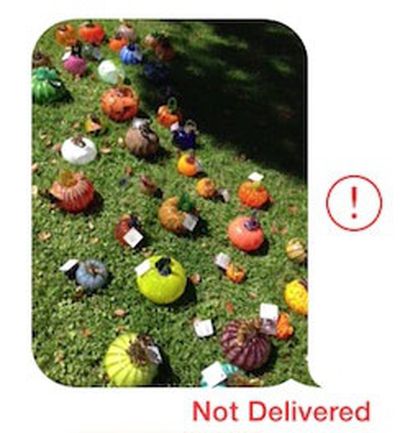
imessage_not_delivered_cropSince the release of iOS 7 earlier this month, a number of users have been complaining about issues with iMessages failing to be sent or received from their iOS devices.

While Apple's iMessage service has suffered from occasional outages, including a minor one documented on the company's System Status page earlier today, some users have been complaining of multi-day outages on their devices, suggesting that something more than a simple service problem may be occurring. Anecdotal reports have indicated that the issue may have worsened with last week's release of iOS 7.0.2, but reports of problems do date further back than that.

Some users have reported that turning their iOS devices off and back on fixes the problem, while others indicate that the solution has not worked for them. In our own testing with a device experiencing difficulties, the following steps appear to have fixed the issue (Note: this will cause your device to forget previously entered Wi-fi passwords)

1. Turn off iMessage in Settings > Messages
2. Reset networking settings in Settings > General > Reset
3. Reenable iMessage in Settings > Messages

Many users are reporting that these failed iMessages are also not falling back to traditional text messages as should occur when iMessage is unavailable. Instead, the iMessages simply hang during the sending process and eventually show as undelivered.


Related Forum: iOS 7

Popular Stories

iOS 26

iOS 26.4 Adds Two New Features to CarPlay

Tuesday March 24, 2026 1:55 pm PDT by
iOS 26.4 was released today, and it includes a couple of new features for CarPlay: an Ambient Music widget and support for voice-based chatbot apps. To update your iPhone 11 or newer to iOS 26.4, open the Settings app and tap on General → Software Update. CarPlay will automatically offer the new features so long as the iPhone connected to your vehicle is running iOS 26.4 or later....
Apple Business hero

Apple Unveils 'Apple Business' All-in-One Platform

Tuesday March 24, 2026 8:53 am PDT by
Apple today announced Apple Business, a new all-in-one platform that unifies device management, productivity tools, and customer outreach features. The service is designed to be a consolidated replacement for several of Apple's existing business-focused offerings, including Apple Business Essentials, Apple Business Manager, and Apple Business Connect. It provides organizations with a single...
AirPods Pro Firmware Feature

Apple Releases New Firmware for AirPods Pro 3, AirPods Pro 2 and AirPods 4

Tuesday March 24, 2026 12:31 pm PDT by
Apple today released new firmware for the AirPods Pro 2, AirPods Pro 3, and the AirPods 4. The firmware has a version number of 8B39, up from 8B34 on the AirPods Pro 3, 8B28 on the AirPods Pro 2, and 8B21 on the AirPods 4. There is no word on what's included in the firmware, but Apple has a support document with limited notes. Most updates are limited to bug fixes and performance...

Top Rated Comments

.Andy Avatar
163 months ago
1. Turn off iMessage in Settings > Messages
2. Reset networking settings in Settings > General > Reset
3. Reenable iMessage in Settings > Messages
Score: 24 Votes (Like | Disagree)
trainwrecka Avatar
163 months ago
Another thing to check is your service provider. If it says "Sprint" please put iMessage in the "OFF" position.
Score: 18 Votes (Like | Disagree)
BC2009 Avatar
163 months ago

But some iMessages never got thru to me. I know, they were from my wife.

Some might consider that a feature. Built-in excuse for failure to respond.
Score: 11 Votes (Like | Disagree)
163 months ago
Too glad I'm still on iOS 6
Score: 7 Votes (Like | Disagree)
ThunderSkunk Avatar
163 months ago
Dammit, iOS Vista...
Score: 4 Votes (Like | Disagree)
163 months ago
I just had to restart my iphone. Then it worked again.

But some iMessages never got thru to me. I know, they were from my wife.
Score: 4 Votes (Like | Disagree)















