

DJ app Pacemaker has launched, bringing a minimalistic mixing interface with various features to the iPad. The app allows users to connect a Spotify account to access and mix any song from the music service's catalog, with the app also including support for tracks from an iTunes library. Once songs are loaded up, Pacemaker allows basic mixing effects including "Scratch", "Crossfade", and "Loop" to be performed with swipe and tap gestures, while extra effects such as "Reverb", "Echo", and "Roll" are available as in-app purchases.
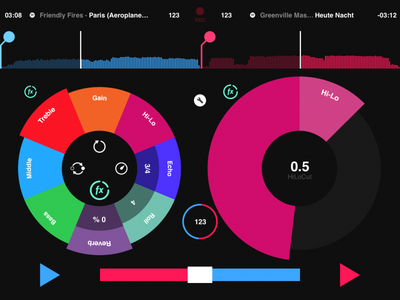
- Mix millions of tracks with Spotify
Pacemaker is the first DJ app connected to Spotify. This gives you millions of tracks at your fingertips and endless possibilities to create something new or simply find and mix the music you love. Pacemaker for iPad offers a Spotify Free Trial to fully enjoy a world of music and DJing.
- Reverb
Size matters. Reverb lets you control the size of the room, from a small hut to the largest of cathedrals.
- Loop
Shoop da loop! Create synchronized loops on the fly; Split or double, exit and re-loop. Also included is the exclusive Pacemaker Loop Travel which produces a glitchy effect by making a small loop travel along the soundwave.
- Beatskip
Jump around! Jump around! Skip a pre-determined number of beats forwards or backwards to create stutter and jumps in the playback.
- Sync the beats
One of the most appreciated features amongst both beginners and professionals is automatic beat syncing. It gives you the possibility to instantly sync tempo and phase of two tracks by tapping the SYNC button.
Pacemaker is a free download for the iPad and can be downloaded through the App Store. [Direct Link]


















