

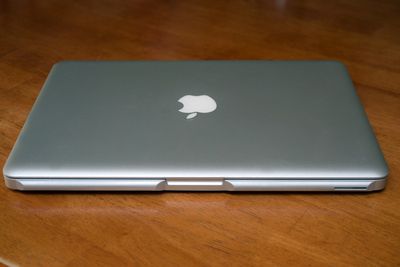
The Ledge MacBook accessory, currently available through Kickstarter, is designed to attach to the edge of a MacBook to turn the sharp front edge into a more comfortable, rounded edge, alleviating the irritation that some users feel when using a MacBook.
Complaints about the sharp edges of the MacBook have been around for years, and a number of solutions have surfaced, but few are as elegant as the Ledge, which blends in perfectly with the aluminum of newer laptops like the Retina MacBook Pro and the MacBook Air.
We have been MacBook users for many years, owning different models along the way. They have all shared one design trait. Sharp edges. No matter which MacBook model we have used, the sharp edges where we rested our wrists and forearms was uncomfortable and irritating.
Searching for a solution, we found nothing acceptable. Nothing existed that was made for MacBook. We decided to create our own solution. Ledge began with several sketches, and led to a staggering amount of prototypes, but the end results were better than we ever expected. It becomes an extension of your MacBook.
Ledge, which comes in two left/right pieces, is designed to install on any MacBook in just a few seconds, attaching onto the edge of the chassis via 3M adhesive. Ledge adds little extra bulk, and because it is made from the same aluminum as the MacBook, it is unobtrusive and blends in well. Ledge is fully portable and can remain attached to a MacBook at all times.
Ledge is available via Kickstarter starting at $29 for a single set for the first backers, with pricing going up to $39 after the first 20 purchases. Colored Ledge sets, in pink, gold, or black, are also available for $49, and a Silver finish double pack can be purchased for $85.
Ledge is compatible with MacBook and MacBook Pros from 2008 and later, the Retina MacBook Pro, and the MacBook Air from 2010 and later.





















Top Rated Comments
$6 on Amazon...
Severe piling on with a side of fanboy.
About the product, I actually do find the edge of the laptop to be uncomfortable if used when traveling by public transportation or airline. Ditto if I am trying to kick back on the couch with it.
You may simply dismiss it as 'first worlder problems', but I have a history with RSS and nerve damage. I am not trying to do anything that takes either hand out of commission.
I didn't know this was an issue.
https://discussions.apple.com/thread/2471321?start=15&tstart=0
The sharp edges on the mac laptops hurt arms a lot while working. It almost cuts the arms during typing on apple laptops hence making impossible to work. I have got marks on my arms now due to the sharp edges.
http://apple.stackexchange.com/questions/29984/sanding-off-a-macbooks-sharp-edges
The edges of both the MacBook Pro (aluminum case) and the MacBook (polycarbonate) are exceedingly sharp. Depending on my typing position, they dig in my wrists, an unpleasant and painful experience.
https://forums.macrumors.com/showthread.php?t=1482903
Anyone else find the sharp edges irritating on the forearms?
http://www.trustedreviews.com/apple-macbook-pro-13-inch-with-retina-display-review-2
depending on the position of your mitts while typing - the sharp edge of the chassis just under the palm rest may make things a little uncomfortable.
//www.youtube.com/watch?v=NnGAlf1hjs4