

Professional image editing app Affinity Photo, created by the same team that's behind the award-winning Affinity Designer app, is today launching in the Mac App Store. Affinity Photo is designed to allow photographers to enhance, edit, and retouch images and is the culmination of five years of work.
The app includes a huge range of photo editing tools for everything from minor manipulations to drastic edits that alter shapes and remove objects from images. It's been in beta testing since February and has been updated with features and improvements that beta testers have requested.
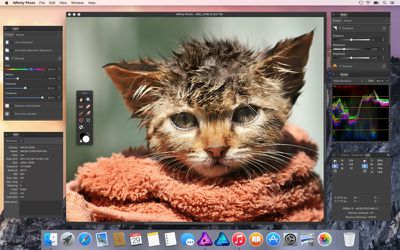
As an app oriented at professionals, Affinity Photo includes features like lens and exposure corrections, live filter layers, controls for channels and masks, advanced layer handling, RAW support, 16-bit channel editing, ICC color management, detailed EXIF info, Photoshop PSD import and export, and frequency separation editing that separates color from texture for retouching skin. According to Affinity Photo's developers, the speed at which it completes tasks and the app's ability to show edits in real time are the most notable features to be aware of.
"The performance of the product is what we are most proud of," said Tony Brightman, head of Affinity development. "We take full advantage of all the latest Apple technologies like OpenGL, Grand Central Dispatch and Core Graphics. What this means to the user is whether it's a 100 megapixel image or a complex composition with 1000s of layers, you can still pan and zoom at 60fps and see live views of all adjustments, brushes, blend modes and filters with no compromise. It's this speed and depth of features which really makes Affinity Photo a joy to use, and sets it apart from anything else out there."
Affinity Photo also includes specific task-focused workspaces for developing, post-processing, liquify, and export, plus it has customizable toolbars with drag and drop panels. It offers vector drawing and text editing tools, an advanced brush engine with custom brush options, unlimited layers, a snapping system with pixel alignment, and an undo history for undoing changes.
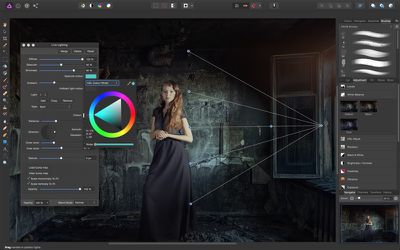
For retouching and making corrections to photos, there's an Inpainting brush for removing unwanted objects, a selection brush for selecting detailed elements in an image, a tool for removing blemishes and red eye, single-plane and dual-pane perspective correction, and a Liquify tool for manipulating images with warps, pinches, twirls, and more. There are also quite a few effects for adding features like tilt-shift, shadows, glow, blurs, and distortions.
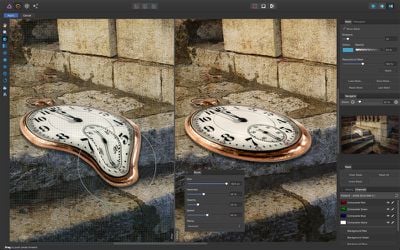
In addition to taking advantage of features like OpenGL and Core Graphics, Affinity Photo is compatible with Macs that have a Force Touch trackpad, enabling pressure sensitivity. It supports Retina displays, is fully optimized for 64-bit and multi-core processors, and includes iCloud Drive support.
To celebrate its launch, Affinity Photo is available from the Mac App Store for $39.99 until July 23. After that time, the price will increase to $49.99. [Direct Link]




















Top Rated Comments
I'm Andy Somerfield - Affinity Photo project lead.
Thought I'd say hello and offer to answer any questions you guys have:
- Yes - we can import .abr brushes :)
- Yes - we let you pan the document nearly-totally-out-of-view :)
- Yes - we do all the pressure stuff including barrel rotation and Wacom hotkeys :)
Hope this helps - anything else you need answered, fire away..
Andy.
The first launch took a while, but the second time the app opened almost instantly on my 2012 MacBook Pro with 8GB of RAM.
As a Photoshop user obviously there's a bit of a relearning curve, but most of the shortcuts are the same, and the tools in general work in the same way, so I was up and running very quickly. There's an optional Assistant which is very useful. The interface it is very clean and modern, although I couldn't find a way of saving a workspace.
Performance seems as advertised; real-time effects, smooth zooming and panning. (I downloaded the 395MB RGB layered model image that's presented on the opening screen for testing).
CMYK support is a massive plus. This and the user interface alone will make this a better choice than Pixelmator for many people.
I'm sure that if I started using this as my daily Image processor, I would find many things missing that I use in Photoshop, but it's a solid start, and at the current price (£29.99 in the UK), it's a no-brainer for anyone that doesn't want the commitment of Creative Cloud.
Of course - but I'm not sure Photo is the sort of thing you need - at least for part of your workflow.
Photo is not a DAM - like Aperture, or Lightroom - it does not maintain a catalog of your images. It's an editor with RAW import capability - perhaps more like Photoshop + ACR.
So, unfortunately, you would need a separate DAM product to go along side it. We're planning to make one one day :) - but for now I'd happily recommend the (perpetual licensed) Capture One - a lot of our beta users on our forum have had success using that to catalog their images, and using Affinity Photo to edit them (the "exporting to Photoshop to do further corrections" stage in your workflow).
When we started making Photo 5 years ago, we expected Aperture to be the DAM of choice - it was a good product! Since it's gone, things have changed!
Sorry I can't be more help with this one - but I'd rather give you a straight answer than tell you to buy the app - because it probably doesn't do what you want.
Andy.
At £29.99 (UK) Affinity Photo is an absolute no brainer, so I'm going to purchase it and then try very hard to switch from CS5. After so many years it'll take some time, however the benefits are there to be seen, there's no doubt.
I wanted to switch when Pixelmator came out. I bought that too, but never got on with it (largely due to the interface). Affinity Photo's interface looks much better so I'm more hopeful this time.
If all goes well, I'll only have Adobe InDesign to replace and then I'll be very close to being Adobe free (apart from very occasional use of Acrobat Pro 9). Go back just a few years and I was using a whole load of their apps which are now consigned to history (Illustrator, Premiere, Acrobat Pro, Photoshop, Lightroom, Dreamweaver, Flash, InDesign). Dreamweaver got worse and worse with each update so I had to find an alternative for that, but the others were working fine for me until Adobe made me start renting their software and then the search for alternatives began...
It's a great time to be an OS X user.